May 2022 Work Progress Report: Zcash Hardfork, Ethereum Difficulty Bomb Activation
June 1, 2022
Zcash hardfork, Nvidia LHR GPU 100% unlock, big blocks in the Ethereum pool, cryptocurrency node updates, Ethereum difficulty bomb activation.
Ethereum Difficulty Bomb
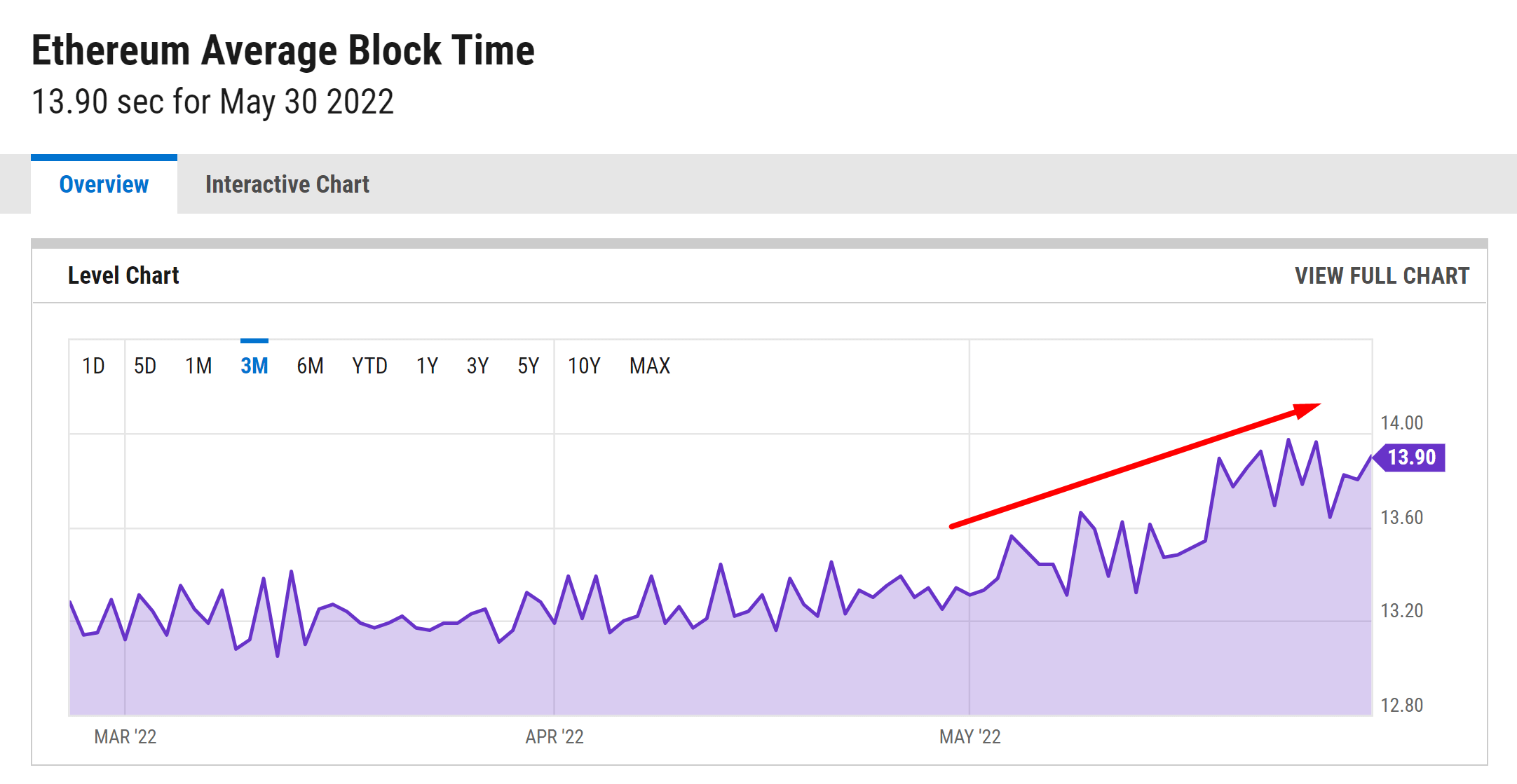
Ethereum block time started to go up recently due to the activated difficulty bomb.
What does that mean?
Fewer blocks in the network -> Fewer transactions the network could handle within a certain time (i.e. 1 day or 1 hour). As a result, the ETH transaction fees could go even higher during periods of high demand.
Fewer blocks in the network -> Less reward for the miners.
What’s next?
According to ETH developer Tim Beiko, in the next months, the block time will continue to grow. Then the developers think to postpone the difficulty bomb for 2-4 months again. The difficulty bomb was designed in 2015 and it was already postponed multiple times.
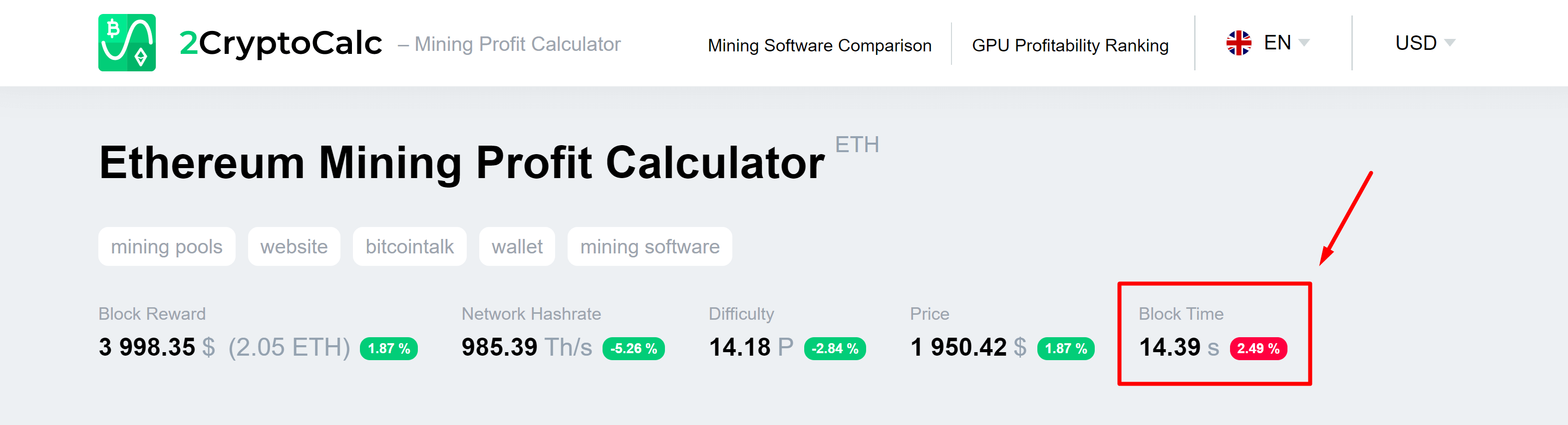
You could check the current block time of the Ethereum Network in 2CryptoCalc.
ZEC Hardfork
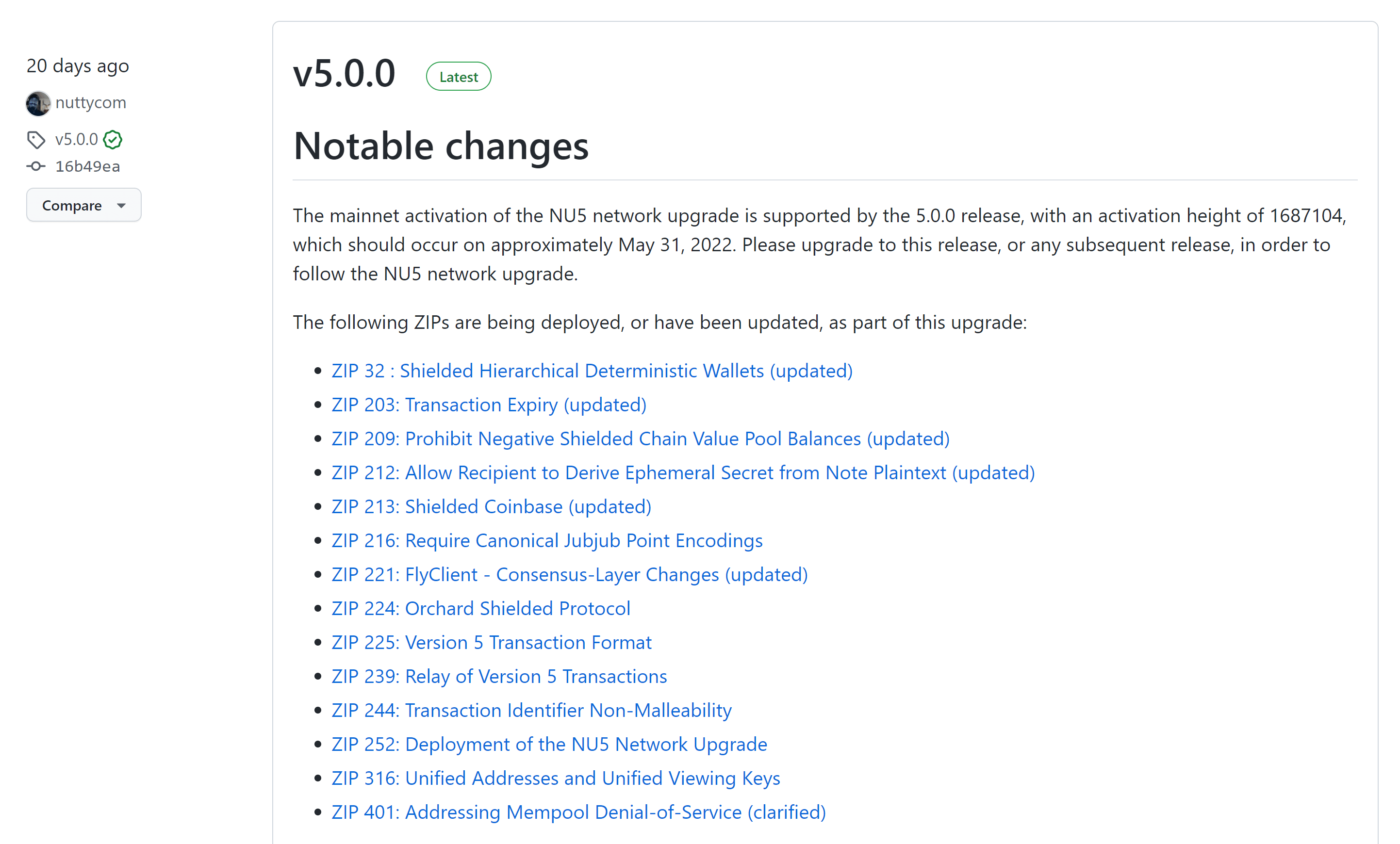
Zcash Network Upgrade 5 (NU5) was activated at block 1 687 104. We updated Zcash node software to the latest 5.0.0 version which included many protocol improvements.
If you are a ZEC miner there is nothing extra you should set in your mining software. 2Miners pool is already set to provide you with the best ZEC mining experience.
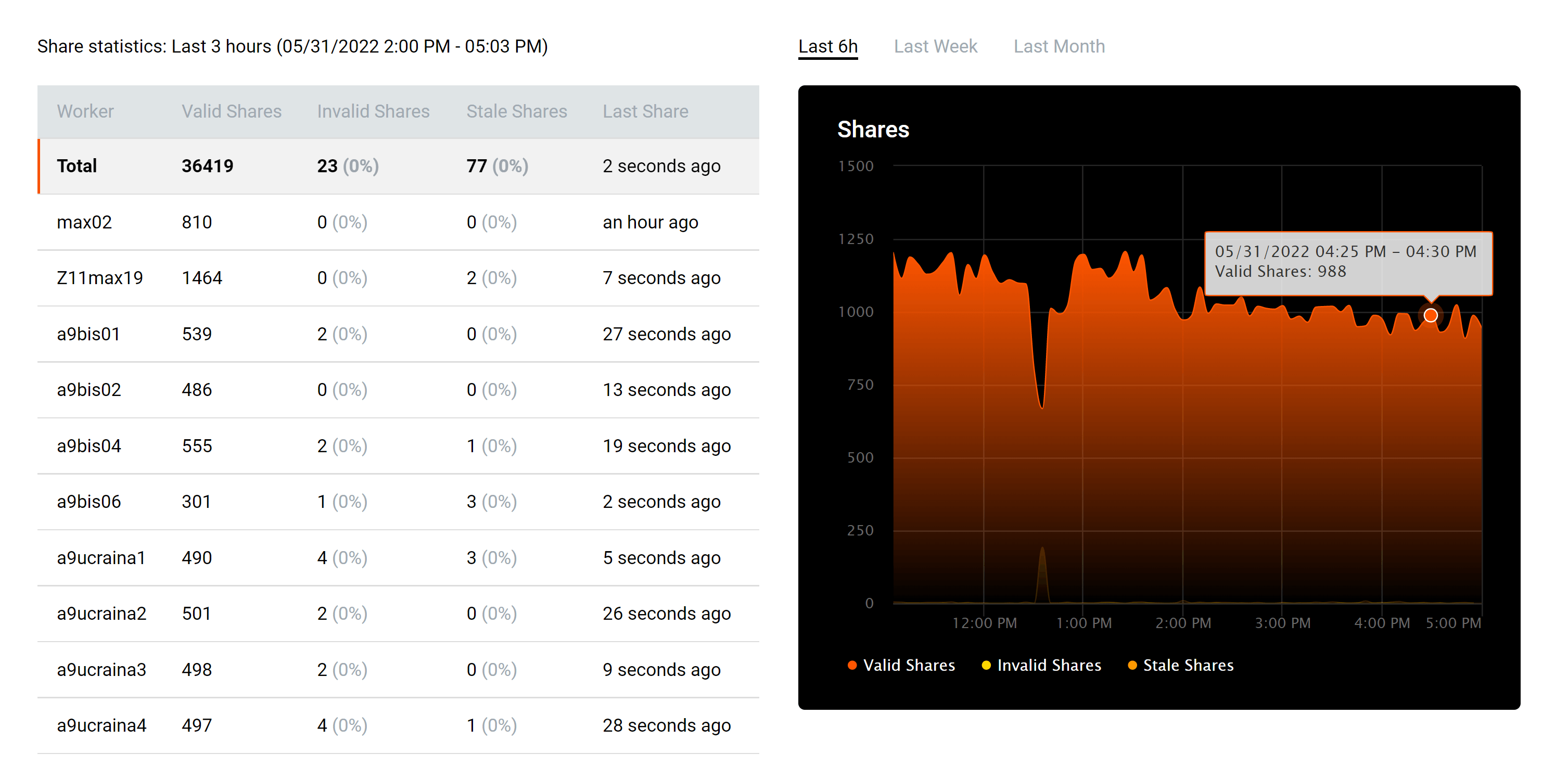
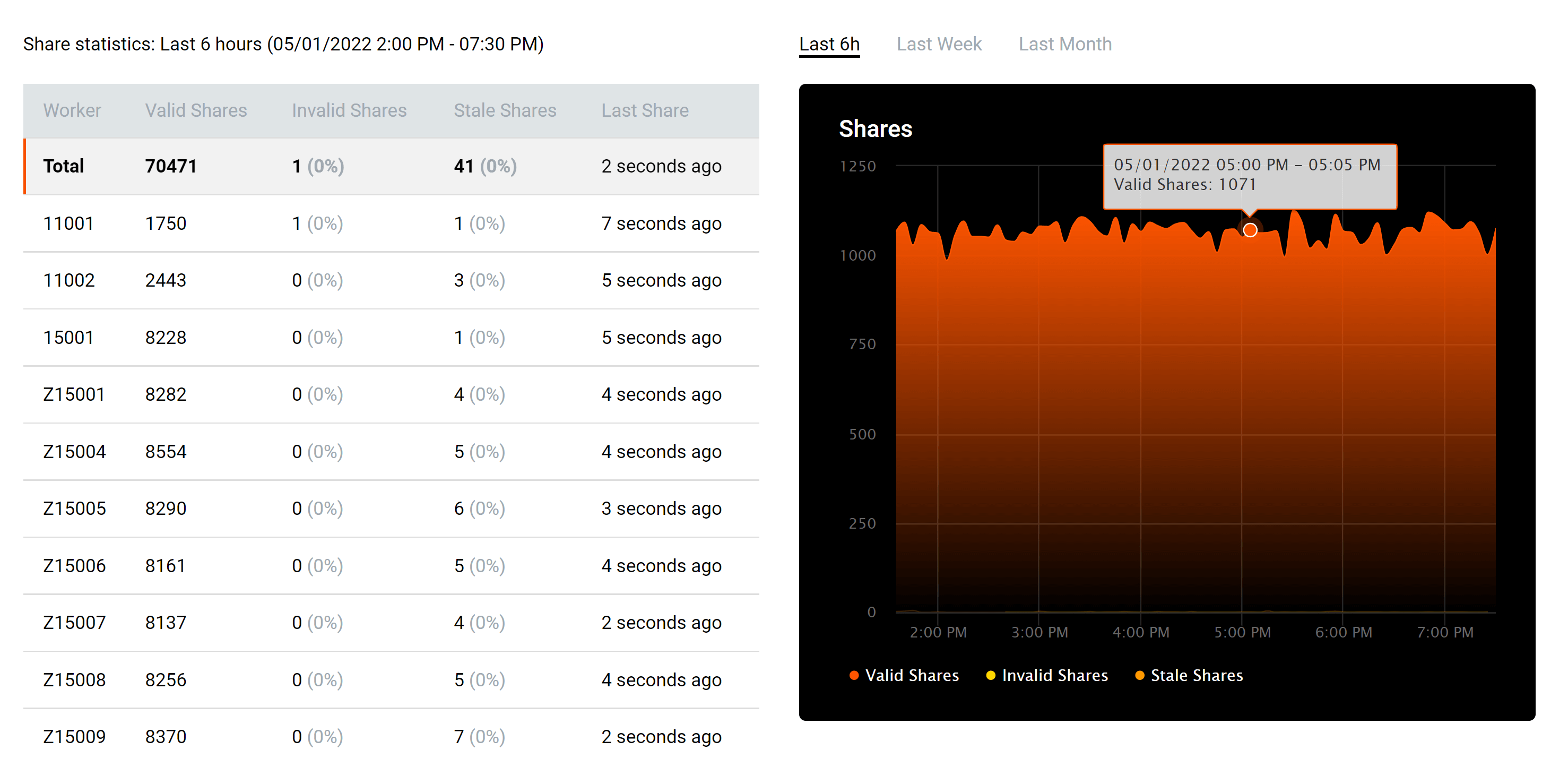
This month we also updated the Zcash pool API and statistics pages. This means that you have now the detailed hashrate statistics and share statistics available. You are also able to change the payout threshold in the ZEC pool!
You may need to clear your browser cache with Shift+Ctrl+R to see the update.
Nvidia LHR GPU Unlock
You could now fully unlock Nvidia LHR graphics card potential. NBMiner was the first to release the new mining software followed by Gminer and T-rex. From May 2022 there is no difference if a particular card is LHR or non-LHR. Their mining hashrates would be the same. We updated GPU hashrates on 2CryptoCalc.
The 2Miners pool co-founder, businessman, miner. In 2017 started mining cryptocurrencies and built many rigs on his own. As a result, he gained lots of practical knowledge and became interested in sharing it with others.
In his articles on 2Miners, he shares useful tips that he tried and tested himself. For example, Darek gives advice on how to buy hardware components for the basic mining rig and how to connect them to each other correctly. He also explained lots of complicated terms in simple words, such as shares, mining luck, block types, and cryptocurrency wallets. After the pool was launched, he published a series of articles ‘Crypto Mythbusters’ where he explained how to protect the network against 51% attack, talked about cryptocurrency mining difficulty and difficulties of launching your own node.
How to Fully Unlock Nvidia LHR Graphics Cards with NBMiner: Experiment Results
May 11, 2022
Today we are going to share with you the results of experiments held by the 2Miners pool team to unlock LHR with a popular mining program called NBMiner. The team tested it on the GeForce RTX 3080 Ti, but the principles are applicable to any LHR graphics card. Let’s get into it.
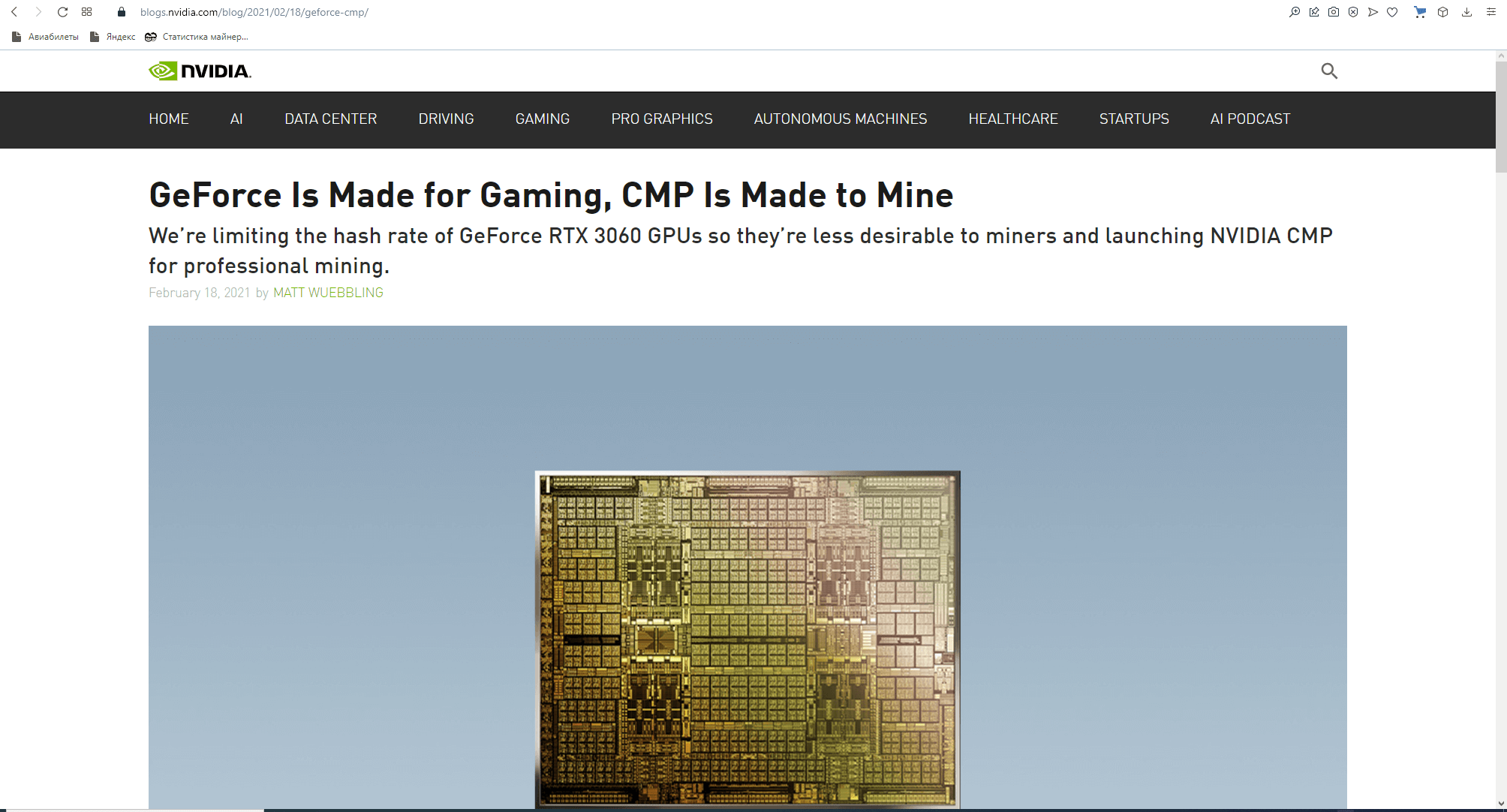
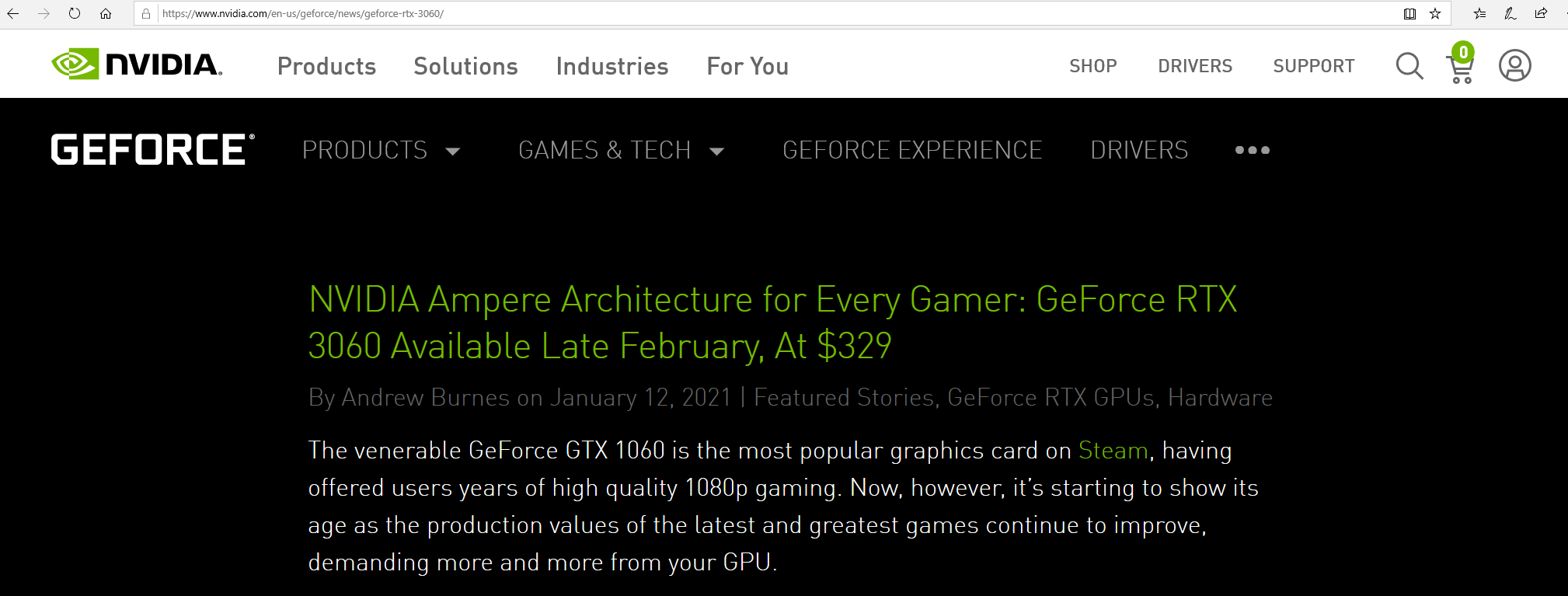
In May 2021, NVIDIA published another article titled A Further Step to Getting GeForce Cards into the Hands of Gamers. This article talks about lowering the hash rate on the Ethash algorithm for the GeForce RTX 3080, 3070, and 3060 Ti. These models became available at the end of May 2021 and were marked with a “Lite Hash Rate” or “LHR” identifier.
At the end of May 2021, NVIDIA announced the GeForce RTX 3080 Ti and GeForce RTX 3070 Ti. You can read the full announcement here.
These GPUs weren’t marked as LHR, but even before the release, there were rumors online about the limited hash rate on Ethash. The rumors about LHR were confirmed after the release and testing.
The active expert discussion of the term LHR started in May 2021.
Test Mining Rig. Estimating Potential Max Hash Rate and LHR Impact
Here is the the configuration of the mining rig we used for this test:
Motherboard: BIOSTAR Hi-Fi B85S2
CPU: Intel Pentium G3220
Memory: DDR3 SDRAM Kingston 4Gb
HDD: Seagate Barracuda 7200.12 160Gb
PSU: EVGA 1000 GQ 80+ GOLD 1000W
GPU: EVGA GeForce RTX 3080 Ti FTW3 ULTRA GAMING
Two GPUs were connected to the motherboard, each through the riser PCI-E X16-X1.
OS: Windows 10
Nvidia drivers: 512.15
Overclocking: MSI Afterburner
Monitoring: GPU-Z
Testing was held on three different rigs with the same setup, indoors, with the room temperature at +15 °C (59 °F).
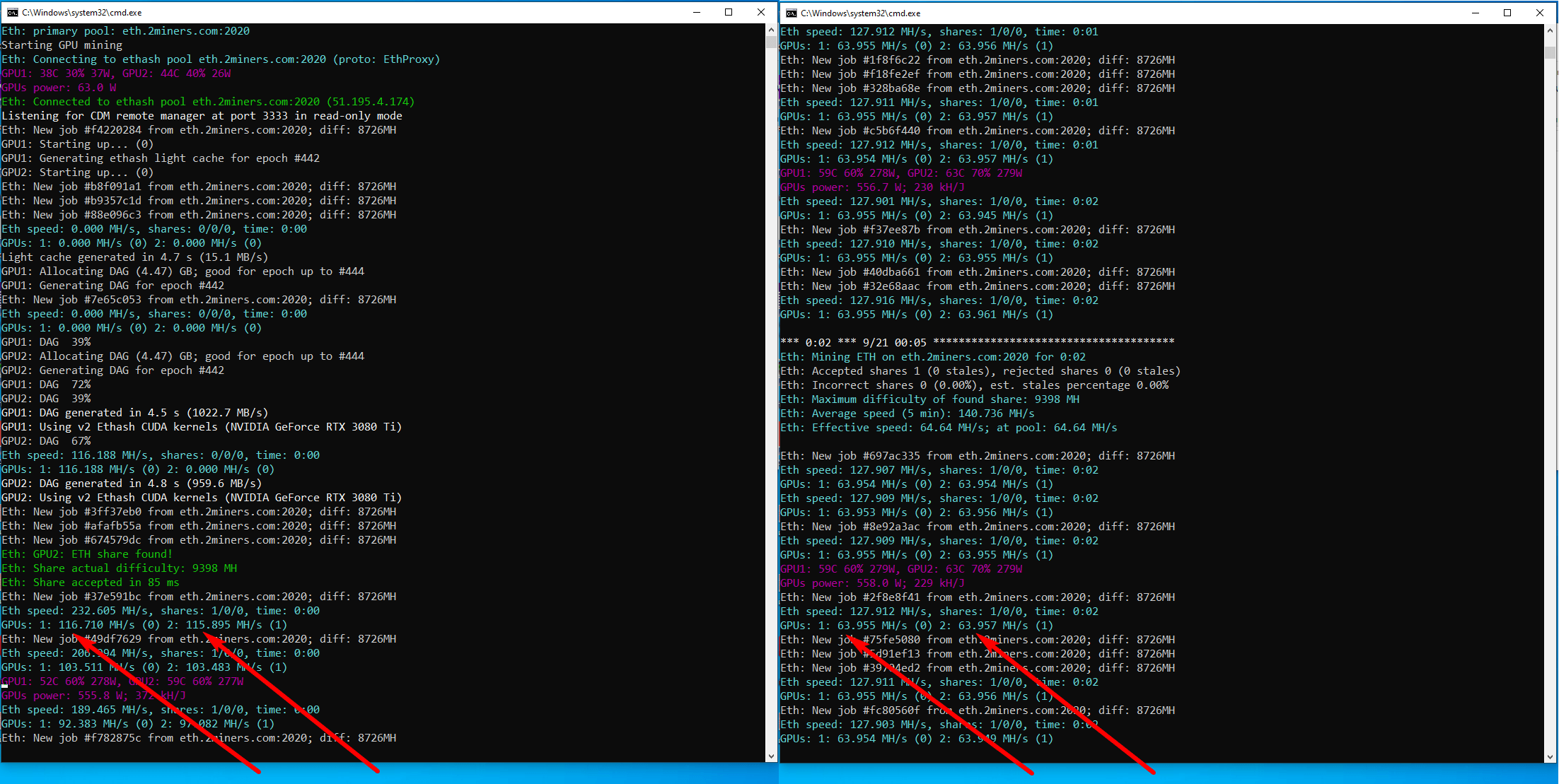
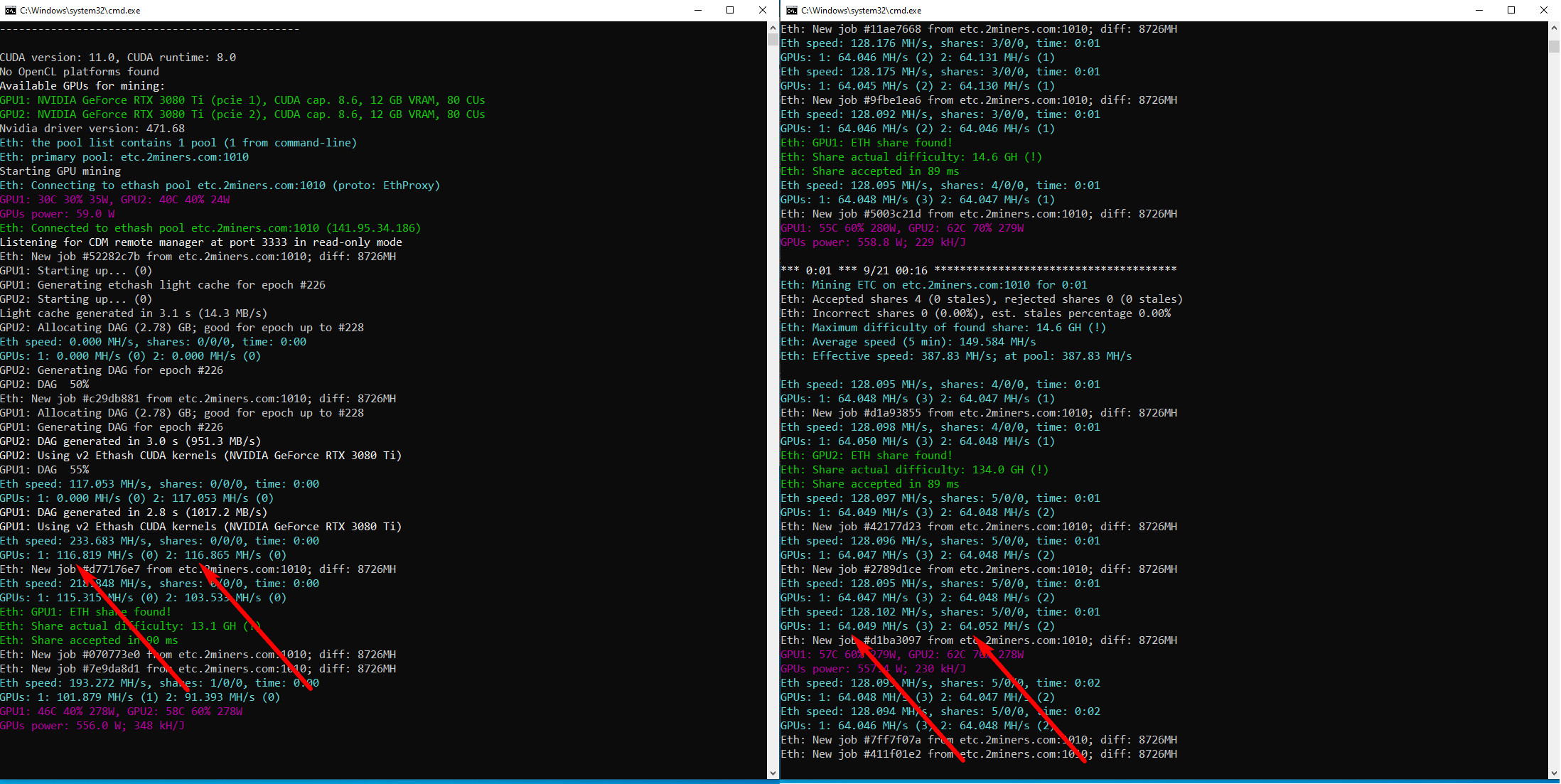
The potential max hash rate without LHR lock on Ethash and Etchash is 116 MH/s. LHR lock causes the hash rate to drop to 64 MH/s (by 45%).
NBMiner: Review & Testing
NBminer is a universal program for cryptocurrency mining on GPUs that supports both AMD and NVIDIA. The mining program has been in development since 2018. As of now, NBminer supports such popular algorithms as Ethash, Kawpow, Octopus, Autolykos2, Cuckoo, and Beamv3.
The miner developers keep in touch with their users on popular platforms and social media.
On August 15, 2021, NBminer developers released the v.39.0, the first mining program that unlocked LHR to 70% of the potential max hash rate. The miner hash rate on Ethash ranged between 77 MH/s and 78 MH/s. Memory Controller Load and GPU Load charts were stable, and the Board Power Draw chart – with slight leaps.
Such settings allow NBminer v.39.0 to unlock LHR to 67% of the potential max hash rate.
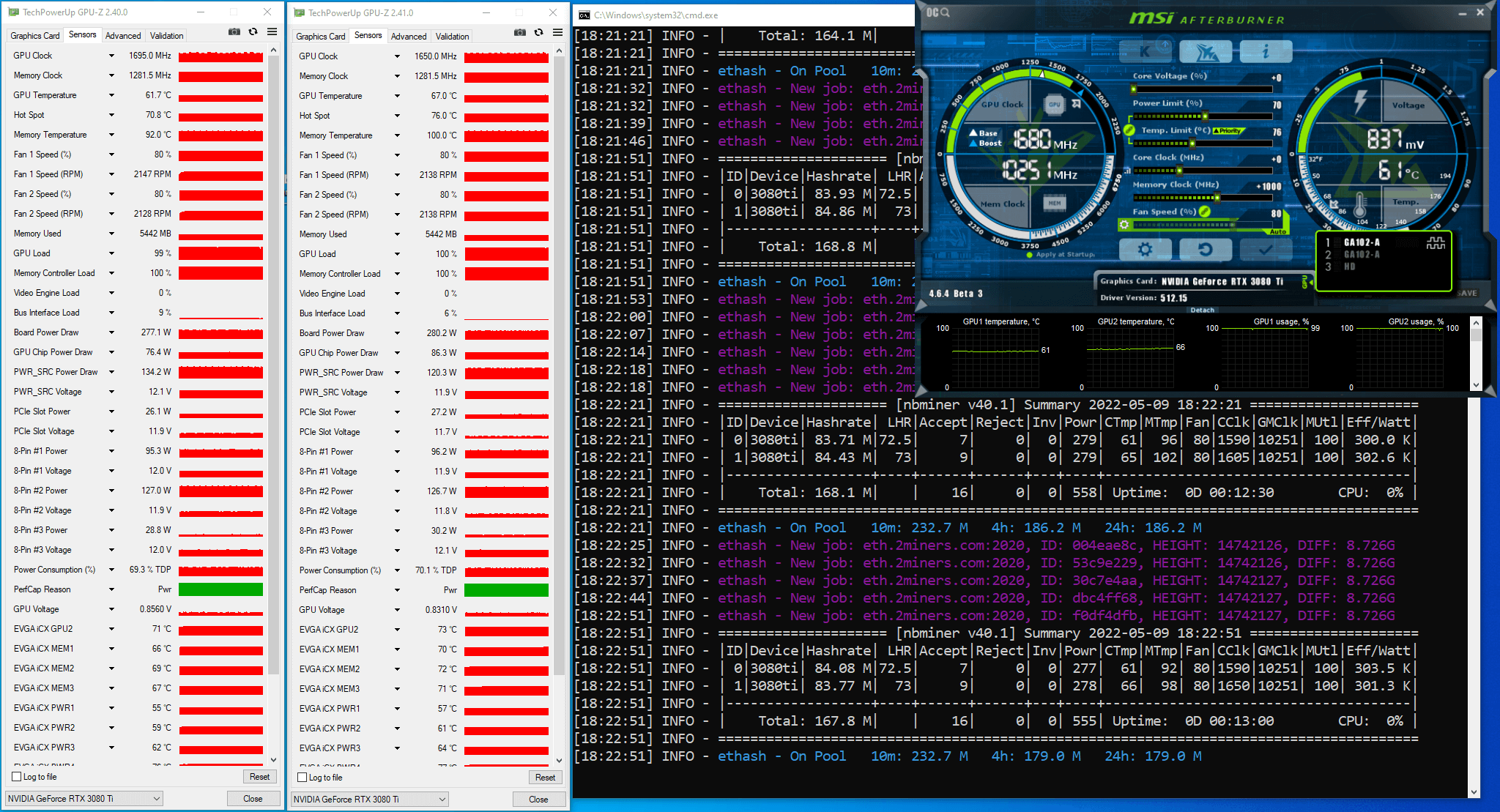
On November 24, 2021, the developers released NBminer v.40.1 which greatly improved the performance of LHR graphics cards. The miner hash rate on Ethash ranged between 83 MH/s and 85 MH/s. Memory Controller Load and GPU Load charts were stable, and the Board Power Draw chart – with slight leaps. Such settings allowed NBminer v.40.1 to unlock LHR to 72% from the potential max hash rate.
NBminer v.41.0 Review
On May 8, 2022, the developers announced NBminer v.41.0. Click here to download the miner and read about its features.
This version promised to unlock LHR to 100%. To achieve this, the developers recommend using the 512.15 video driver for Windows and 510.60 video driver for Linux, as well as running the mining program as admin. For better stability, you should also lower GPU memory overclocking by 100–200 MHz (in comparison with the previous versions).
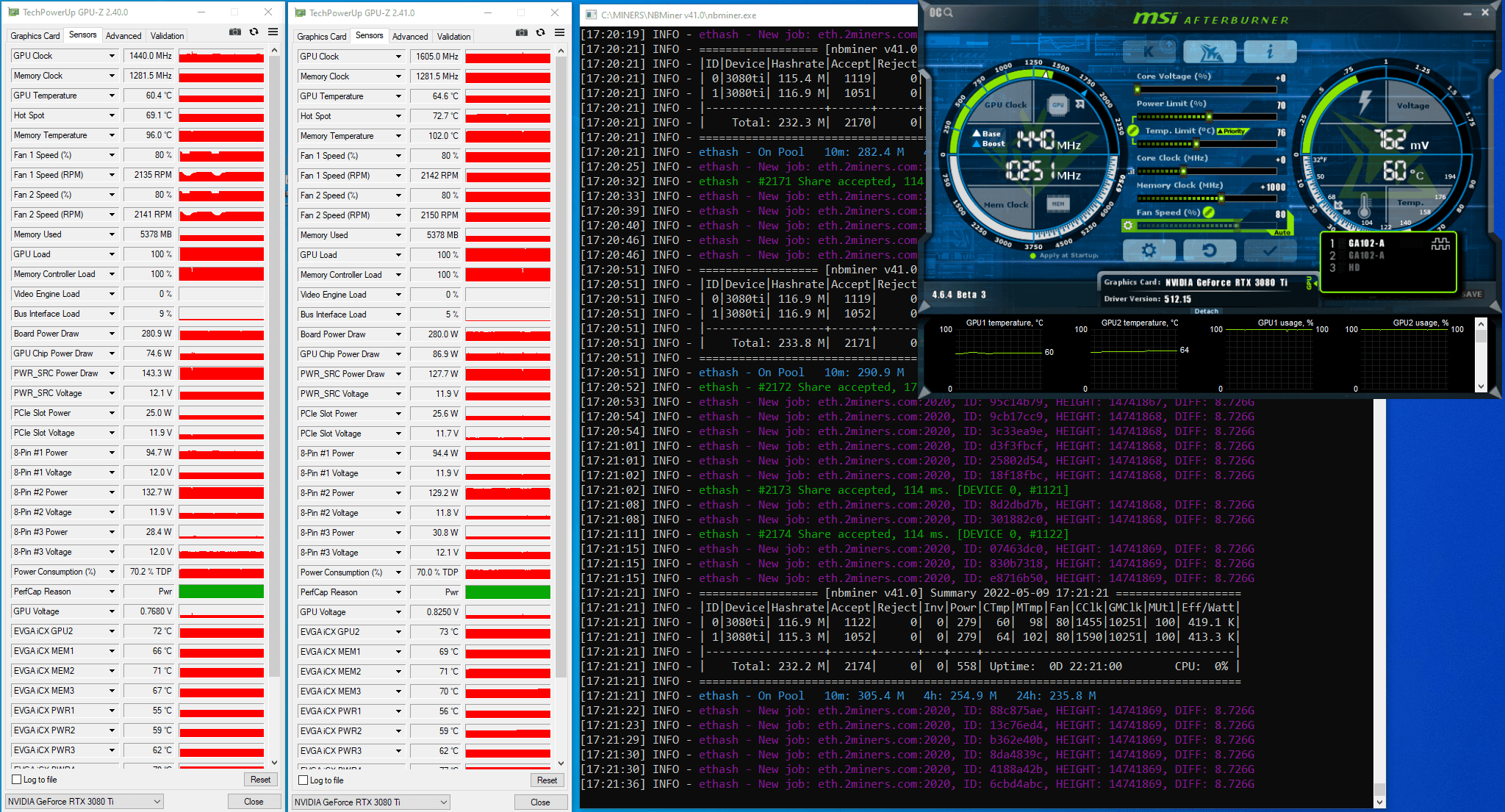
We launched the mining program on the first rig with the following GPU settings: PL(%): 70, CC(MHz): +0, MC(MHz): +1000.
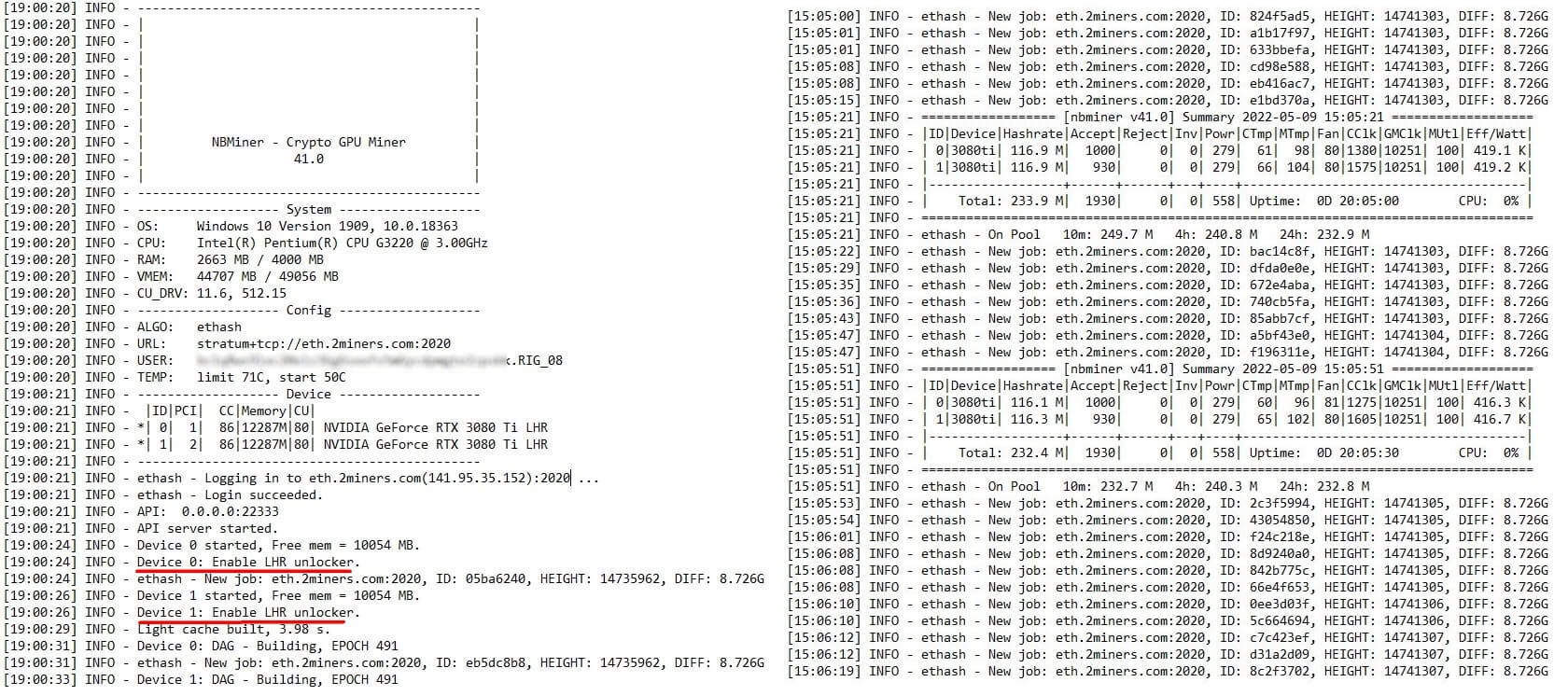
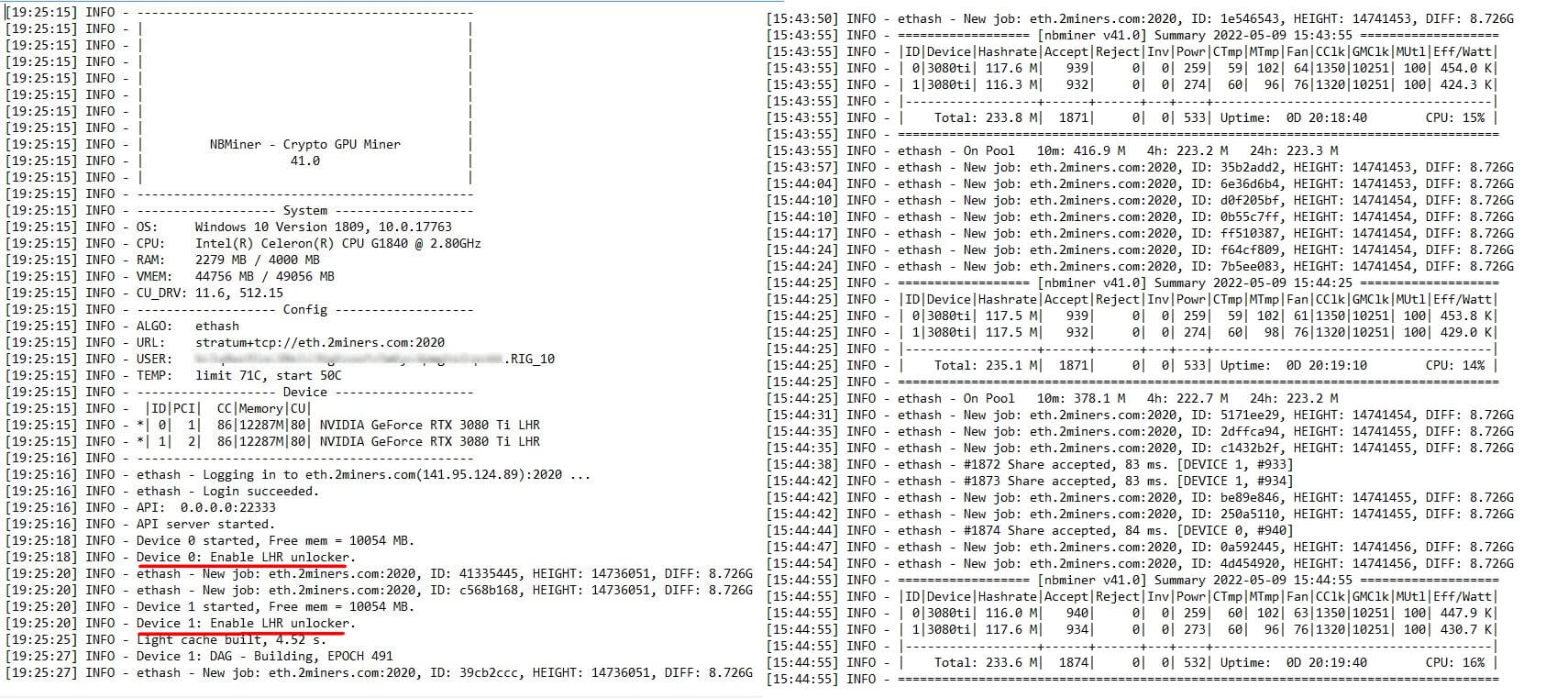
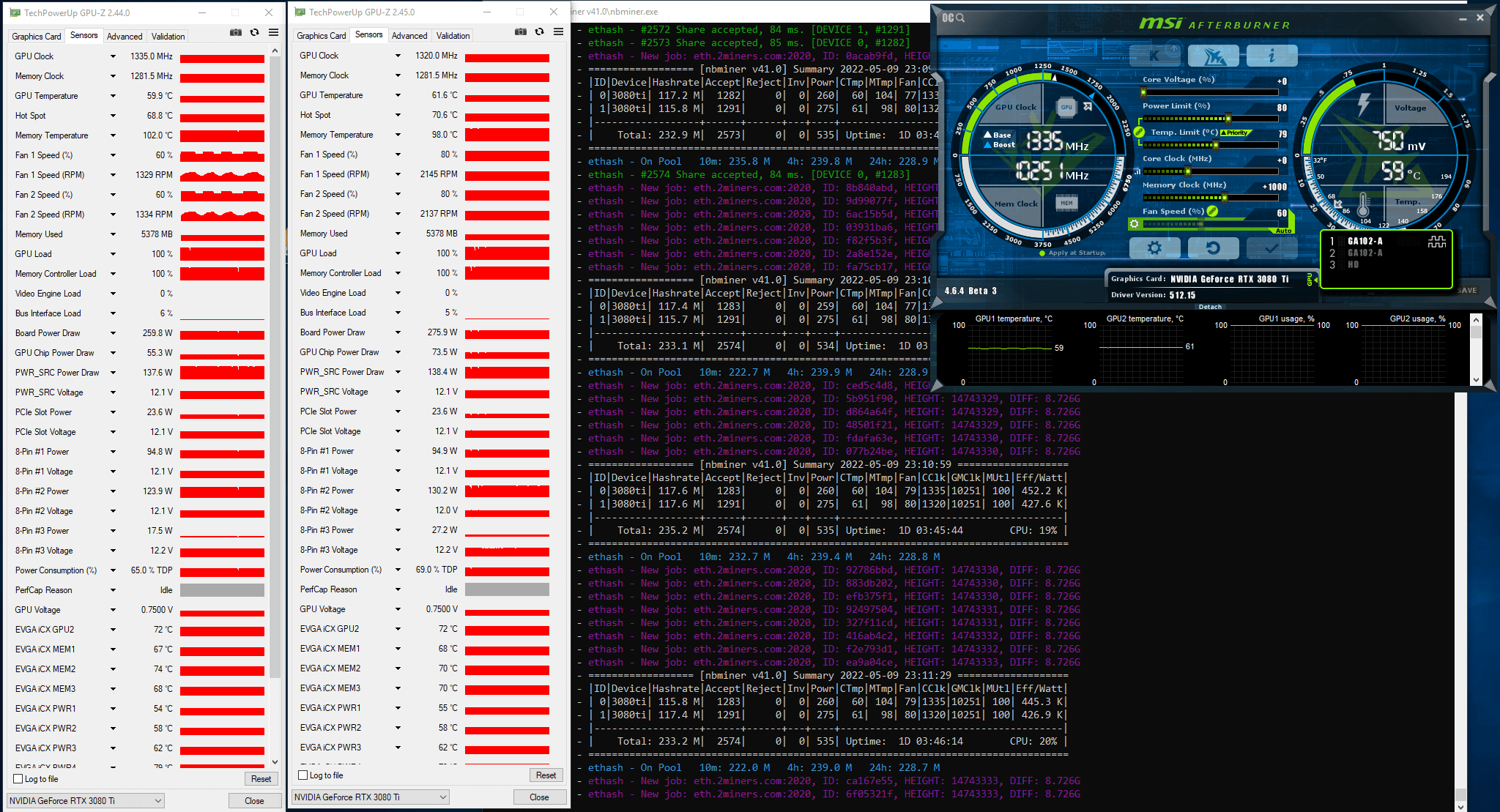
Here is the log file data right after the miner launch and after 20 hours of operation:
We encountered ‘Enable LHR unlocker’ only once, at the very beginning of the log file. We didn’t encounter ‘LHR lock’ in the log file and didn’t restart the miner.
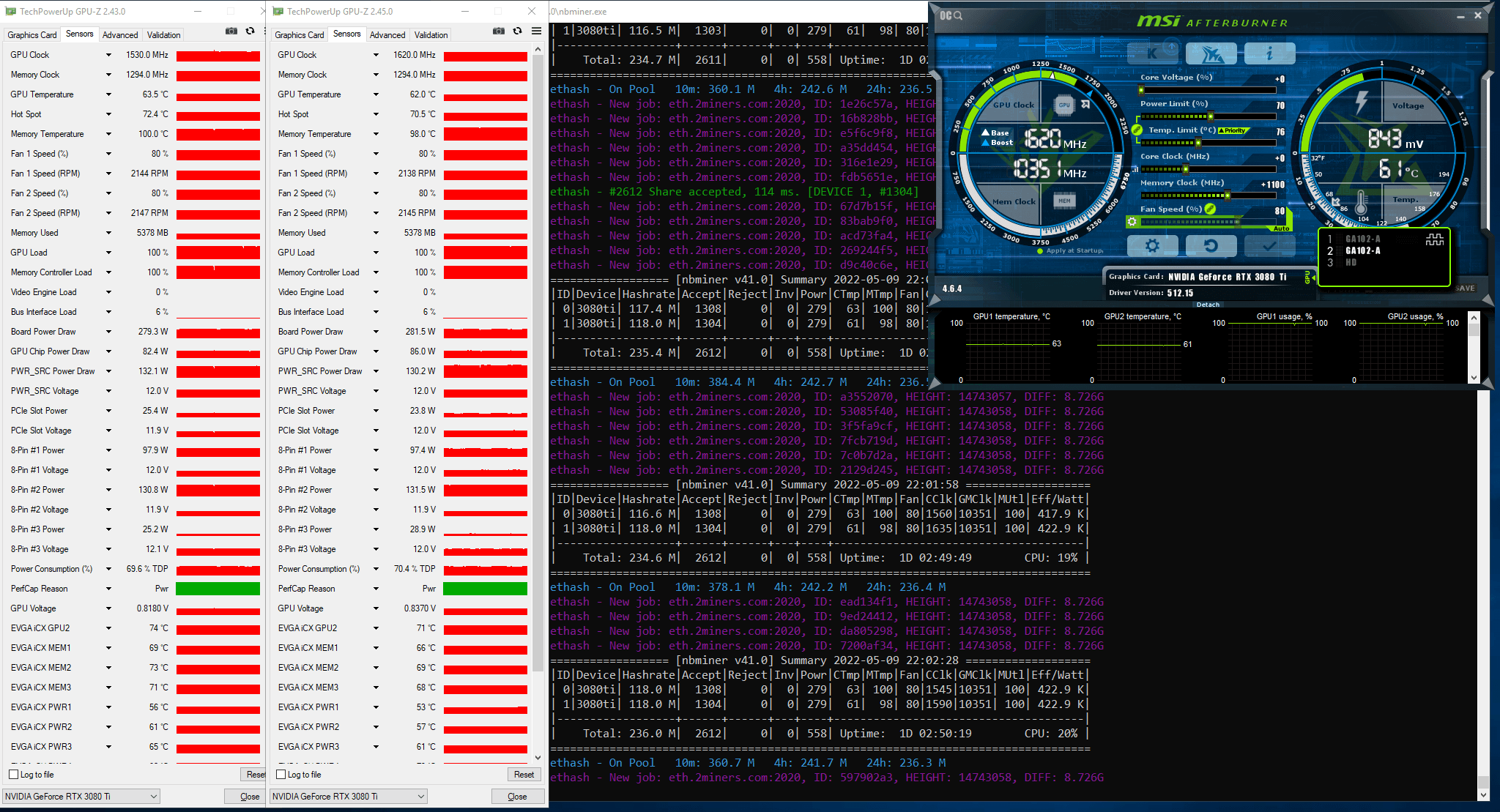
The miner was active for 22 hours and 21 minutes. The miner hash rate on Ethash ranged between 115 MH/s and 116 MH/s. Memory Controller Load and GPU Load charts were stable, and the Board Power Draw chart – with slight leaps.
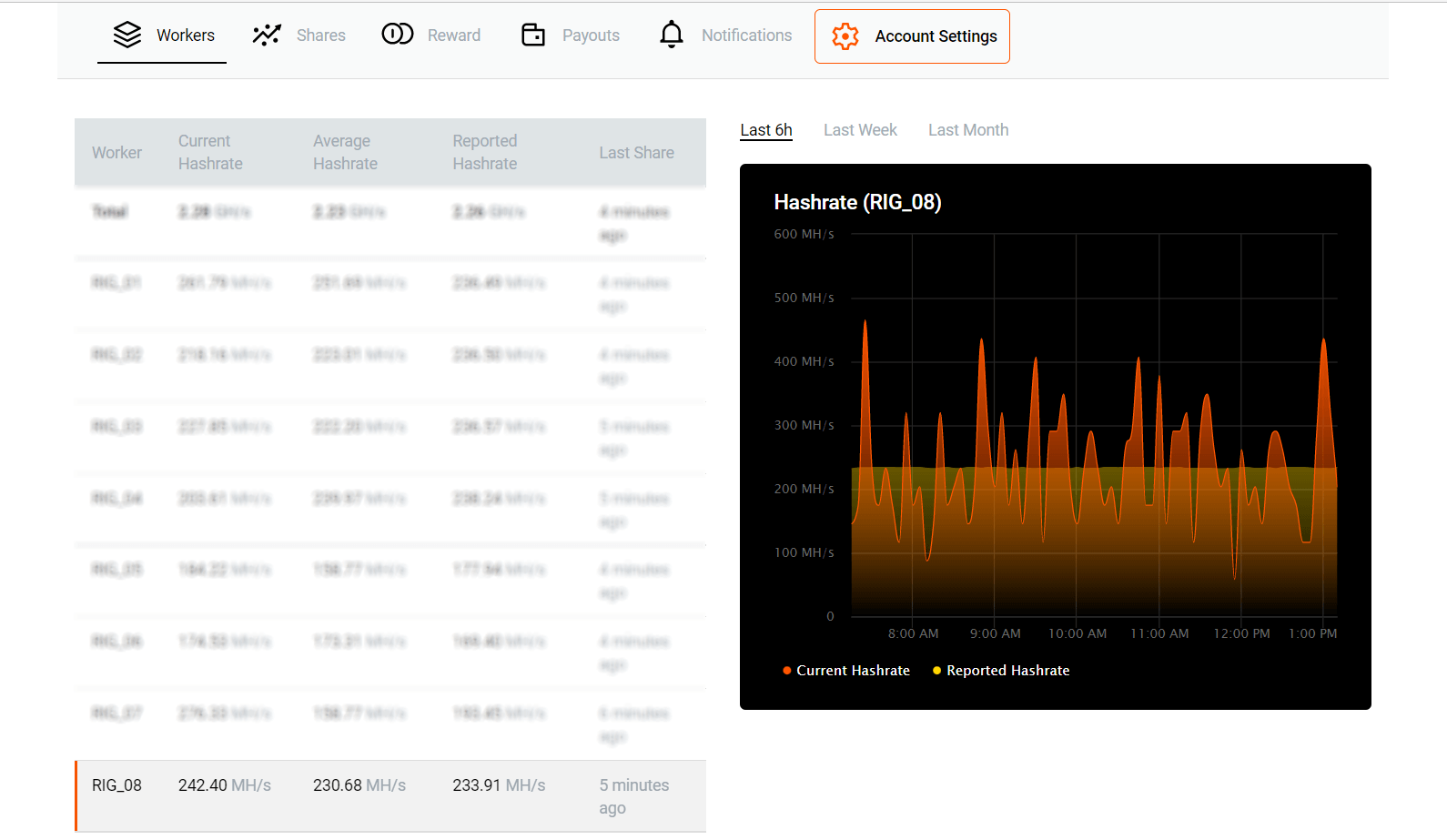
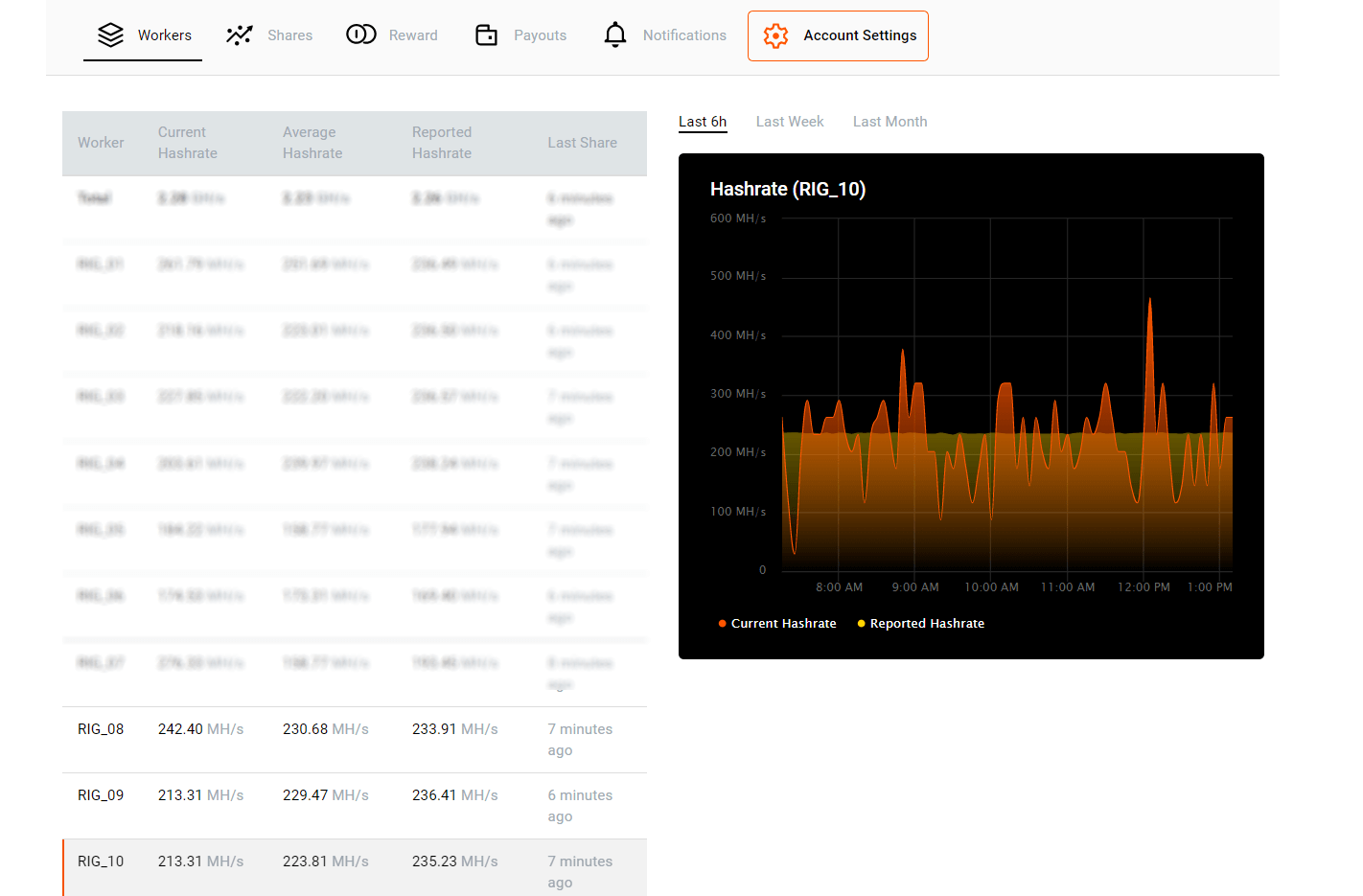
Based on the number of shares sent to the pool, we estimated the miner hash rate. Initial data: 2174 shares (GPU0: 1122; GPU1: 1052) in 22.35 hours, share difficulty is 8726 M. We multiplied the number of shares per second by share difficulty and got 235.8 MH/s. This is a hash rate of two GPUs. We can also estimate the hash rate per GPU: GPU0 – 121.7 MH/s, GPU1 – 114.1 MH/s.
We recommend extending the testing period to get statistically correct results: each card should send over 5000 shares to the pool.
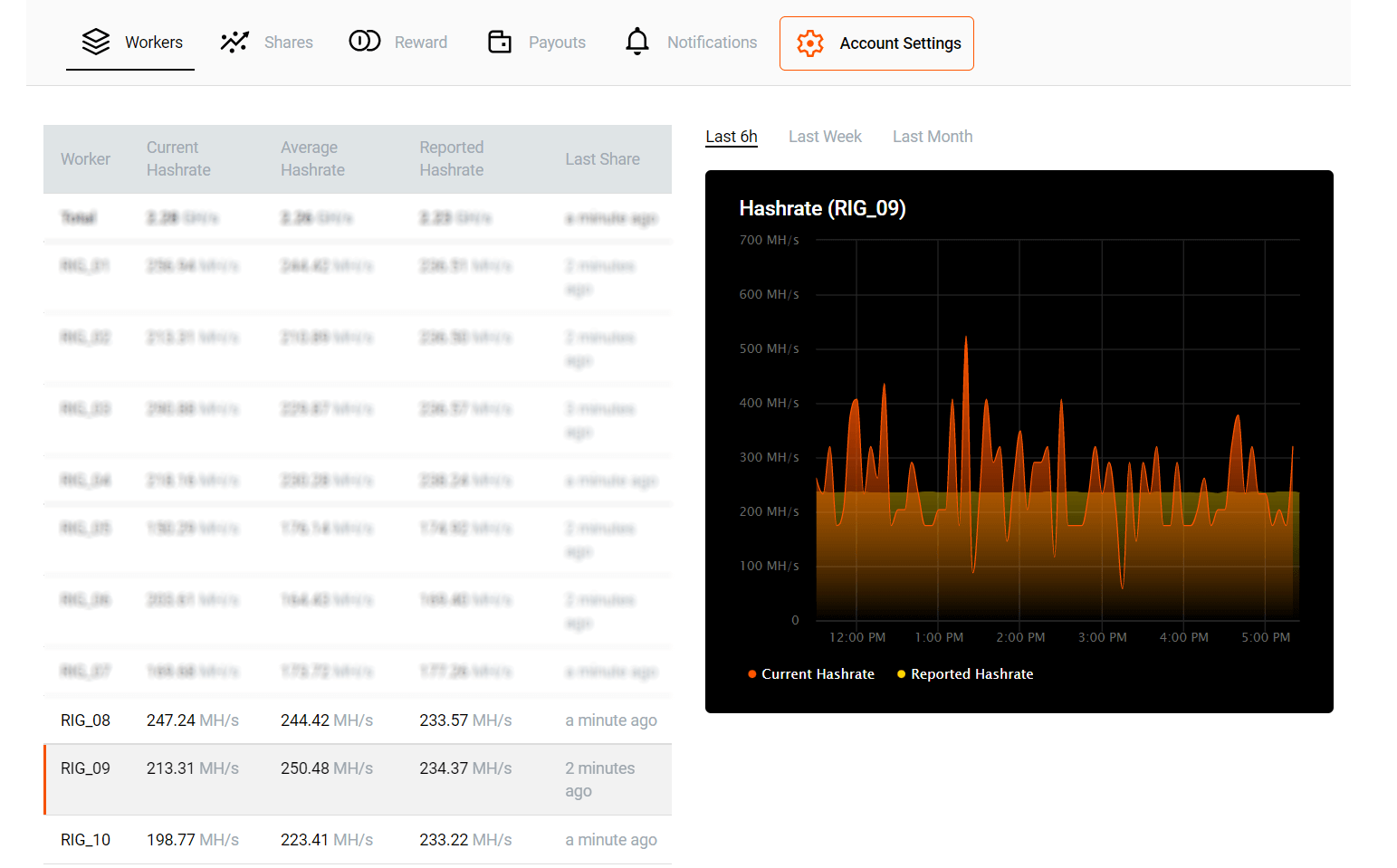
Below is the Stats page of the pool with the results of the rig operation.
We launched the mining program on the second rig with the following GPU settings: PL(%): 70, CC(MHz): +0, MC(MHz): +1100.
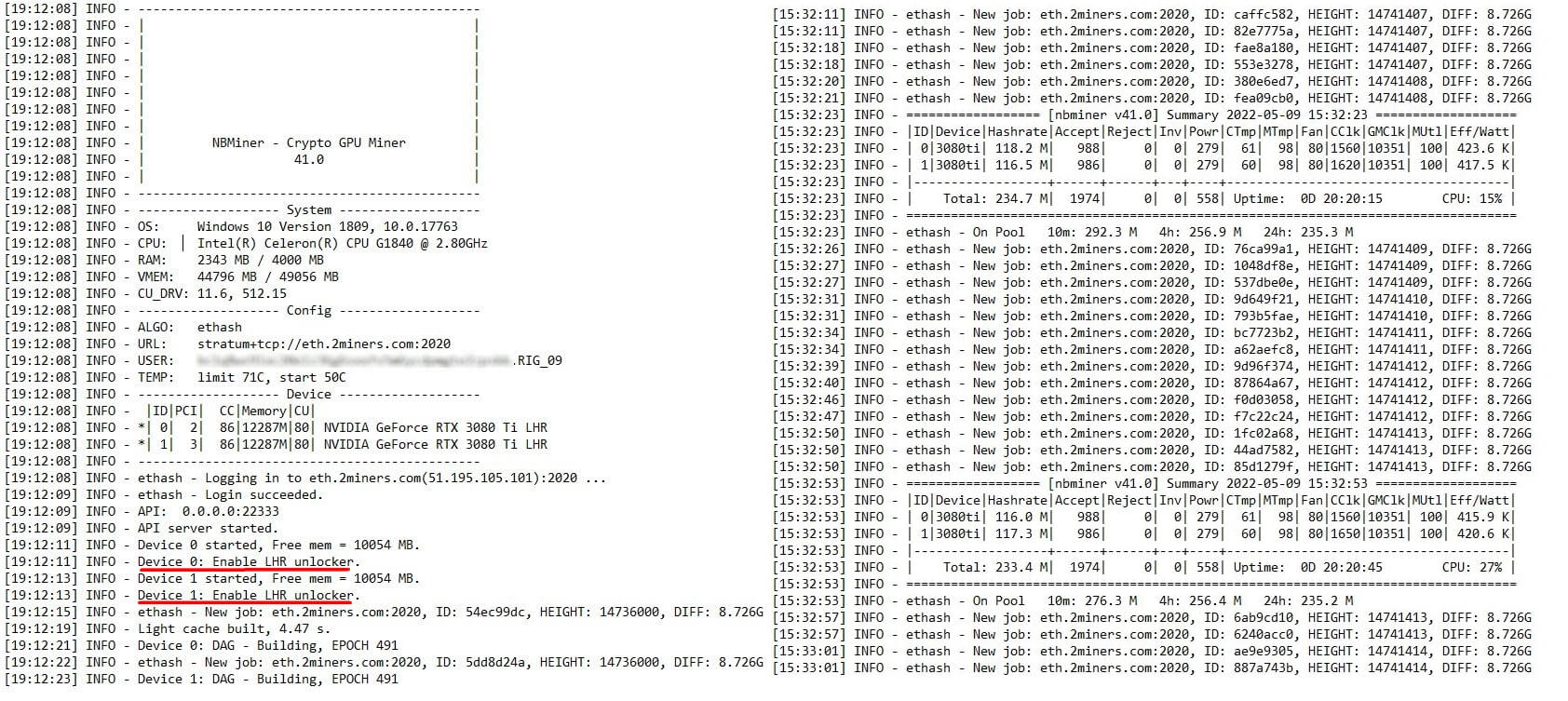
Here is the log file data right after the miner launch and after 20 hours of operation:
We encountered ‘Enable LHR unlocker’ only once, at the very beginning of the log file. We didn’t encounter ‘LHR lock’ in the log file and didn’t restart the miner.
The miner was active for 26 hours and 50 minutes. The miner hash rate on Ethash ranged between 117 MH/s and 118 MH/s. Memory Controller Load and GPU Load charts were stable, and the Board Power Draw chart – with slight leaps.
Based on the number of shares sent to the pool, we estimated the miner hash rate. Initial data: 2612 shares (GPU0: 1308; GPU1: 1304) in 26.83 hours, share difficulty is 8726 M. We multiplied the number of shares per second by share difficulty and got 235.9 MH/s. This is a hash rate of two GPUs. We can also estimate the hash rate per GPU: GPU0 – 118.2 MH/s, GPU1 – 117.8 MH/s.
We recommend extending the testing period to get statistically correct results: each card should send over 5000 shares to the pool.
Below is the Stats page of the pool with the results of the rig operation.
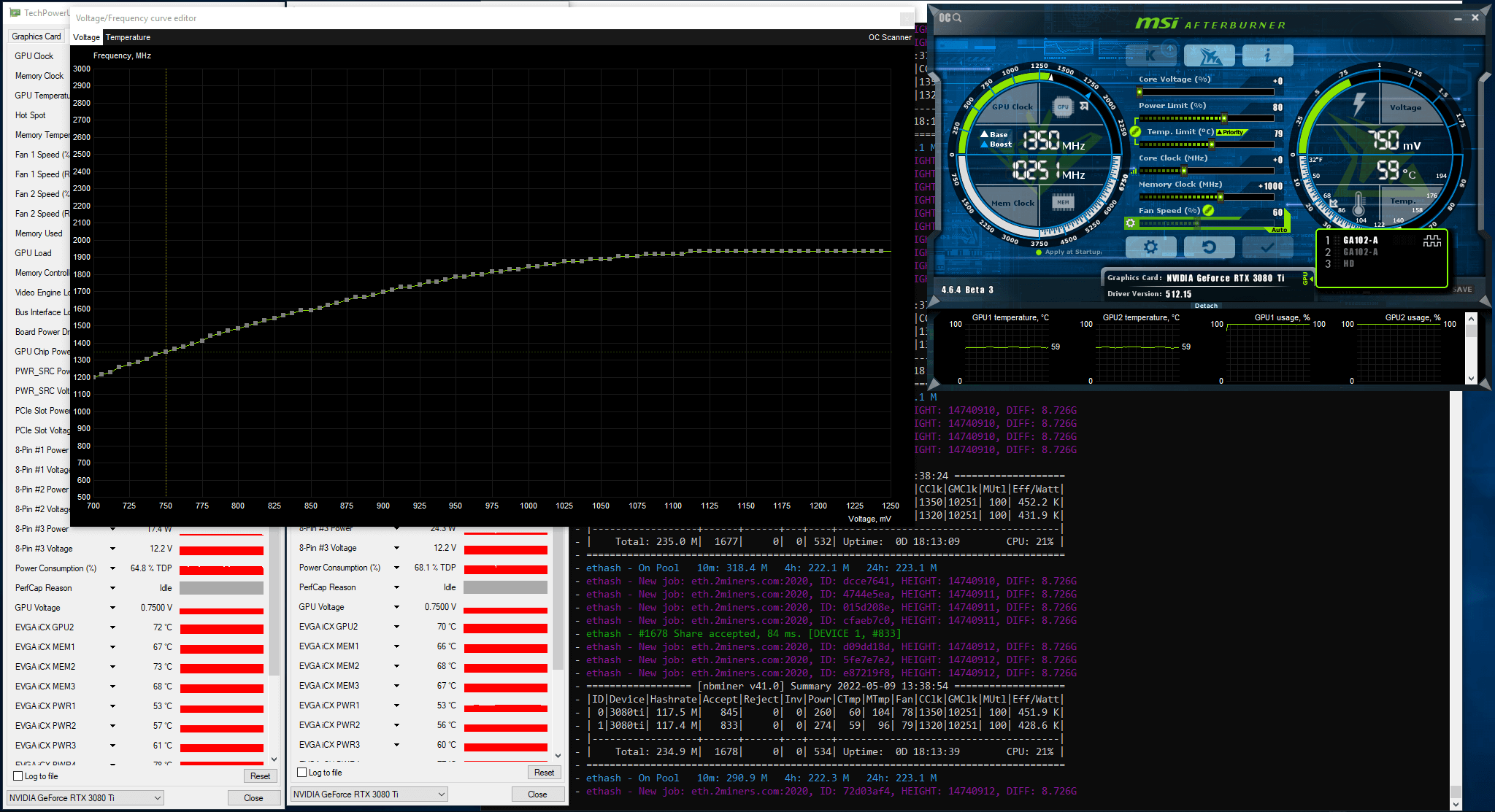
We set up GPUs on the next rig by fixing GPU frequency and voltage. We used the Voltage/Frequency Curve Editor in MSI Afterburner.
We launched the mining program on the third rig with the following GPU settings: PL(%): 80, CC (MHz): -109 fix Voltage(mV) 750, MC (MHz): +1000.
When you fix the voltage, choose a point that will let you run the miner with a Core Clock (CC) of 1300–1350 MHz.
Here is the log file data right after the miner launch and after 20 hours of operation:
We encountered ‘Enable LHR unlocker’ only once, at the very beginning of the log file. We didn’t encounter ‘LHR lock’ in the log file and didn’t restart the miner.
The miner was active for 27 hours and 46 minutes. The miner hash rate on Ethash ranged between 115 MH/s and 118 MH/s. Memory Controller Load and GPU Load charts were stable, and the Board Power Draw chart – with slight leaps.
Based on the number of shares sent to the pool, we estimated the miner hash rate. Initial data: 2574 shares (GPU0: 1283; GPU1: 1291) in 27.77 hours, share difficulty is 8726 M. We multiplied the number of shares per second by share difficulty and got 224.7 MH/s. This is a hash rate of two GPUs. We can also estimate the hash rate per GPU: GPU0 – 112 MH/s, GPU1 – 112.7 MH/s.
We recommend extending the testing period to get statistically correct results: each card should send over 5000 shares to the pool.
Below is the Stats page of the pool with the results of the rig operation.
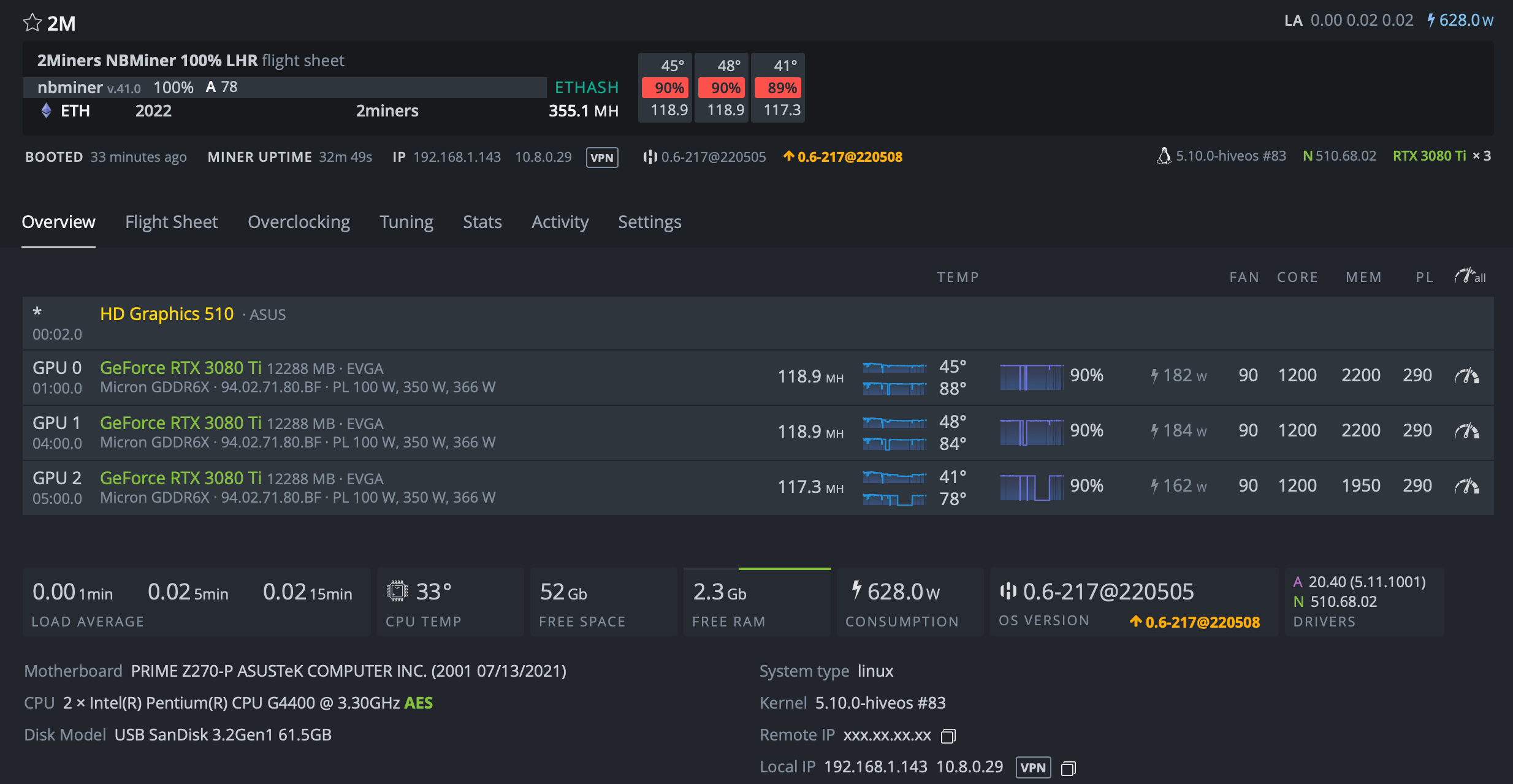
We tested the miner with HiveOS.
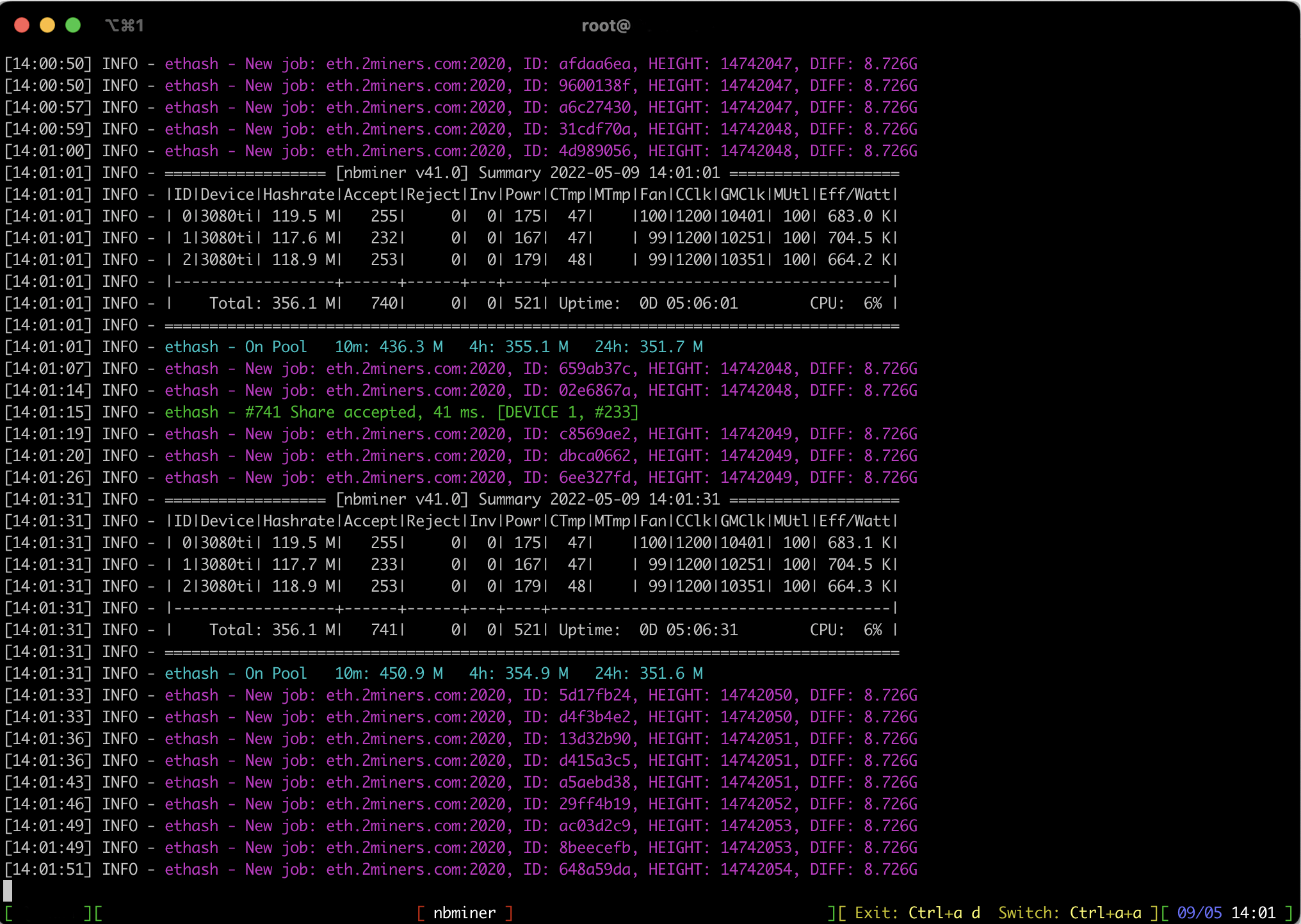
The miner was active for 5 hours and 6 minutes. The miner hash rate on Ethash ranged between 117 MH/s and 119 MH/s.
Based on the number of shares sent to the pool, we estimated the miner hash rate. Initial data: 741 shares (GPU0: 255; GPU1: 233; GPU2: 253) in 5.1 hours, share difficulty is 8726 M. We multiplied the number of shares per second by share difficulty and got 352.2 MH/s. This is a hash rate of three GPUs. We can also estimate the hash rate per GPU: GPU0 – 121.2 MH/s, GPU1 – 110.7 MH/s, GPU2: 120.2 MH/s.
We recommend extending the testing period to get statistically correct results: each card should send over 5000 shares to the pool.
Such settings allow NBminer v.41.0 to unlock LHR to 100% of the potential max hash rate.
NBminer v.41.3 Release
As of now, the latest miner version is NBminer v.41.3. The LHR unlocker is now much more stable, the failure issue on AMD graphics cards has been resolved, and it’s also more compatible with equipment low in RAM.
You should use the 512.15 driver on Windows and 510.60 on Linux. You can download the mining program on the official NBMiner website:
NBminer offers a universal solution to unlock LHR graphics cards.
NBminer v.39.0 unlocked LHR to 67% of the max potential hash rate on Ethash, NBminer v.40.1 – to 72% of the max potential hash rate, and the latest NBminer v.41.3 — to 100%.
Please note that we didn’t test GPUs with extreme settings. You may as well get stable results by using different settings. Make sure to overclock and test each GPU individually.
We recommend you mine Ethereum in 2Miners Mining Pool. We have an amazing BTC and NANO payouts system that saves you a lot on payouts processing. You could find the basic settings below. nbminer -a ethash -o stratum+tcp://eth.2miners.com:2020 -u WALLET_ADDRESS.RIG_ID
If you have enough hashrate you could also mine Ethereum in SOLO. Please check your chances on 2CryptoCalc before.
Share your thoughts in our cryptochat. Join the discussion about the latest news in the blockchain industry. Remember to follow us on Twitter to get all the news as soon as possible.
Miner since 2017, the 2Miners pool co-founder. Became interested in cryptocurrencies at the dawn of the latest bull run and bought his first graphics cards. After having built and set up a few mining rigs, he realized that existing mining pools didn’t satisfy him – that’s how the idea of creating the 2Miners pool was born.
John published a series of articles about the basics of cryptocurrency mining. He gave valuable tips on how to buy ASICs and GPUs from abroad and then shared their mining performance. On the website, you can find early articles about cryptocurrency mining, blockchain in general and mining pool operation principles. The readers gave positive feedback on John’s practical guides, such as building an Ethereum mining rig and Nvidia 1080ti overclocking.
April 2022 Work Progress Report: Currency Selection, ETC and ERG Reward Reduction
May 2, 2022
Ethereum Classic and Ergo mining rewards reduction, extra rewards in the Ethereum pool, new API and statistics pages for Horizen, multiple cryptocurrency node updates, and currency selection available.
Currency Selection
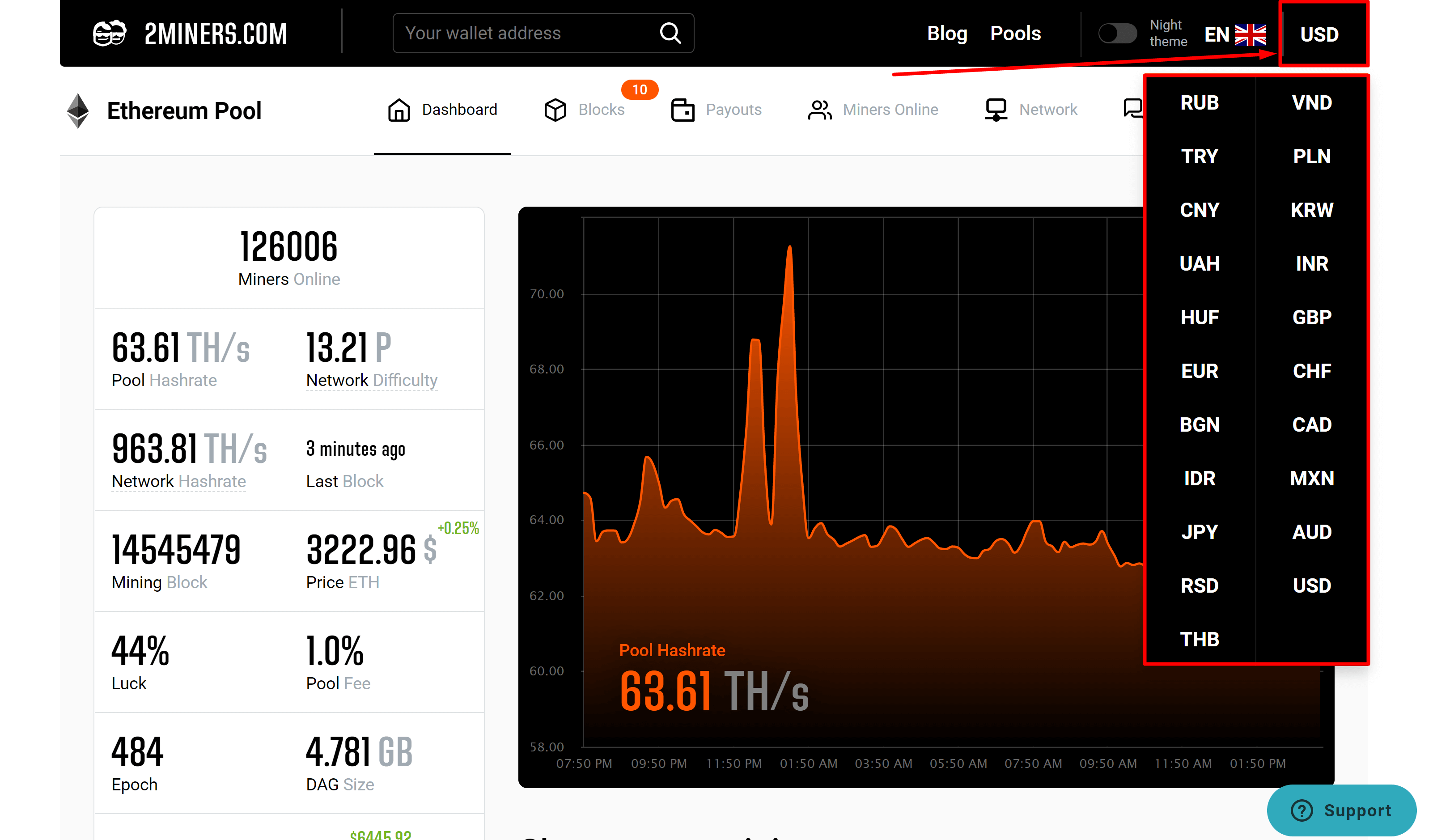
Now you could select your local currency on 2Miners.com
No matter which pool language you use, you could select the currency for statistics representation on your own. Click the currency sign on the top right corner of the pool and select the desired currency.
Ethereum Classic News
We launched the new payout system in the Ethereum Classic 2Miners pools in March which allows you to mine ETC and receive the payouts in BTC! Almost 500 miners started to use this system in April.
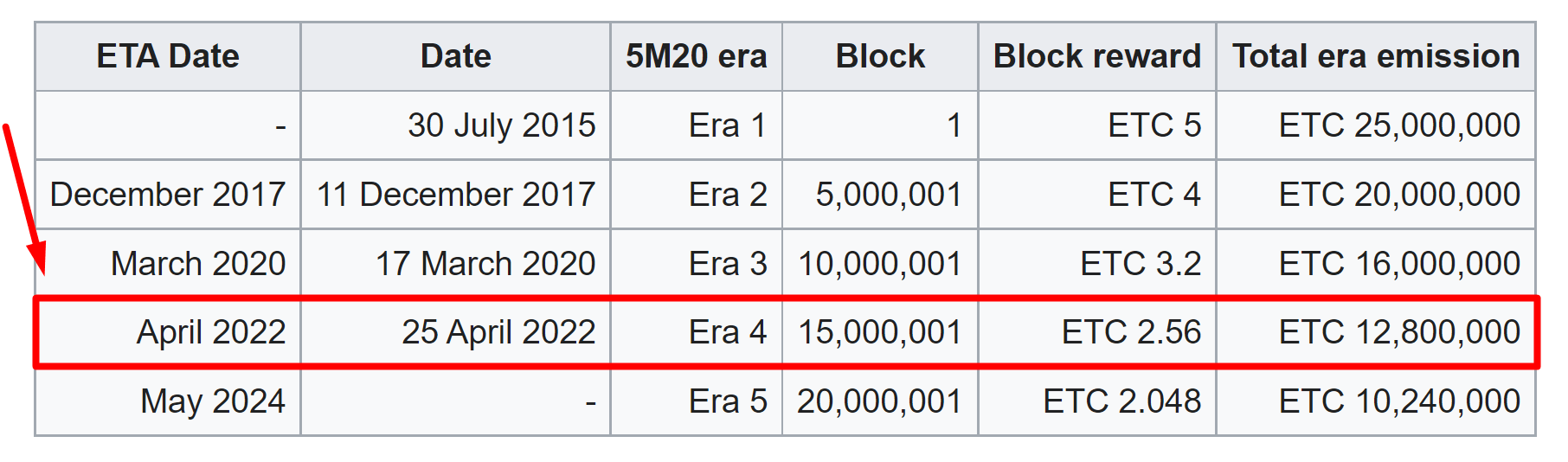
On April 25th ETC switched to Era 4.
Block reward was reduced from 3.2 ETC to 2.56 ETC.
Uncle block reward was reduced from 0.1 ETC to 0.08 ETC.
The 2Miners pool co-founder, businessman, miner. In 2017 started mining cryptocurrencies and built many rigs on his own. As a result, he gained lots of practical knowledge and became interested in sharing it with others.
In his articles on 2Miners, he shares useful tips that he tried and tested himself. For example, Darek gives advice on how to buy hardware components for the basic mining rig and how to connect them to each other correctly. He also explained lots of complicated terms in simple words, such as shares, mining luck, block types, and cryptocurrency wallets. After the pool was launched, he published a series of articles ‘Crypto Mythbusters’ where he explained how to protect the network against 51% attack, talked about cryptocurrency mining difficulty and difficulties of launching your own node.
Getting Paid in Bitcoin for Ethereum Classic (ETC) Mining: Step-by-Step Guide
April 5, 2022
In 2021, NFTs gained an unprecedented popularity. Ethereum blockchain users were actively minting tokens thus overloading the network which sent transaction fees skyrocketing. The 2Miners pool came up with an innovative solution: rewarding ETH miners in BTC and NANO. As a result, you could save on expenses and technically even mine Bitcoin on GPUs. Now this solution is also available for Ethereum Classic. Let’s get into it.
Ethereum transaction fees in 2021 have indeed been record-high. Take February 22 as an example: you had to pay over $600 to exchange tokens on a decentralized platform Uniswap. With that being said, we paid $150 to swap tokens on that day as it depended on the network load at a particular moment of time, but still the numbers were impressive.
NFT transactions cost even more. The reason is simple: NFTs require a lot of resources from the network which is directly proportional to how much gas is used and how much a transaction costs.
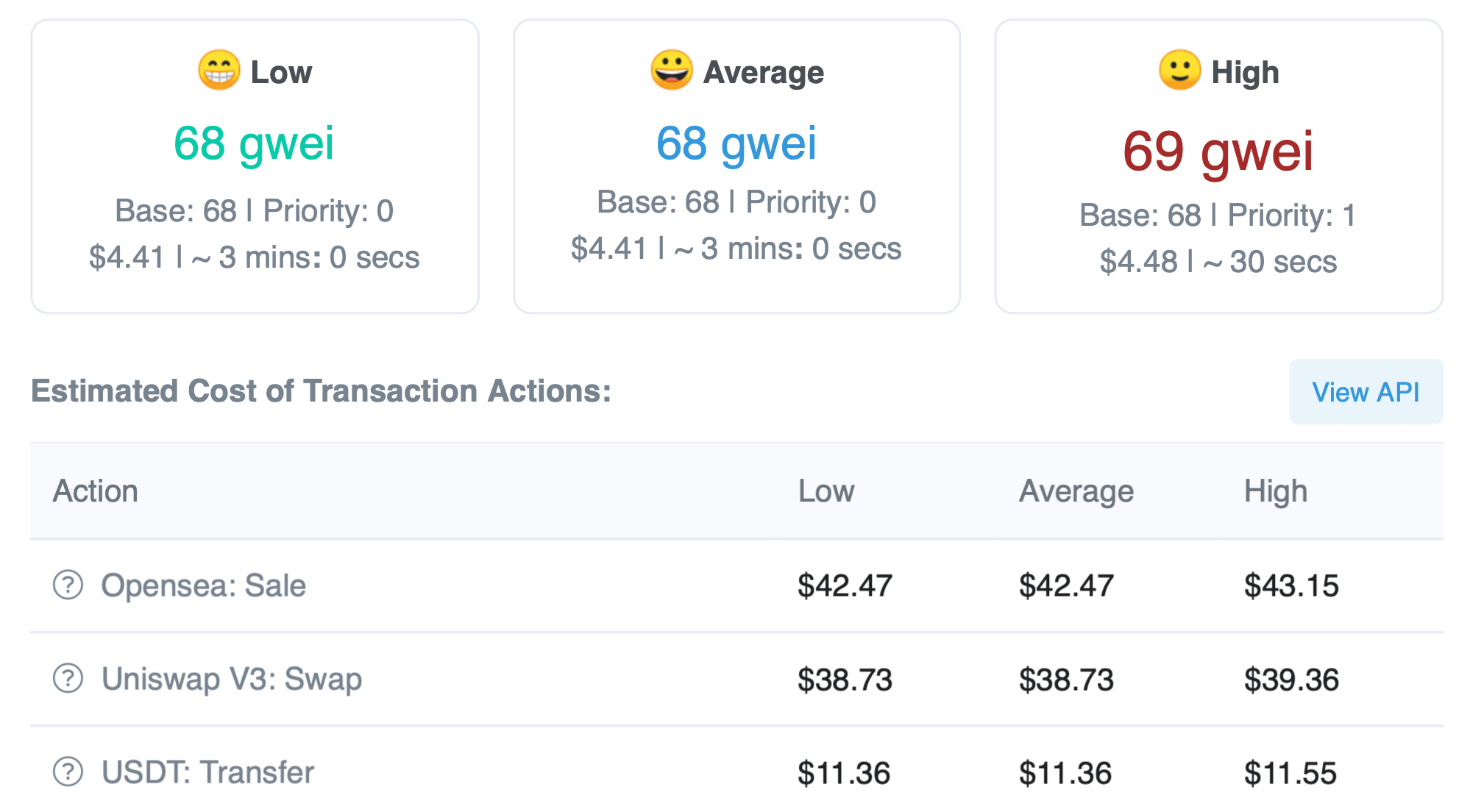
Let’s see the cost of a transaction in ETH blockchain at the time of writing. A fast Ether transaction costs $4.48, fast ERC20 token transaction costs $11, and transaction on Uniswap decentralized exchange costs $39. Selling NFTs on the previously discussed OpenSea exchange costs $43.
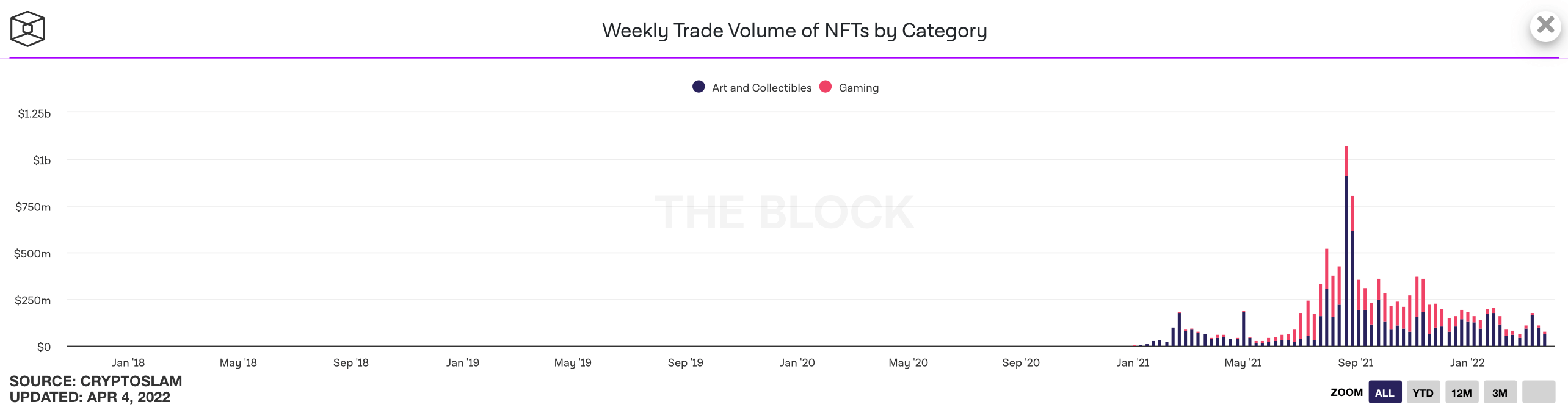
NFTs have been gaining more and more in popularity. Here is an NFT trading chart since January 2018. Notice the 2021 leap.
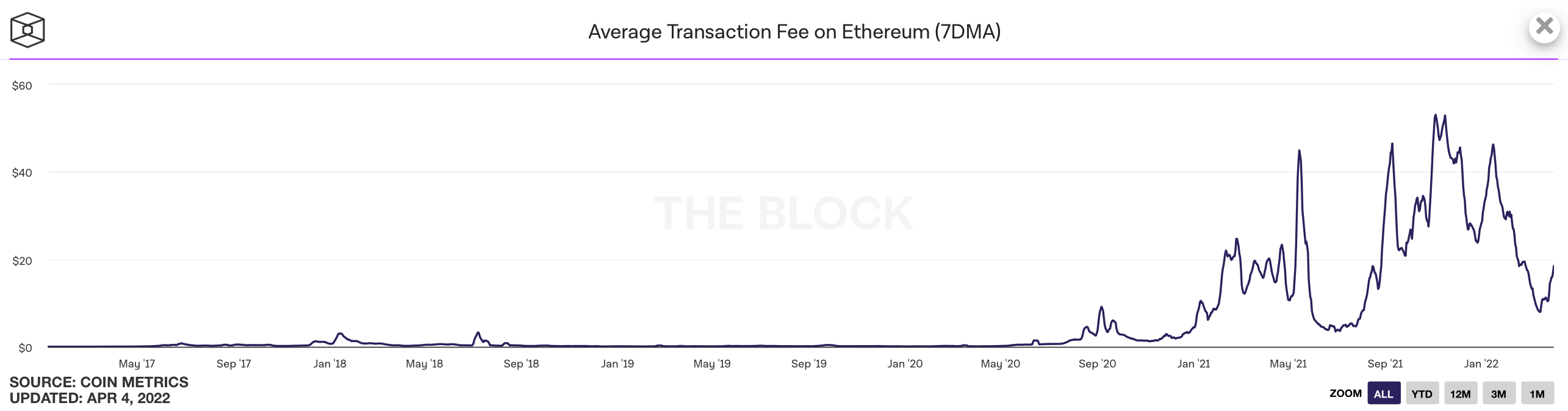
As a result, the blockchain has been constantly overloaded. Below you can see Ethereum’s average fee chart. The peak value of $52 was registered on November 3, 2021.
So transactions in ETH blockchain have been, and still are, expensive compared with other popular networks like Solana and Avalanche. And there is more to it.
Ethereum Transaction Fees
ETH miners started earning more thanks to rising fees. Plus, mining pools allowed miners to include transactions in blocks at a minimum cost.
So not only miners earned more, they could also get their reward almost for free. For example, the 2Miners pool used to cover fees for sending rewards to ETH miners.
This has changed on August 5, 2021. Ethereum has performed the London upgrade and implemented ETH gas fee burning. Plus, due to the base fee introduction, it has become impossible for pools to pay out rewards at a minimum cost.
2Miners came up with a solution that was simple and genius at the same time. 2Miners started converting ETH miner rewards to Bitcoin or Nano and sending them to user wallets thus minimizing transaction fees. Read more about it here.
The solution has become quite popular. As of now, there are over 159 thousand miners in the 2Miners pool. 119 thousand of them mine ETH.
Ethereum Classic is the second most popular cryptocurrency on 2Miners, and now Ethereum Classic miners can benefit from the same solution. Ethereum Classic is becoming more and more popular among miners thanks to the growing mining profitability. Take a look at the mining profitability of one Nvidia RTX 1080Ti graphics card. Ethereum Classic comes third and is far ahead of the popular Ravencoin.
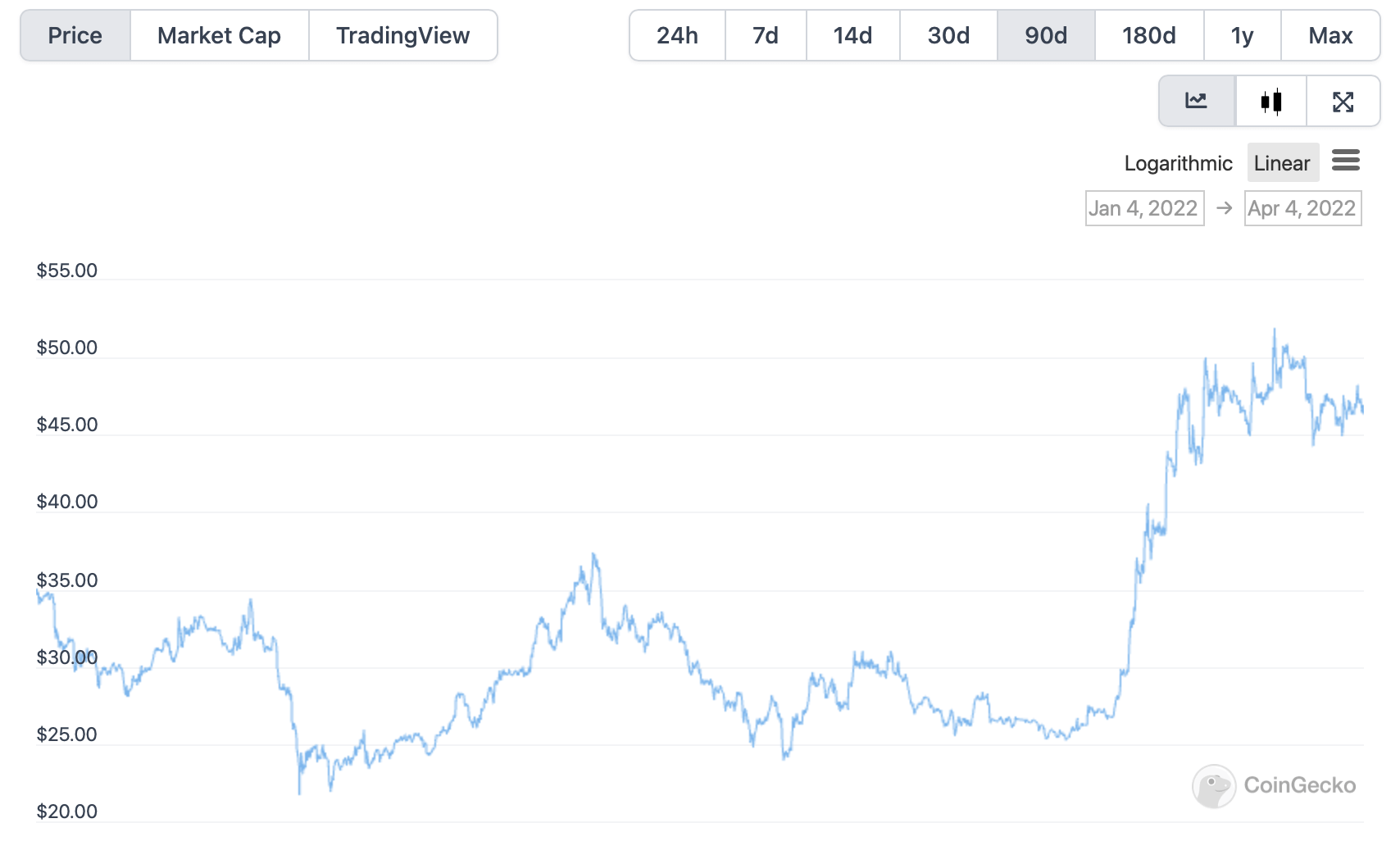
One of the reasons is ETC’s growing exchange rate. In the last 30 days, it has grown by 68%.
How to Get Paid in Bitcoin for Ethereum Classic Mining
To get paid in Bitcoin, ETC miners should do the following.
Create a desktop or mobile BTC wallet, or get a wallet address on an exchange. If you choose a mobile wallet, we recommend Coinomi and Trust Wallet. If you choose an exchange, Binance, Kraken, Gate.io are good options.
Replace ETC address with BTC wallet address in the miner settings. Here is a sample bat file to mine cryptocurrencies with Gminer. You can use Bitcoin addresses in the following formats: SegWit, Compatibility, Legacy.
Once mining starts, you can go to your Stats page by entering your wallet address in the search field on the pool website. You will see your address on the list of all pool miners along with regular ETC addresses. You can also set a payout threshold in ETC on your Stats page.
This page has all the information on how to start mining Ethereum Classic, including miner download links and settings.
2Miners use Binance to exchange ETC to BTC due to a relatively fast deposit confirmation for Ethereum Classic. To do that, you need 500 blocks, and it takes about 13 seconds to create each, so the confirmation process takes about 2 hours. As a result, the whole exchange and payout process takes about 3–4 hours.
On some other exchanges, deposit confirmation takes about 1-2 days. Why does it take so long? In summer 2020, Ethereum Classic suffered from multiple 51% attacks. As a result, thousands of blocks on the blockchain became orphans with users losing time and money. Since then exchanges take the precaution of allocating a large number of blocks for confirmation.
Why Miners Need the New Payout System
High transaction fees in Ethereum have been caused by its popularity and versatility. However, this year ETH developers are planning to shift to the Proof-of-Stake consensus algorithm. As a result, miners and GPUs will be replaced with validators and stakes, or in other words, a certain amount of coins locked in an escrow smart contract. So those who own computing power will have to switch to other cryptocurrencies, including Ethereum Classic.
A growing number of active users and transactions, as well as an increase in ETC exchange rate, will lead to higher fees. So many would want to save on them and get rewards in a more popular cryptocurrency – BTC. Miners in the 2Miners pool are already prepared for such a scenario.
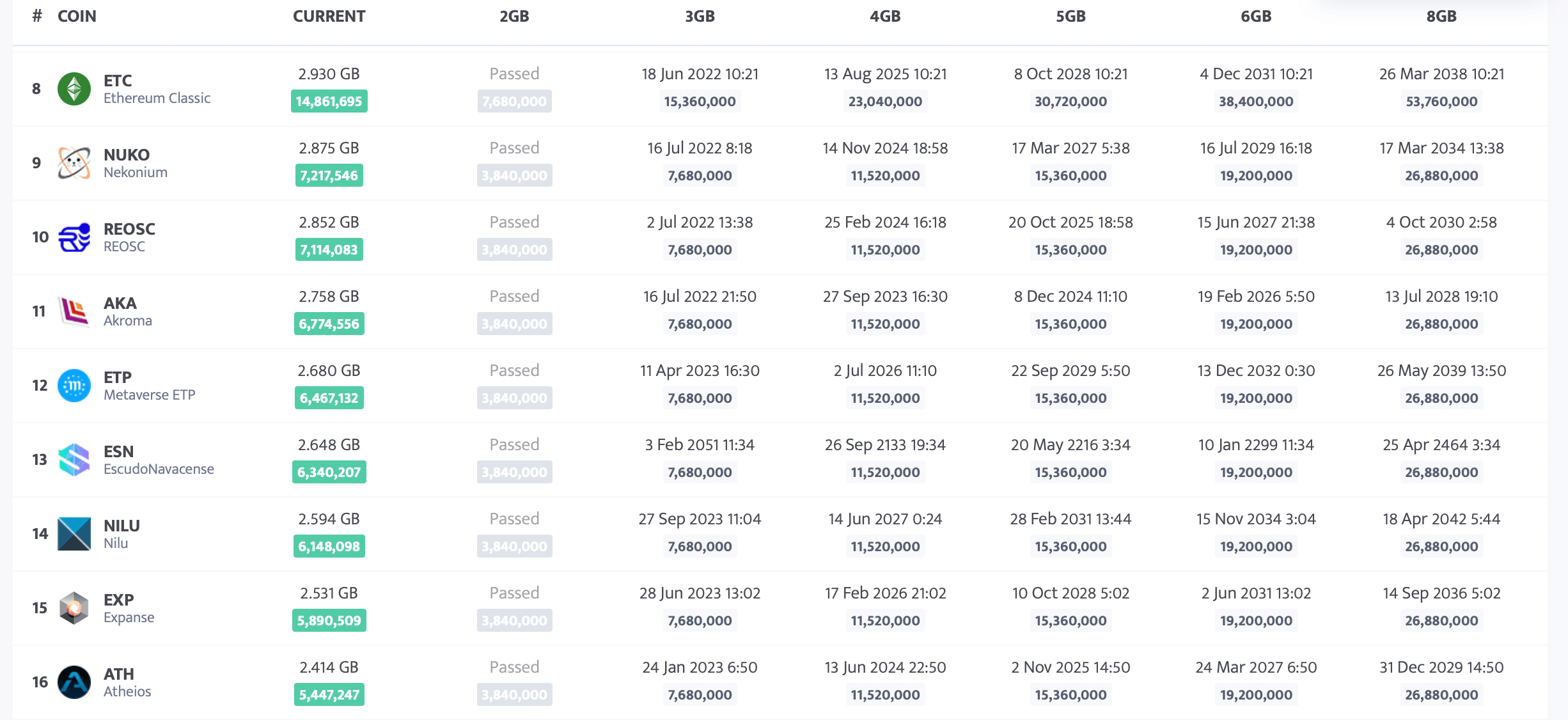
It's worth noting that you can mine Ethereum Classic even on 3GB GPUs. According to Minerstat, you can mine ETC on 3GB GPUs until mid-June 2022. So Ethereum Classic is likely to gain wider popularity among miners after ETH shifts to PoS.
Ethereum Classic miners in the 2Miners pool already have a solution in case the cryptocurrency network fees go up. Most importantly, this payout solution allows you to earn BTC directly without any intermediate steps. Plus, it also applies to 3GB GPUs considered to be quite obsolete.
The 2Miners pool co-founder, businessman, miner. In 2017 started mining cryptocurrencies and built many rigs on his own. As a result, he gained lots of practical knowledge and became interested in sharing it with others.
In his articles on 2Miners, he shares useful tips that he tried and tested himself. For example, Darek gives advice on how to buy hardware components for the basic mining rig and how to connect them to each other correctly. He also explained lots of complicated terms in simple words, such as shares, mining luck, block types, and cryptocurrency wallets. After the pool was launched, he published a series of articles ‘Crypto Mythbusters’ where he explained how to protect the network against 51% attack, talked about cryptocurrency mining difficulty and difficulties of launching your own node.
March 2022 Work Progress Report: Bitcoin Payouts for ETC Mining
April 1, 2022
Horizen, Grin, Ergo cryptocurrency node updates, high rewards in the Ethereum pool, Bitcoin payout system released for the Ethereum Classic pools.
Bitcoin Payouts for ETC Mining
We launched the new payout system in the Ethereum Classic 2Miners pools. It allows you to mine ETC and receive the payouts in BTC! This system works for both PPLNS and SOLO pools.
There are no complicated settings. You just need to set the BTC wallet address in your mining software if you want to get the payouts in BTC.
The ETC payout system is identical to the ETH system that we have been using since October 2021. The only difference is that the ETH pools support both BTC and NANO payouts and the ETC pools support BTC only.
In just a couple of days, more than 250 miners have successfully joined the new ETC->BTC payout system.
Ethereum Mining Pool News
Hundred Thousand Miners Online
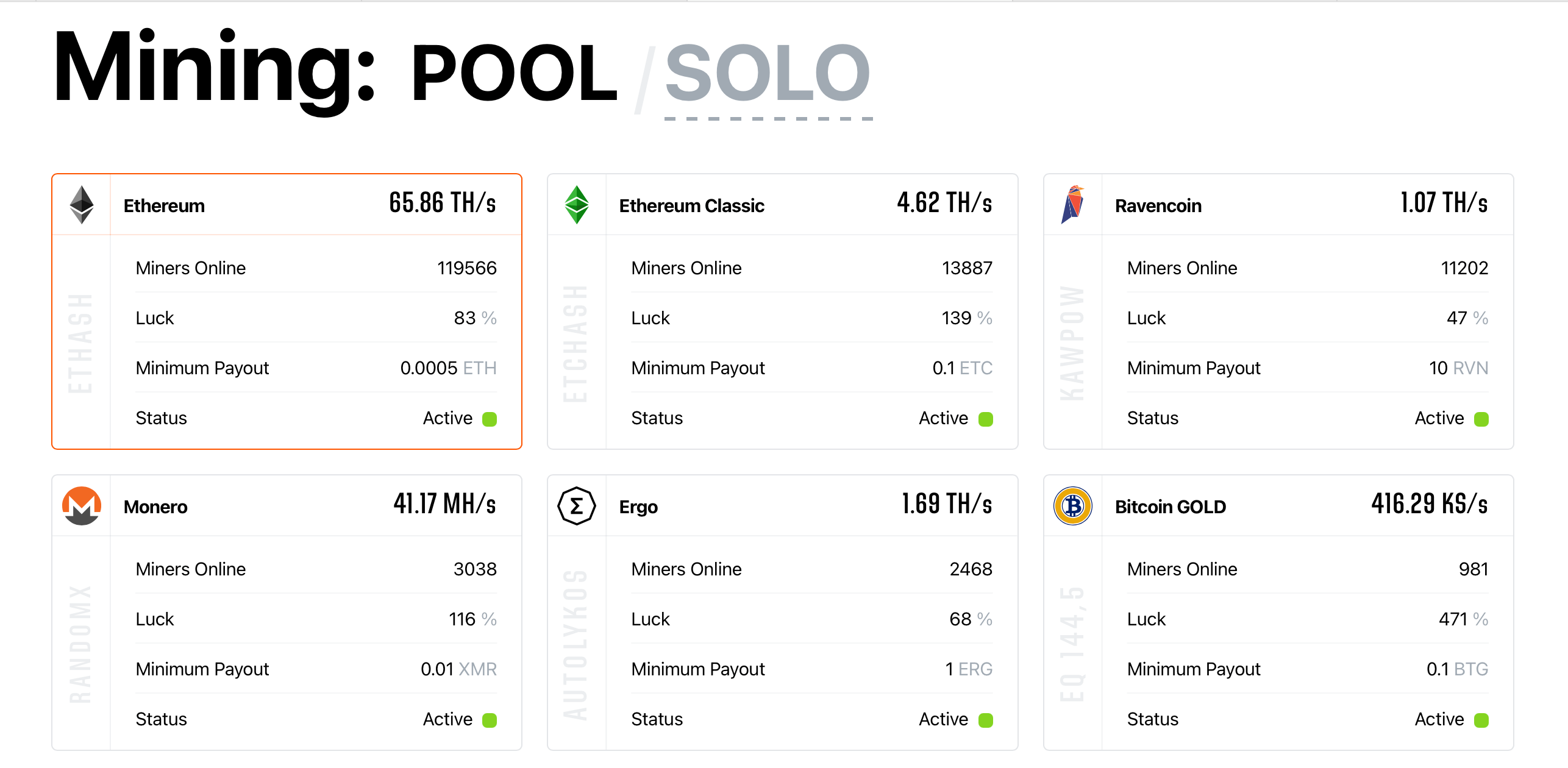
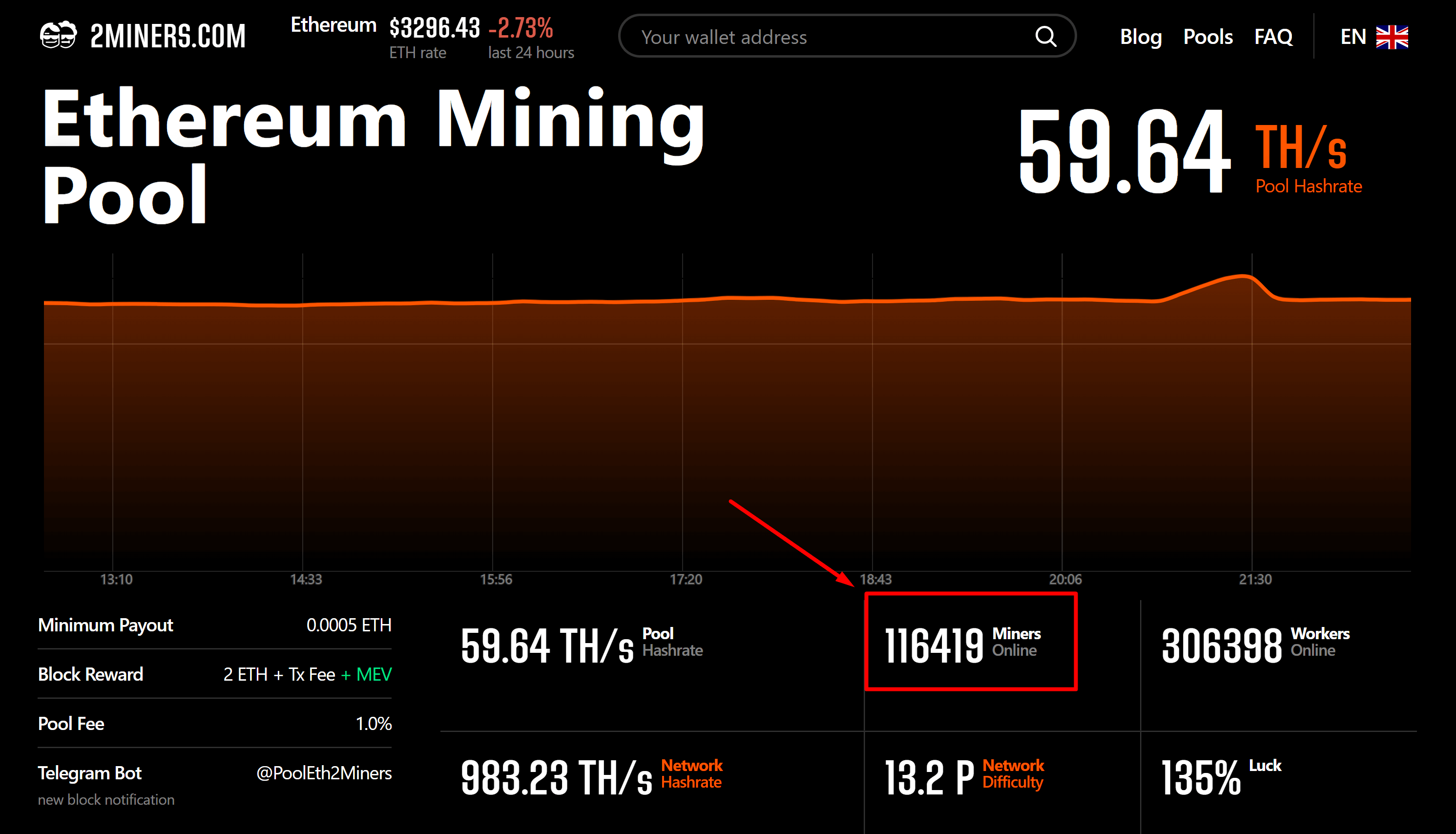
We reached a new milestone and surpassed the first hundred thousand active miners in the Ethereum pool. Currently, more than 116 000 miners are online mining ETH. More than 155 000 miners are mining all over the different coins presented in 2Miners.
Maximum Gas Price Reduction
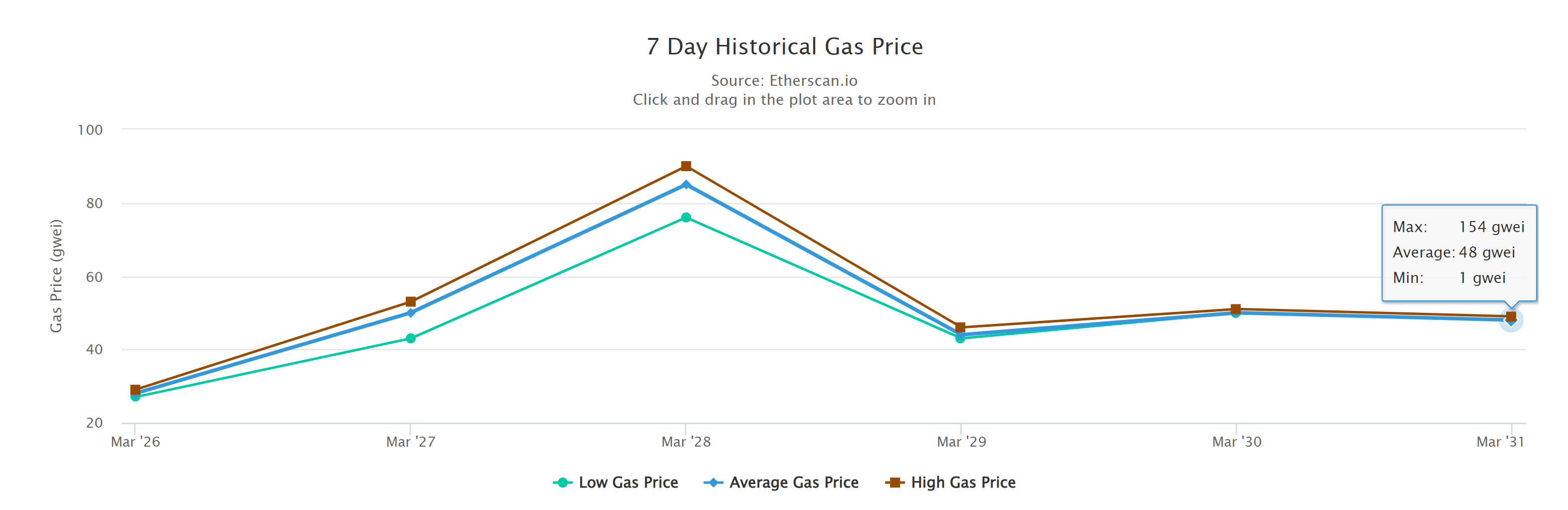
We reduced the maximum gas price to 80 gwei in the Ethereum pool so all the miners who use standard ETH addresses to receive the payouts don’t pay more than $4 per transaction.
Last week the gas prices dropped. It allowed us to reduce the maximum gas price. The pool reserves less amount of ETH to process each payout. This is important only for the miners who mine ETH and receive the payouts in ETH. Read more.
BIG BIG Blocks
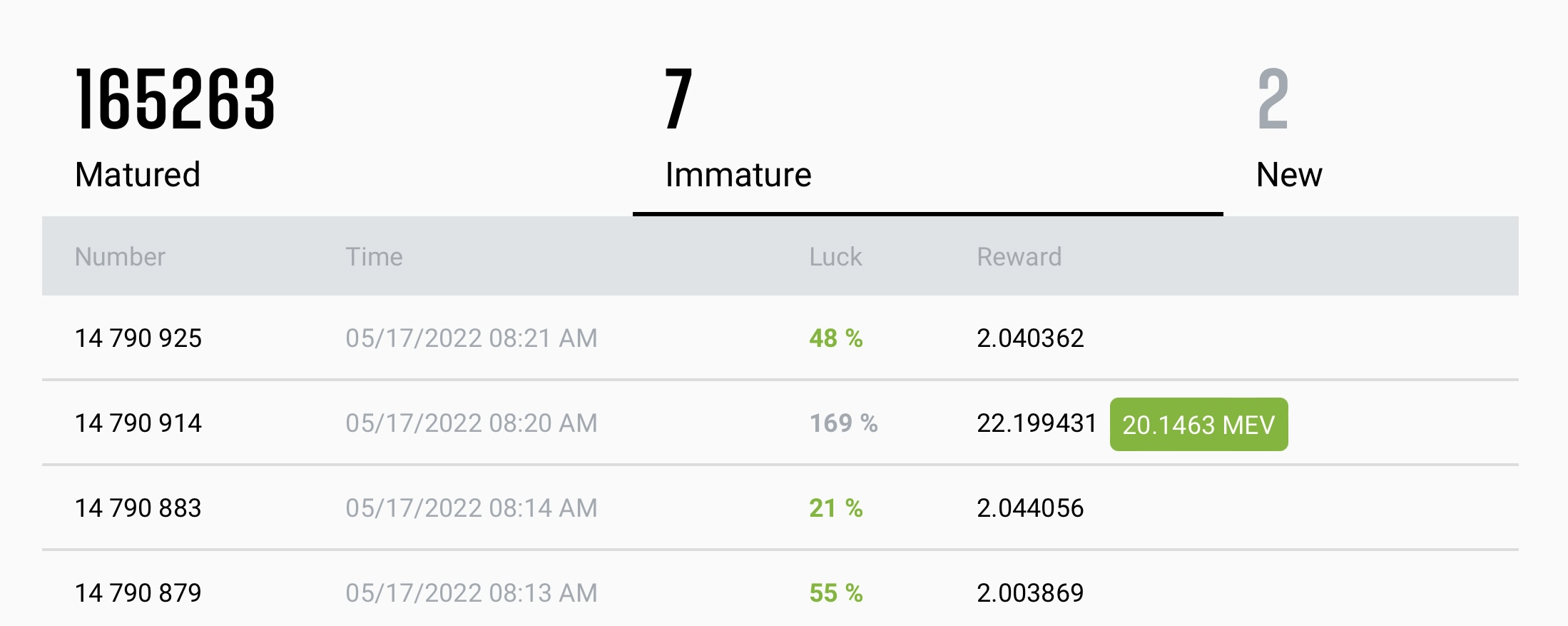
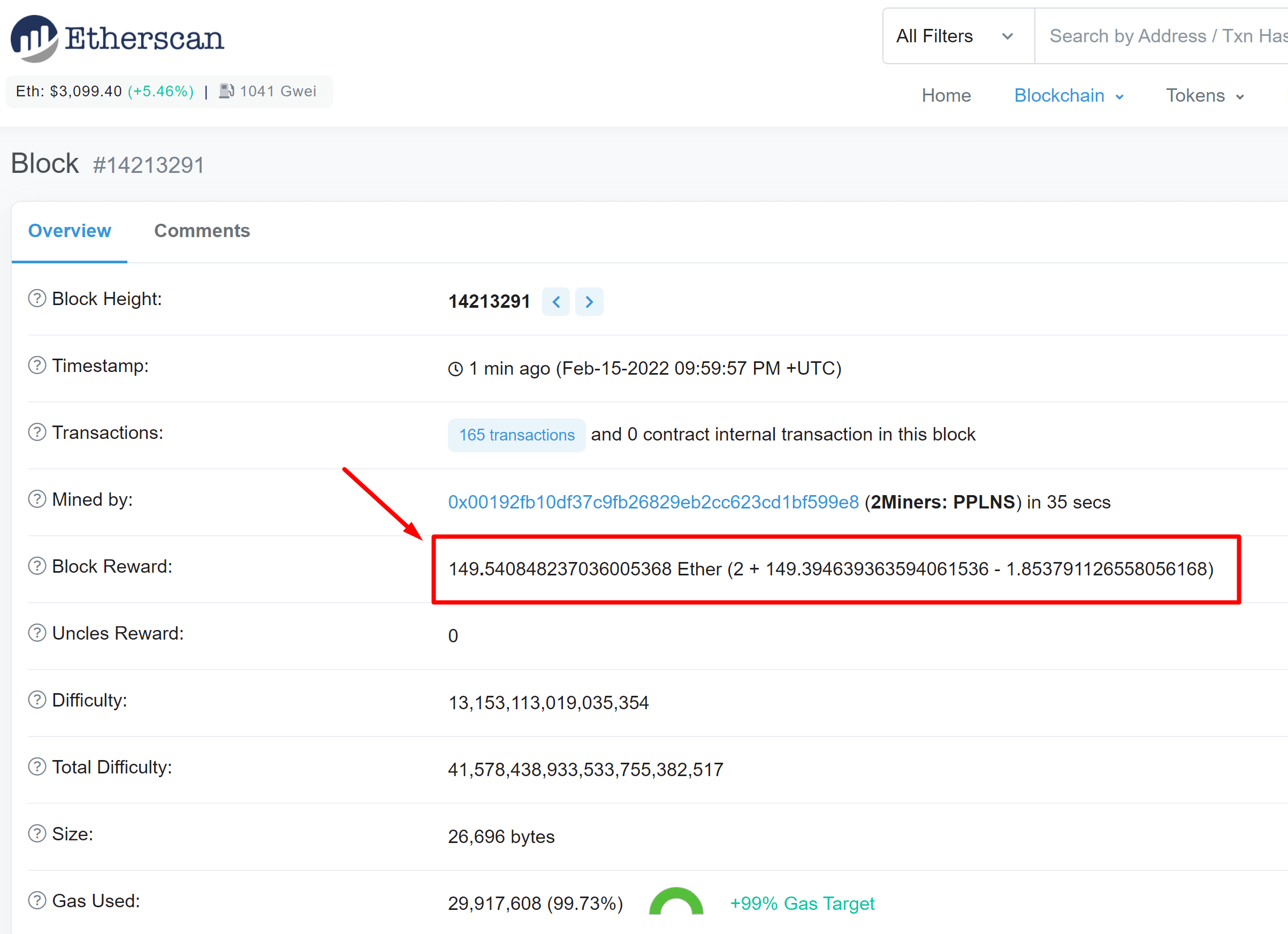
This March the pool found many extremely profitable blocks. Almost every day we had some extra rewards for our miners. These are the most noticeable blocks: 201.8 ETH, 51.4 ETH, and a nice series of 41.3 ETH and 60.4 ETH almost one after another.
Recent blocks could be found on the blocks page of the pool.
Cryptocurrency Node Updates
This March we updated the cryptocurrency nodes of three coins for both PPLNS and SOLO pools – ZEN, GRIN, ERGO.
The 2Miners pool co-founder, businessman, miner. In 2017 started mining cryptocurrencies and built many rigs on his own. As a result, he gained lots of practical knowledge and became interested in sharing it with others.
In his articles on 2Miners, he shares useful tips that he tried and tested himself. For example, Darek gives advice on how to buy hardware components for the basic mining rig and how to connect them to each other correctly. He also explained lots of complicated terms in simple words, such as shares, mining luck, block types, and cryptocurrency wallets. After the pool was launched, he published a series of articles ‘Crypto Mythbusters’ where he explained how to protect the network against 51% attack, talked about cryptocurrency mining difficulty and difficulties of launching your own node.
February 2022 Work Progress Report: High Reward Blocks in the Ethereum Pool
March 1, 2022
Ethereum, Ergo, Nervos cryptocurrency node updates, high reward blocks in the Ethereum pool, PPLNS reward system update success, and the second life of the dual mining.
Ethereum Mining Pool News
Last month we increased the number of shares used for PPLNS rewards distribution from 300 000 to 1 000 000. This didn’t change the average rewards of our miners. However, it helped the small miners with a low hashrate to participate in larger numbers of blocks.
This update was a success. We noticed a lot of small miners that were happy to participate in almost all the BIG blocks of the pool in February. This month we’ve seen extra rewards every week.
and many more. All of them could be found on the blocks page of the pool. The most important are listed in the 2Miners Telegram News Channel. If you use Telegram messenger we recommend you to subscribe to this channel. We always post important news there.
Cryptocurrency Node Updates
We always keep our software up-to-date. We updated the nodes of three coins in February for both PPLNS and SOLO pools – Ethereum, Nervos, and Ergo.
This is the list of the most important updates and the current versions of the node software installed.
Geth/v1.10.15-stable
Ckb 0.101.4 (7d03c55 2022-01-18)
Ergo Protocol Reference Client 4.0.23
Dual Mining Is Back
This month the dual mining of Ethereum and Toncoin was discovered. Many mining software developers including lolMiner, Gminer, and TeamRedMiner released new versions of their software that could mine both coins and get extra rewards.
Unfortunately TON mining difficulty has greatly increased since then. Moreover, TON mining ends in 3 months’ time. We warn you that if you want to try dual mining now you need to make the calculations carefully as dual mining increases the power consumption of your mining rig.
The 2Miners pool co-founder, businessman, miner. In 2017 started mining cryptocurrencies and built many rigs on his own. As a result, he gained lots of practical knowledge and became interested in sharing it with others.
In his articles on 2Miners, he shares useful tips that he tried and tested himself. For example, Darek gives advice on how to buy hardware components for the basic mining rig and how to connect them to each other correctly. He also explained lots of complicated terms in simple words, such as shares, mining luck, block types, and cryptocurrency wallets. After the pool was launched, he published a series of articles ‘Crypto Mythbusters’ where he explained how to protect the network against 51% attack, talked about cryptocurrency mining difficulty and difficulties of launching your own node.
ETH + TON Dual Mining Definitive Guide. Overclocking, Profitability, Setup for Windows and Linux.
February 7, 2022
In this article, we share our experience with dual mining on lolMiner, a popular mining program. Dual mining means mining two cryptocurrencies at the same time with the same GPU, and it may be quite profitable. We were dual mining Ethereum (ETH) and Toncoin (TON). The 2Miners pool team tested the mining software with NVIDIA GeForce RTX 3080 Ti and NVIDIA CMP 90HX, but the principles are applicable to many other graphics cards, including Nvidia (both LHR and non-LHR), and AMD.
Spoiler alert: It makes sense to dual mine Ethereum and Toncoin. We established that it's more profitable and ETH mining efficiency doesn't drop. So you can definitely increase your profit. Keep reading to learn more.
Ethereum Dual Mining. How It Works?
Occasionally dual mining sparks interest among both miners and mining software developers. As we already mentioned above, dual mining is the simultaneous mining of two cryptocurrencies with the same equipment. The two cryptocurrencies can work on different mining algorithms.
The main goal of dual mining is to get additional profit by mining the second coin with an insignificant increase in energy consumption.
The 2Miners pool team has been constantly researching dual mining for the past few years sharing its findings with the community. Five years ago it made sense to dual mine Ethereum and Decred or Siacoin. Then things changed, and for a long time, it was more profitable to mine a single coin, Ethereum. Read our articles to learn more about dual mining options:
lolMiner is a popular mining program created by the developer known as Lolliedieb. Starting from October 2018, the software is being actively developed. It supports a lot of algorithms: Ethash, Etchash, ZelHash, Equihash, Cuckoo, Cuckaroo, Cuckatoo, Autolykos, and BeamHash. lolMiner supports NVIDIA and AMD and works on Windows and Linux.
lolMiner’s developers constantly keep in touch with their users on popular platforms, including the 2Miners Telegram chat.
You can always download the latest miner version on Github.
lolMiner 1.43 was announced on February 4, 2022. This version allows you to dual mine Ethash/Etchash + Ton (Toncoin). It supports Nvidia graphics cards with the Turing and Ampere architecture, as well as AMD’s Fury and RX 400 series and above. The mining software charges a 1% fee.
Toncoin is a token of The Open Network (TON) developed by the TON Foundation. The project was initially run by Telegram's team with Pavel Durov. In May 2020, the developers were forced to abandon the project under the pressure of the US regulators. However, another development team took over and kept the project alive. Here you can see what Toncoin looks like today.
The cryptocurrency is traded on popular platforms like FTX, Gate, OKEx, etc. The full list of cryptocurrency exchanges is here.
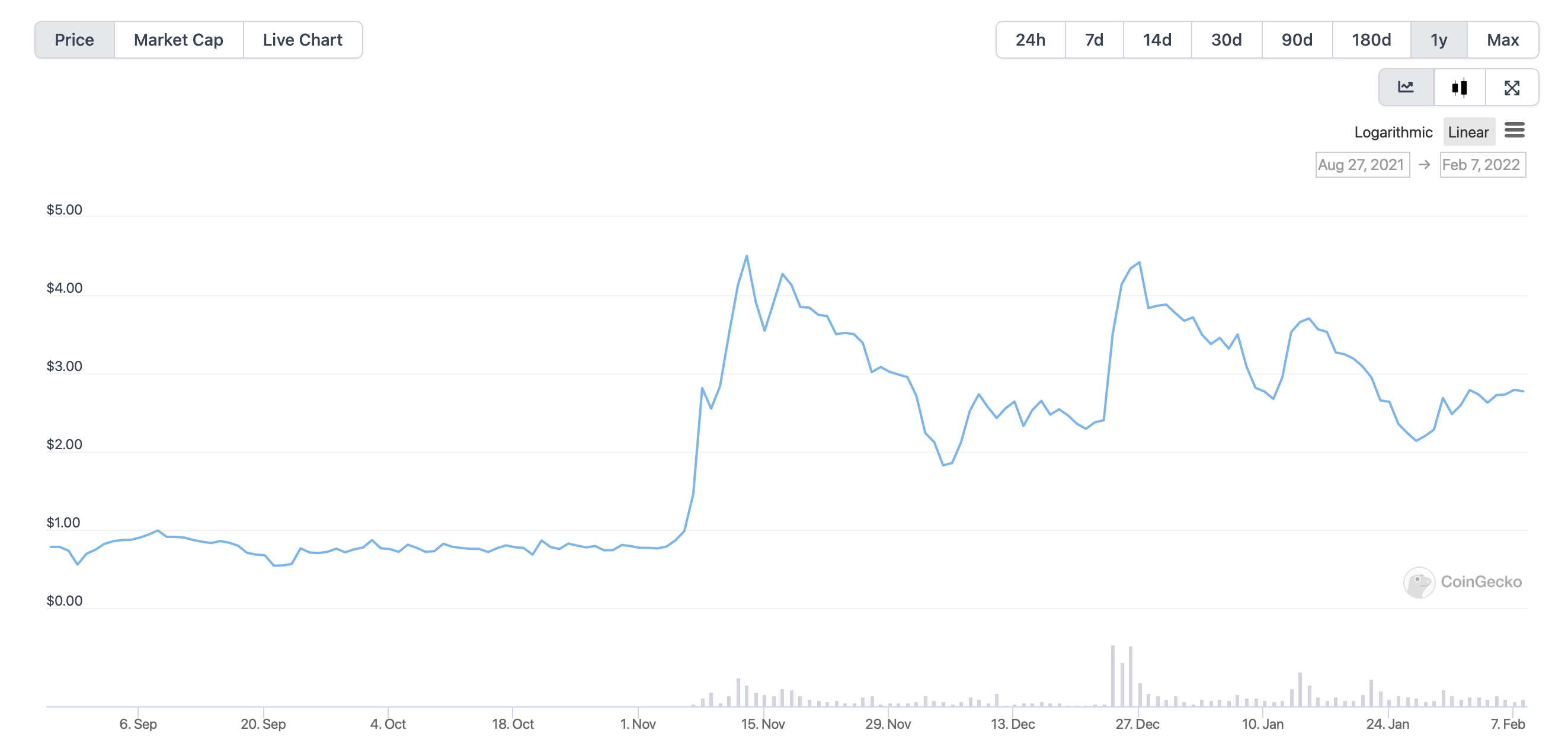
Starting from August 2021, the coin’s exchange rate chart looks pretty good.
We tested Ethash + TON dual mining in two configurations.
Coin #1: Ethereum (Ethash Algorithm)
We were mining Ethereum in the 2Miners pool. We recommend always choosing payouts in BTC. This way your transaction fee during payout from the pool won’t exceed $0.10.
The guide on how to start mining is always available on the pool’s help page.
Coin #2: Toncoin (SHA256 Algorithm)
To get a Toncoin’s address, we used the Tonkeeper smartphone wallet available for iOS and Android. You can use any wallet listed on the TON’s official Wallets page.
Important: You can't use exchange wallets to get coins from mining pools. You would end up losing your funds. Send mining funds to a local wallet and only then transfer coins to exchanges if needed.
Choose one of the pools recommended by TON. We chose TON Whales. In this case we needed to use @WhalesPoolBot in Telegram to register in the pool. The same bot can help you withdraw coins from the pool.
Ethereum + Toncoin Dual Mining on Windows
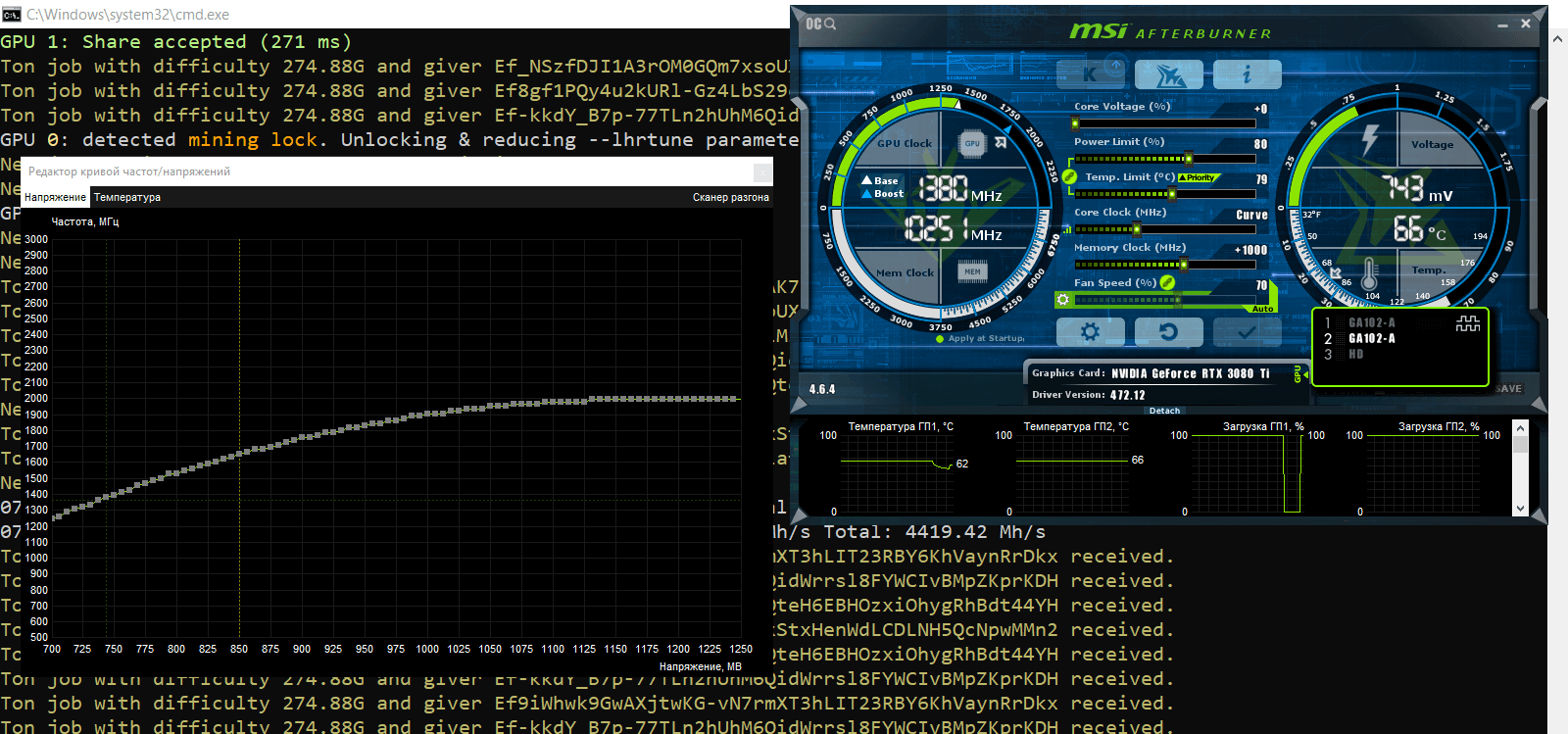
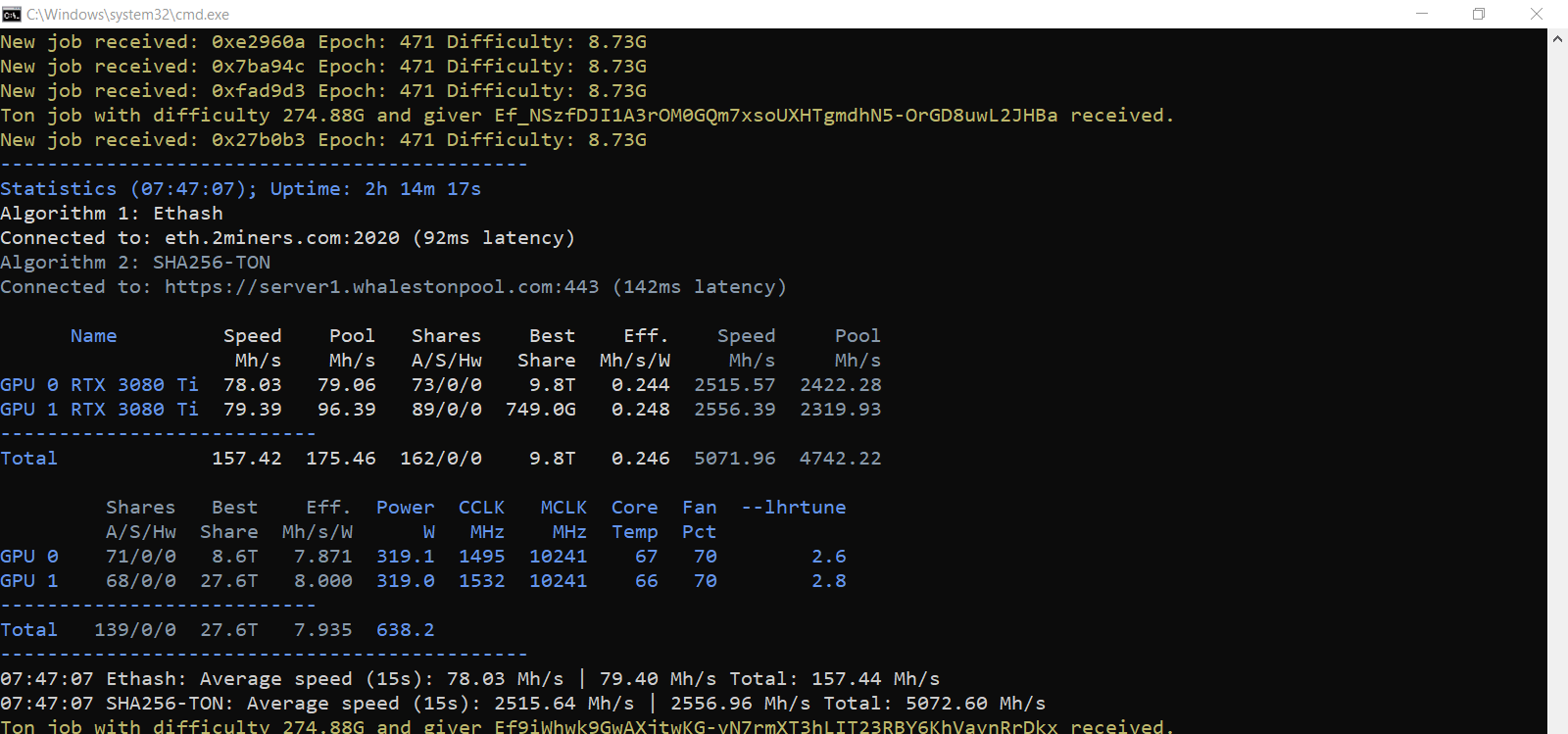
Configuration 1. Fix the clock and voltage. We used the Voltage/Frequency Curve Editor in MSI Afterburner. We launched the mining program on the rig with the following GPU settings: PL(%): 80, CC (MHz): 0 fix Voltage(mV) 850, MC (MHz): +1000.
When you fix the voltage, choose a value that will let you get the highest core clock (CC) value provided that the miner operation remains stable.
When dual mined this way, the Ethash algorithm showed a hash rate of 78–79 Mh/s, which was 6 Mh/s less compared to the Ethash’s hash rate when mined alone. The SHA256 algorithm showed a hash rate of 2515–2556 Mh/s. The SHA256’s hash rate depends on the core clock and PL. When the CC value is high during mining, the balance shifts to TON.
You can see the miner’s parameters in the screenshot below.
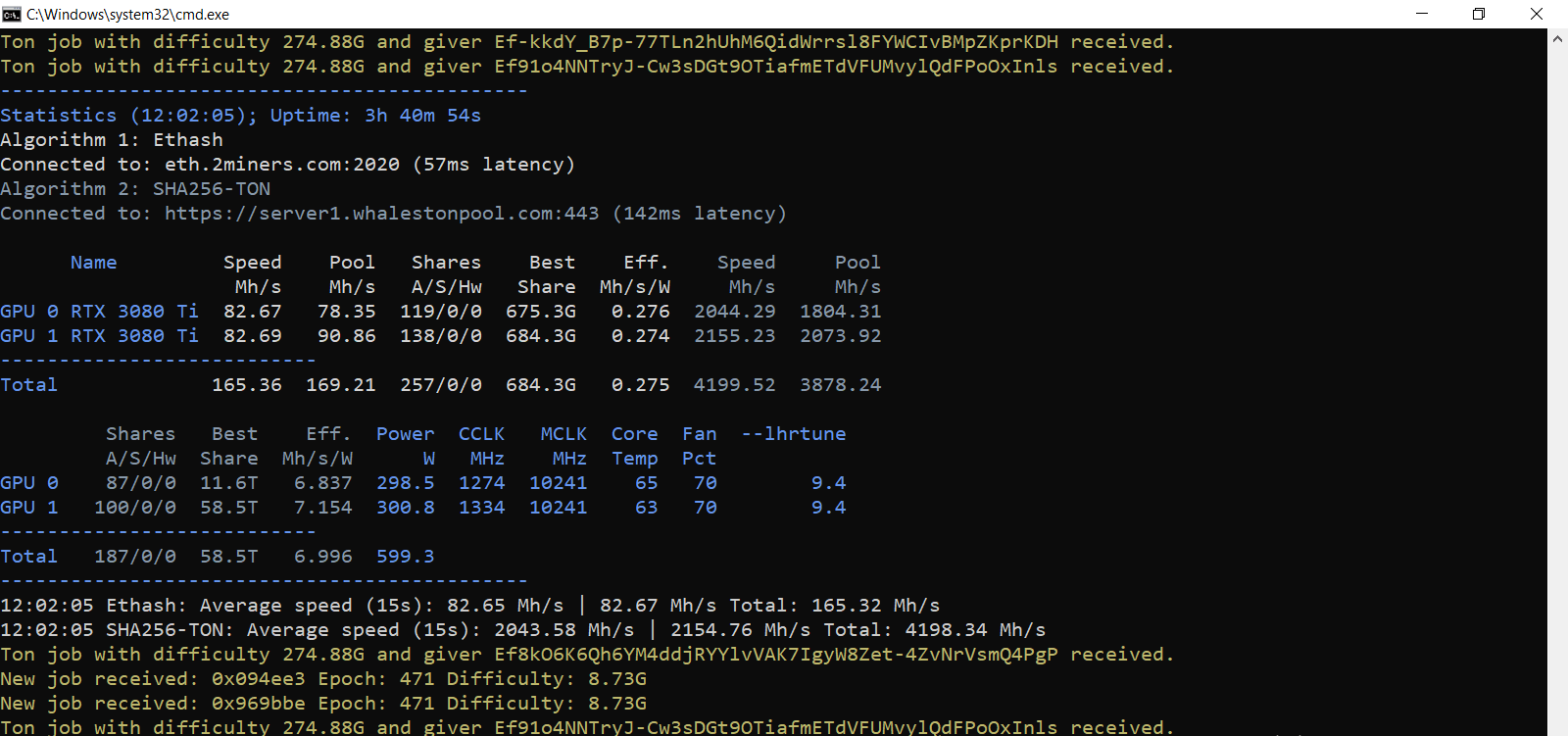
Configuration 2. Fix the clock and voltage. We used the Voltage/Frequency Curve Editor in MSI Afterburner. We launched the mining program on the rig with the following GPU settings: PL(%): 80, CC (MHz): 0 fix Voltage(mV) 725, MC (MHz): +1000.
When you fix the voltage, choose a value that will let you get the lowest core clock (CC) value in the range of 1200–1500 MHz provided that the miner operation remains stable. This is an officially recommended range.
When dual mined this way, the Ethash algorithm showed a hash rate of 82 Mh/s, which was 2 Mh/s less compared to the Ethash’s hash rate when mined alone. The SHA256 algorithm showed a hash rate of 2044–2155 Mh/s. The SHA256’s hash rate depends on the core clock and PL. When the CC value is low during mining, the balance shifts to Ethereum.
You can see the miner’s parameters in the screenshot below.
Ethereum + Toncoin Dual Mining on RaveOS
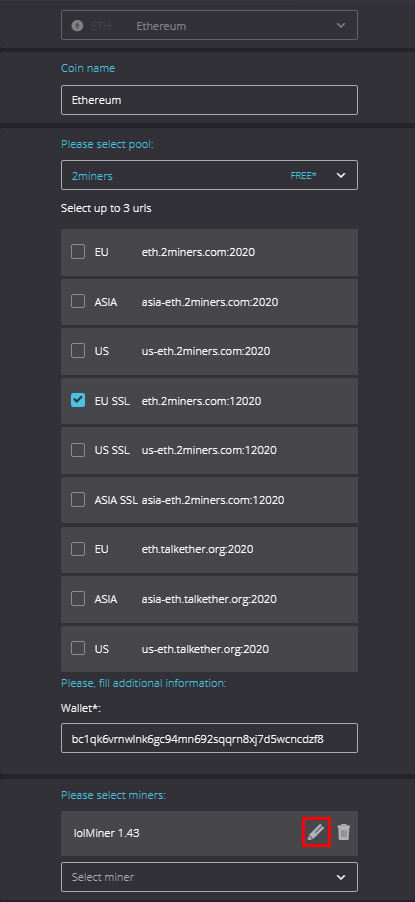
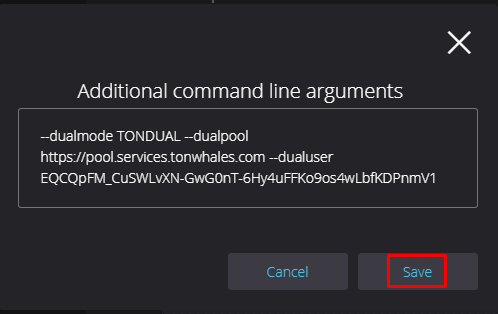
Create a regular wallet address for ETH and choose the latest lolMiner’s version. Add the following to the miner configuration.
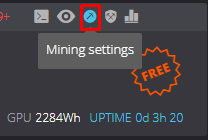
In the Dashboard tab, set the new wallet in the settings.
Settings:
We used our regular overclocking parameters for ETH mining.
If you use RaveOS, add the following to the set for NVIDIA CMP 90HX: oc -fanmin=40 -tt=50 -fixclk=1250 -mclk=1300
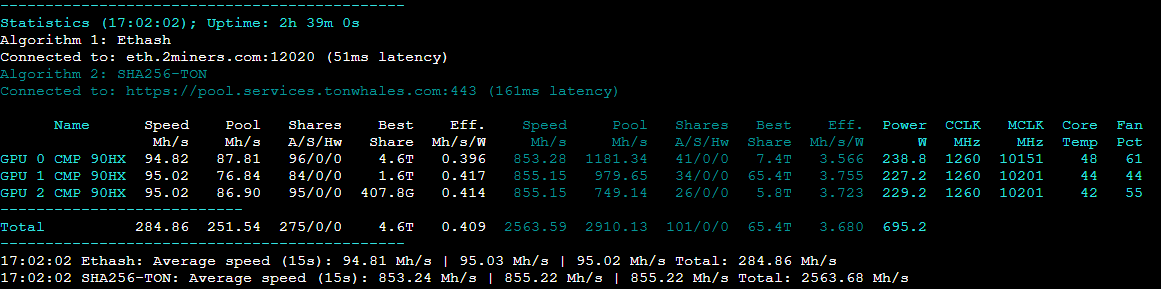
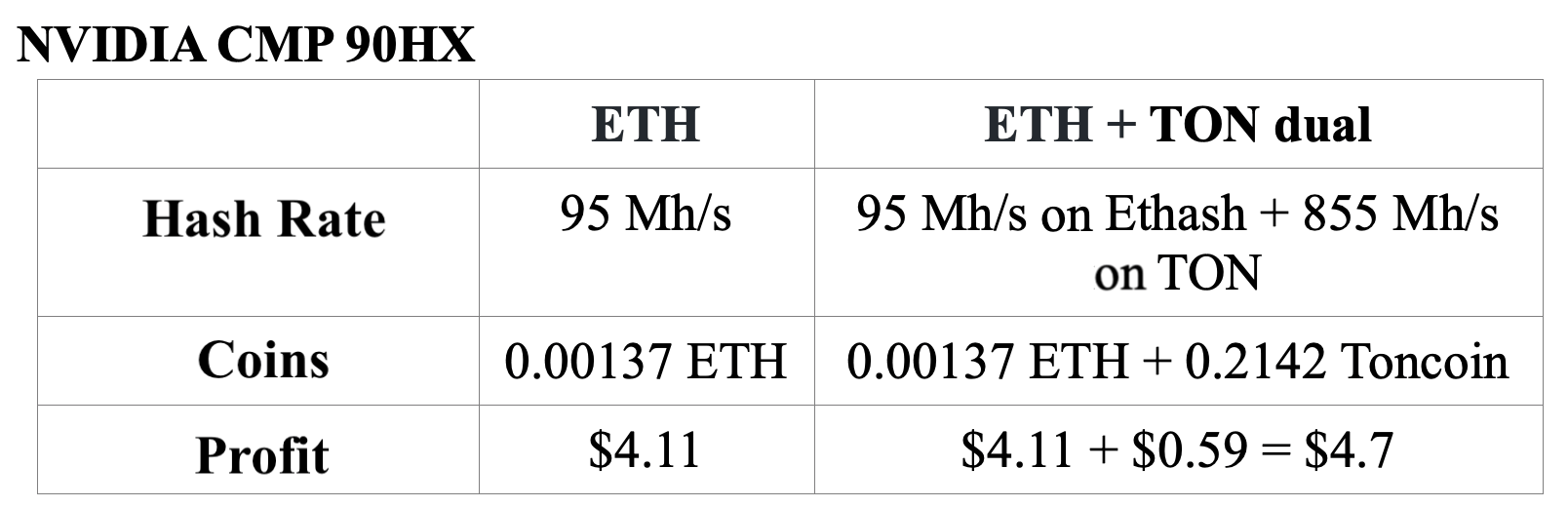
When dual mined this way, the Ethash algorithm showed a hash rate of 95 Mh/s, which was the same as the Ethash’s hash rate when mined alone. The SHA256 algorithm showed a hash rate of 853–855 Mh/s.
You can see the miner’s parameters in the screenshot below.
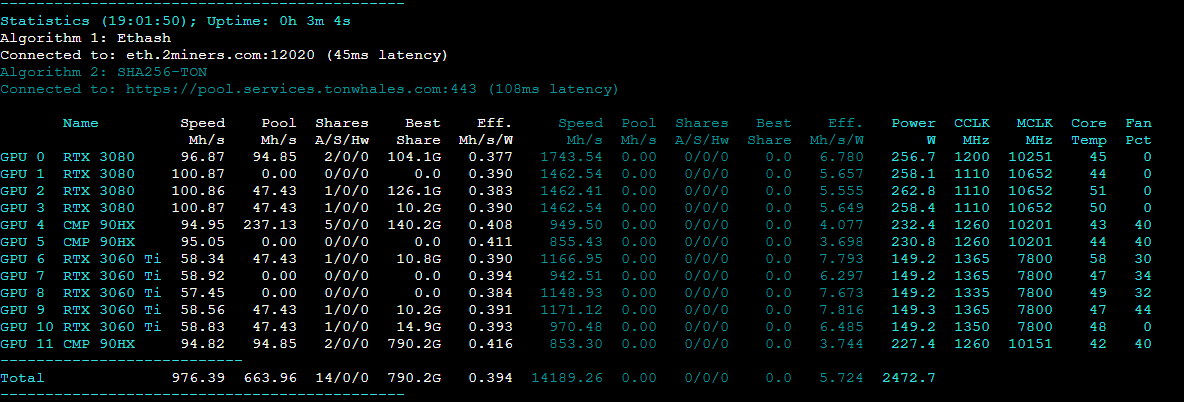
Mining settings for NVIDIA RTX 3080, NVIDIA CMP 90HX, and NVIDIA RTX 3060 Ti.
Ethereum + Toncoin Dual Mining on HiveOS
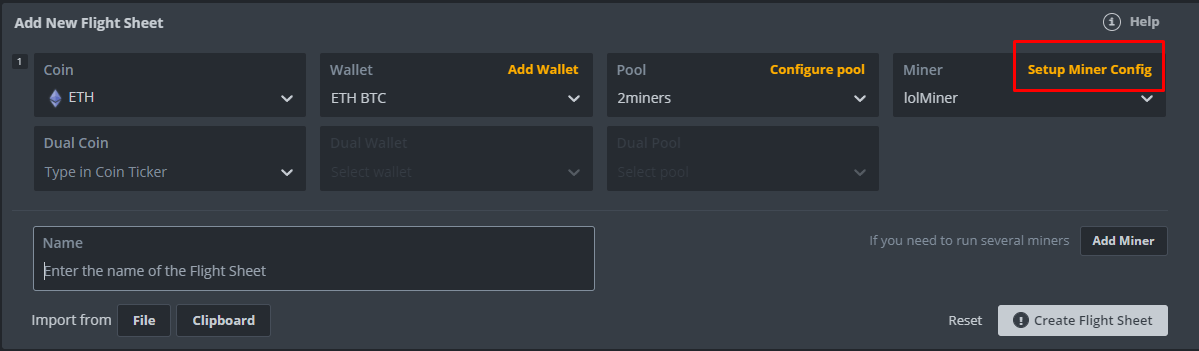
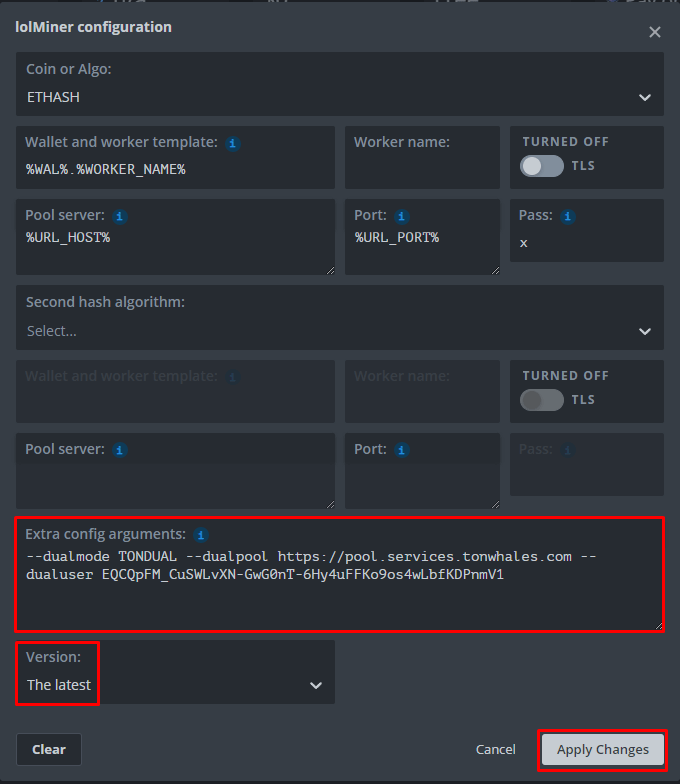
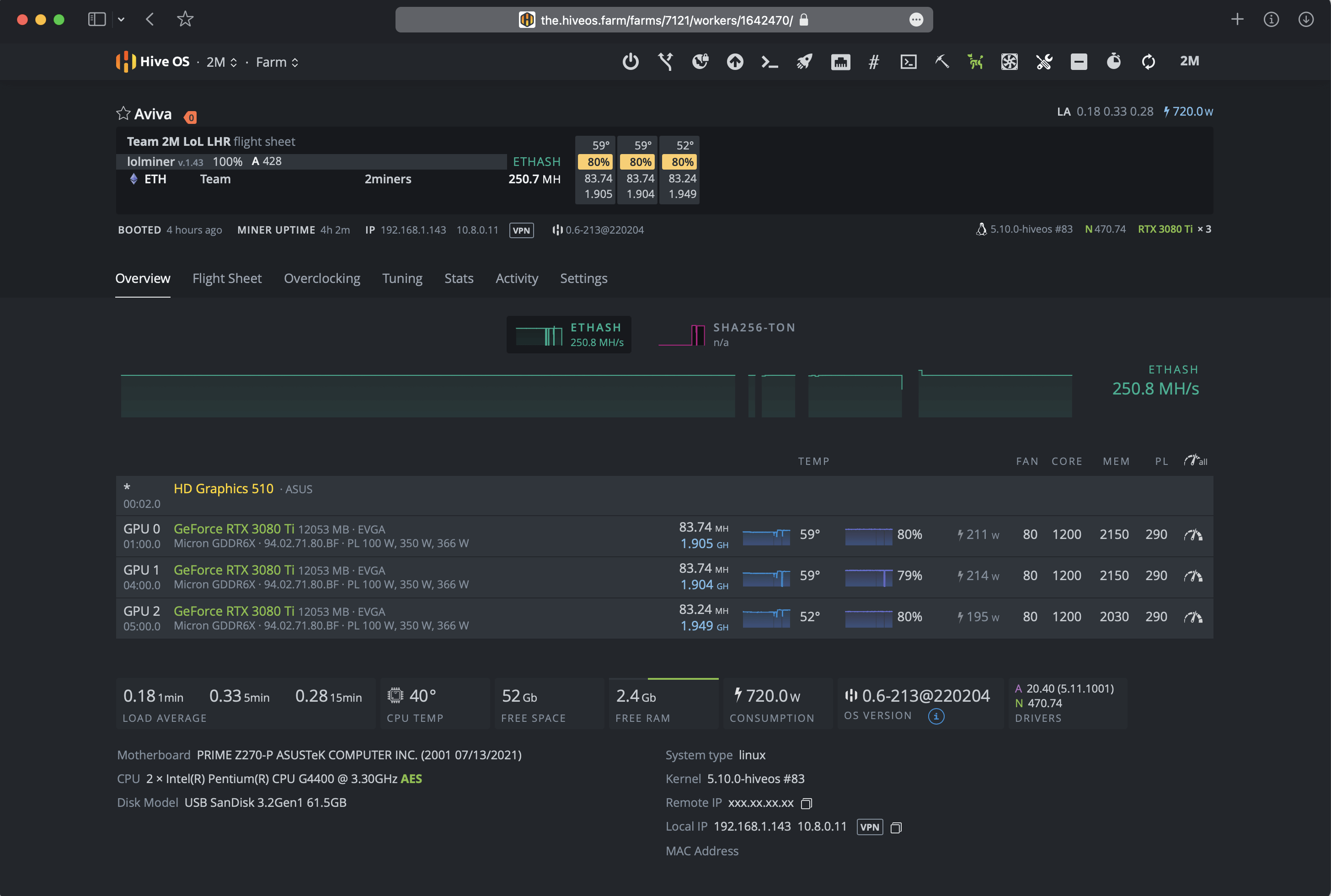
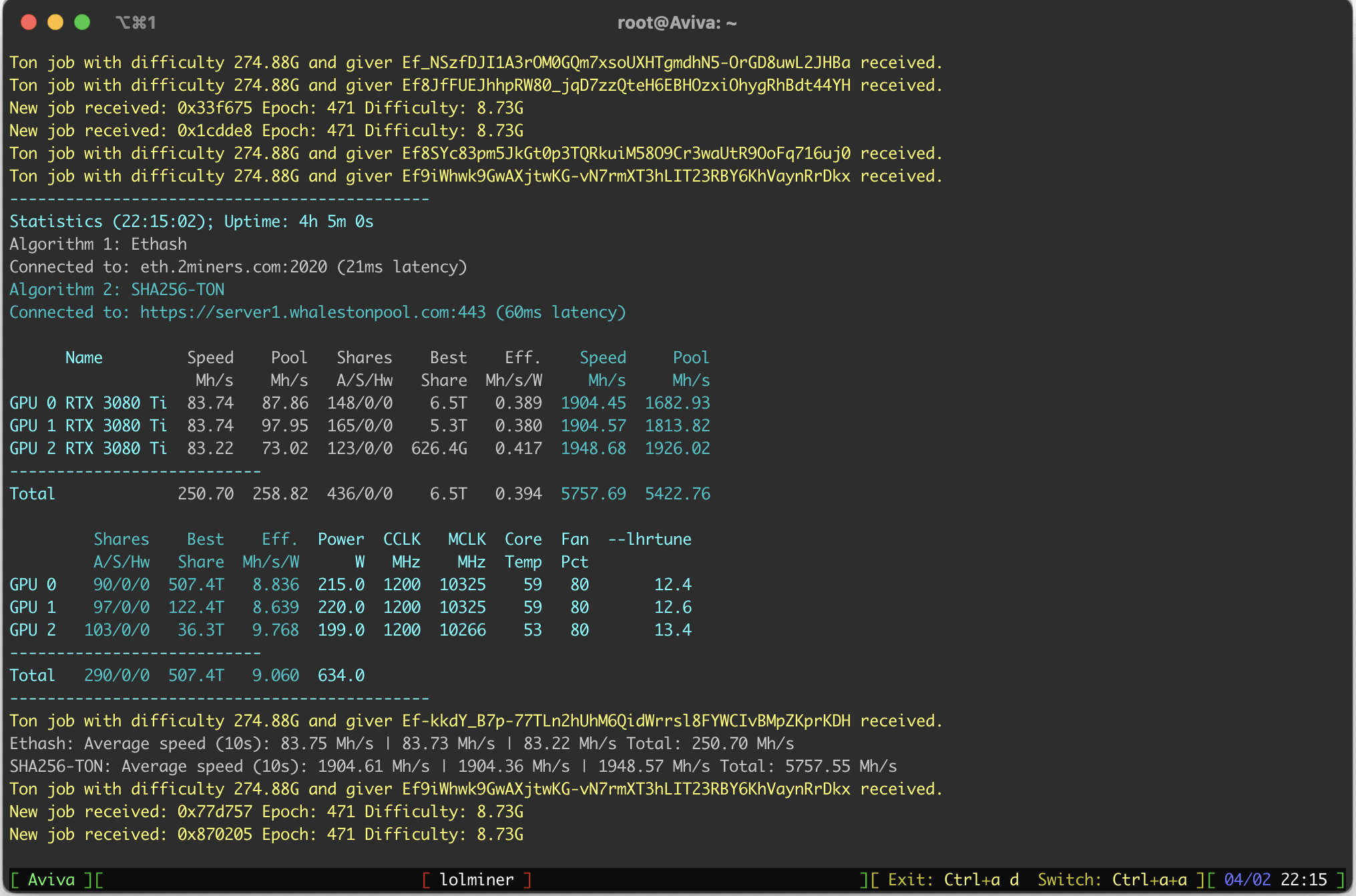
Use a regular wallet that you use for ETH mining. Create a flight sheet, as shown in the screenshot below, choose lolMiner, then click on the Setup Miner Config.
Add the following to the Extra config arguments field:
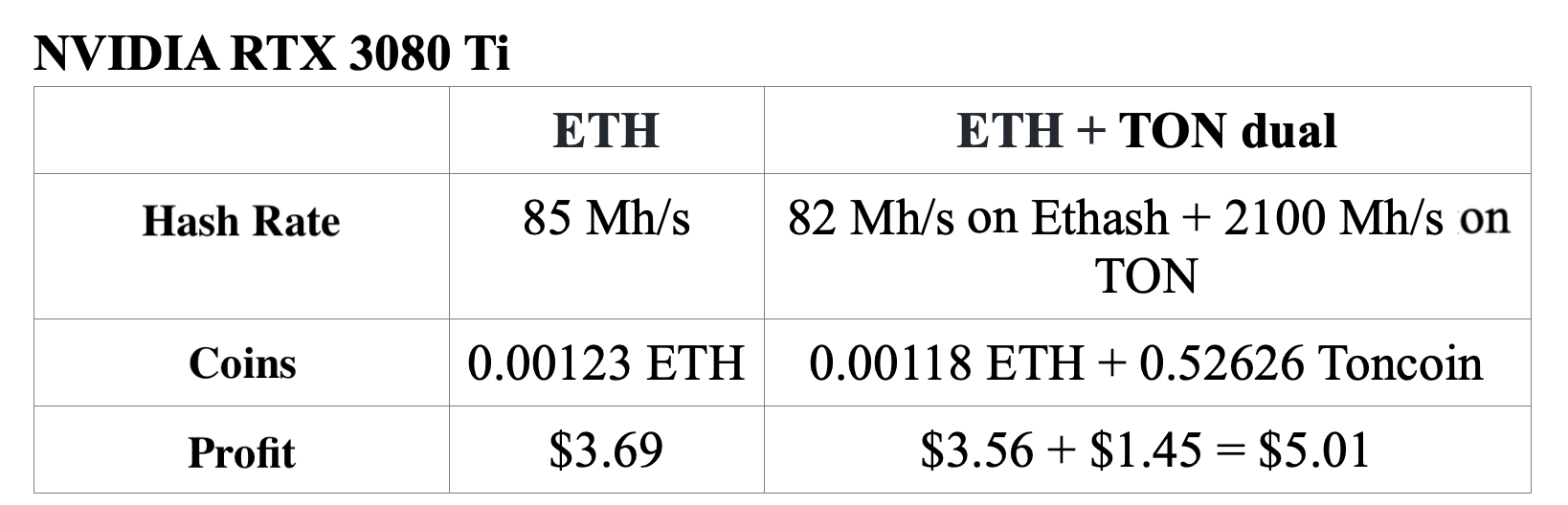
To estimate TON rewards in 24 hours, we used the Profit per GH mining profitability indicator on the TonWhales website and the Toncoin’s exchange rate.
lolminer came up with an efficient dual mining solution. The reward estimates prove that dual mining can be more profitable than regular mining.


So it makes sense to use your graphics cards to mine ETH and TON at the same time and get more profit. It's worth reminding that Ethereum's hash rate stays almost the same, so if storing ETH is your thing, definitely try dual mining.
Please note that we didn’t test GPUs with extreme settings. You may get stable results by overclocking to a larger extent. Try it and test each GPU individually.
Remember to follow us on Twitter to get all the news as soon as possible.
The 2Miners pool co-founder, businessman, miner. In 2017 started mining cryptocurrencies and built many rigs on his own. As a result, he gained lots of practical knowledge and became interested in sharing it with others.
In his articles on 2Miners, he shares useful tips that he tried and tested himself. For example, Darek gives advice on how to buy hardware components for the basic mining rig and how to connect them to each other correctly. He also explained lots of complicated terms in simple words, such as shares, mining luck, block types, and cryptocurrency wallets. After the pool was launched, he published a series of articles ‘Crypto Mythbusters’ where he explained how to protect the network against 51% attack, talked about cryptocurrency mining difficulty and difficulties of launching your own node.
افزایش هش ریت کارت های LHR انویدیا با نرم افزار lolMiner – تست توسط استخر
February 4, 2022
در این مقاله ما درباره آنلاک کردن کارت های گرافیکی LHR با استفاده از نرم افزار محبوب ماینینگ به نام lolMiner خواهیم پرداخت. تیم استخر 2Miners این موضوع را با کارت GeForce RTX 3080Ti تست کرد، اما اصول کار بر روی هر کارت گرافیکی LHR کارا هست.
این مقاله از بلاگ توسط عضو جامعه ماینرهای
2Miners آقای سپهر هاشمی (Mownten@) به زبان شیرین پارسی ترجمه شده است.
این مقاله سی دسامبر مصادف با نهم دی ماه منتشر شده و در تاریخ سی ژانویه مصادف با دهم بهمن ماه ترجمه شده است. در گذشته ما آنلاک کارت های گرافیکی LHR با استفاده از نرم افزار T-Rex را بررسی کردیم. شما می توانید جزئیات این آزمایش و نتایج آن را در مقاله ی مخصوص آن مطالعه بفرمایید. و اگر می خواهید که نحوه آنلاک کارت های LHR با استفاده از نرم افزار Gminer را اینجا بخوانید.
ریشه کارت های گرافیکی LHR – کارت Nvidia RTX 3060
در CES در ژانویه 2021، شرکت انویدیا کارت گرافیک GeForce RTX 3060 را معرفی کرد. این کارت، جدیدترین نوع کارت گرافیک های RTX بود که قرار بود در پایان فوریه 2021 روانه بازار بشود.
شرکت انویدیا جزئیات ارائه را بر روی وبسایت رسمی خود در 12 ژانویه 2021 در مقاله ای با عنوان “معمامری آمپر انویدیا برای هر گیمر: کارت GeForce RTX 3060 در اواخر فوریه با قیمت 329دلار در دسترس خواهد بود” منتشر کرد.
همچنین می تواند متن کامل این مقاله را اینجا بخوانید
از زمان معرفی کارت 3060، برخی رسانه ها شایعاتی رو منتشر کردند که میگفت پتانسیل این کارت گرافیک ها از لحاظ هش ریت محدود شده است. در اواسط فوریه 2021، این موضوع هنوز تایید نشده بود.
در 18 فوریه 2021، شرکت انویدیا رسما اعلام کرد که آنا هش ریت کارت RTX 3060 را نصف خواهند نمود. تشریح این امر در مقاله "GeForce برای گیم ساخته شده است، CMP برای ماین" در دسترس است.
دقیقا سه ماه بعد، در 18 مه 2021، شرکت انویدیا مقاله دیگری را در بلاگ خود با عنوان “گامی فراتر برای رساندن کارت های GeForce در دستان گیمرها” منتشر کرد. این مقاله درباره ی کاهش هش ریت در الگوریتم Ethash برای کارت گرافیک های جدید سری RTX مانند 3080 و 3070 و 3060Ti صحبت می کند تا علاقه مندی ماینرها کمتر بکند. این مدل ها در اواخر مه 2021 در دسترس قرار گرفتند و با شناسه “هش ریت سبک” یا “LHR” نامگذاری شدند.
درست پس از این پست، کارشناسان بصورت فعالی درباره واژه LHR به مباحثه پرداختند. میتواند متن کامل مقاله را اینجابخوانید. در 31 مه 2021، شرکت انویدیا کارت 3080Ti و 3070Ti را عرضه کرد. می توانید متن کامل معرفی را اینجا بخوانید.
گرچه شایعه ها قبل از عرضه آنها، درباره هش ریت محدود این کارت ها بر روی الگوریتم Ethash شروع به چرخیدن در محافل کرد، شرکت انویدیا هیچ اشاره رسمی ای به LHR در این کارت گرافیک ها نکرد. بعد از عرضه رسمی و آزمایش ها، تایید شد که کارت های 3080Ti و 3070Ti دارای محدودیت هش ریت هستند.
Two GPUs were connected to the motherboard, each through the riser PCI-E X16-X1.
OS: Windows 10
Nvidia’s driver: 471.68, 472.12
Overclocking: MSI Afterburner 4.6.4 Beta 3
Monitoring: GPU-Z
آزمایش در محیط سربسته با دمای اتاق بالای 15درجه سانتی گراد (معادل 59 درجه فارنهایت) صورت پذیرفته است.
ما از نرم افزار PhoenixMiner برای تخمین بیشترین هش ریت کارت 3080Ti بر روی الگوریتم های Ethash و Etchash استفاده کردیم. ما نرم افزار ماینینگ را برای ریگ با تنظیمات گرافیکی به شرح زیر اجرا کردیم: PL(%): 70, CC(MHz): +0, MC(MHz): +1000.
درست پس از اجرا، نرم افزار هش ریتی در مرز 116 مگاهش را تخمین زد، اما بعد از دو دقیقه در مرز 64 مگاهش قرار گرفت.
به لطف پیش تست، ما یک هش ریت بالقوه را، بدون قفل LHR بر روی Ethash و Etchash تخمین زدیم و تایید شد که قفل LHR منجر به کاهش هش ریت تقریبا 45درصدی خواهد شد.
آزمایش lolMiner بر روی کارت های LHR
نرم افزار lolMiner یک نرم افزار مشهور است که توسط توسعه دهنده ای به نام Lolliedieb منتشر شده است. نسخه اولیه lolMiner در 21 اکتبر 2018 منتشر شد و فقط از کارت های AMD و شمار محدودی از الگوریتم های ماینینگ پشتیبانی می کرد. امروزه این نرم افزار بصورت فعالی در حال توسعه است و از الگوریتم های زیادی مانند Ethash و Etchash و ZelHash و Equihash و Cuckoo و Cuckaroo و Cuckatoo و Autolykos و BeamHash پشتیبانی می کند.
این نرم افزار از کارت های AMD و Nvidia بر روی Windows و Linux پشتیبانی میکند.
توسعه دهندگان lolMiner بر روی پلتفرم های مشهور و از طریق کانال های شبکه های اجتماعی بصورت مداوم با کاربران خود در تماس هستند.
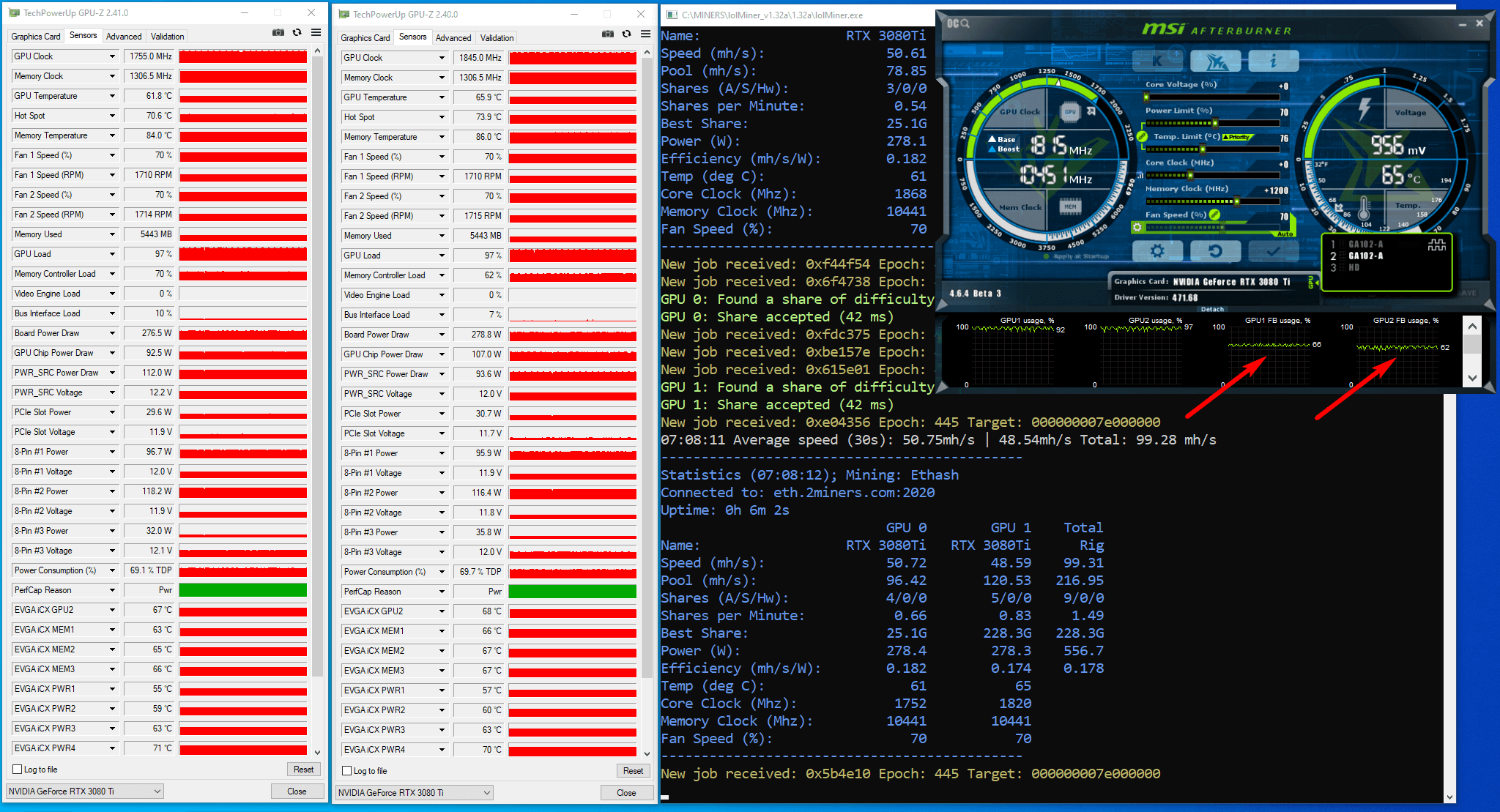
ما از lolMiner نسخه 1.32a برای تخمین حداکثر هش ریت برای 3080Ti با قفل LHR روی الگوریتم Ethash استفاده کردیم. سپس نرم افزار را با مشخصات گرافیکی زیر بر روی ریگ اجرا کردیم:
PL(%): 55, CC (MHz): +0, MC (MHz): +1000.
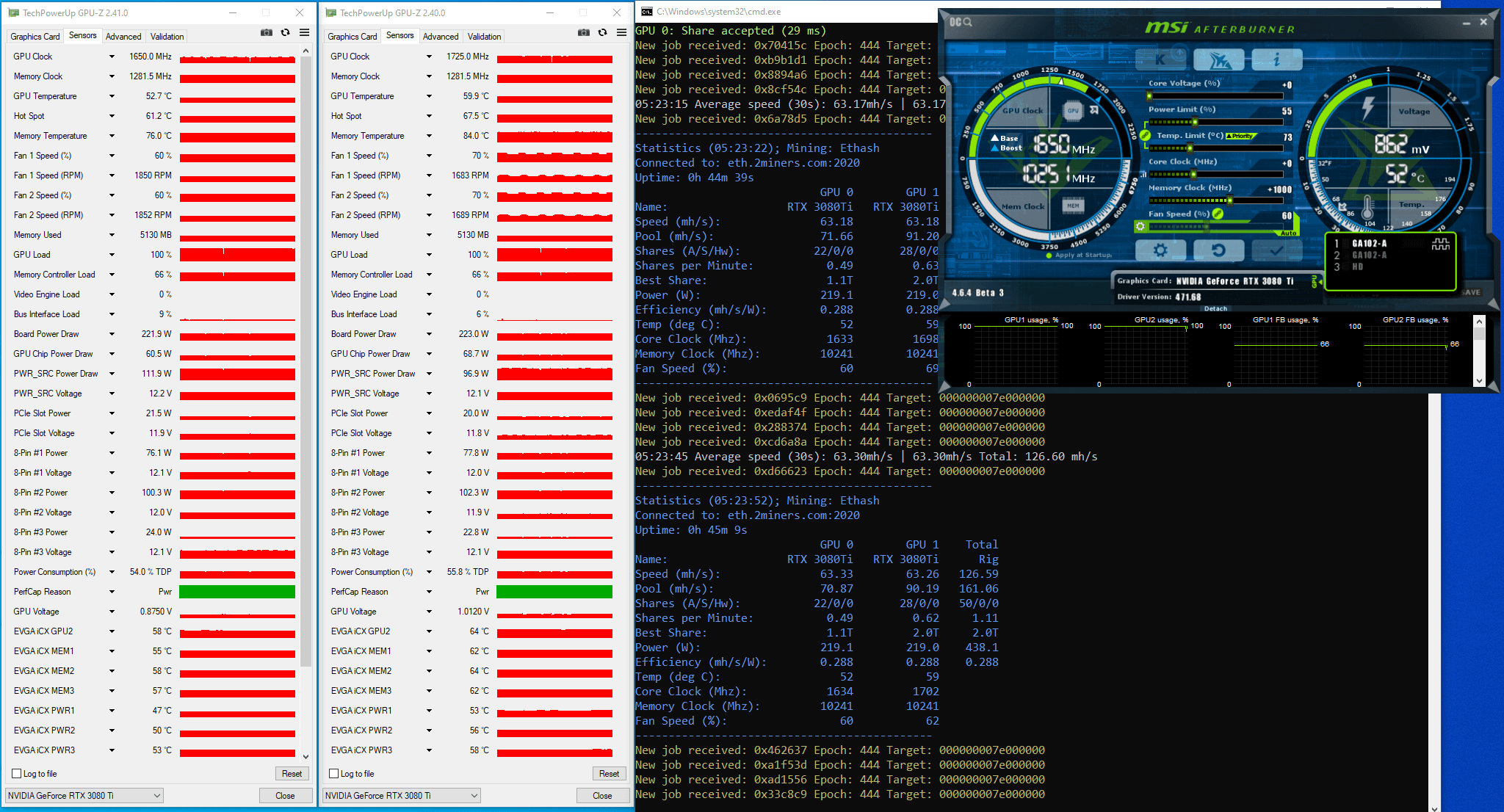
نرم افزار ما هش ریت روی Ethash را حدود 63 مگاهش تخمین زد. نمودارهای Memory Controller Load و GPU load و Board Power Draw بدون ریزش خاصی ثابت بودند. فاکتور Memory Controller Load هم در مقدار 66درصد بود.
سپس نرم افزار را با مشخصات گرافیکی زیر بر روی ریگ اجرا کردیم:
PL(%): 55, CC (MHz): +0, MC (MHz): +1300.
نرم افزار ما هش ریت روی Ethash را حدود 65 مگاهش تخمین زد. نمودارهای Memory Controller Load و GPU load و Board Power Draw بدون ریزش خاصی ثابت بودند. فاکتور Memory Controller Load هم در مقدار 66 درصد بود.
در نتیجه، ما هش ریت را تخمین زدیم و تایید شد که هش ریت کارت گرافیک با قفل LHR چیزی در حدود 64 تا 66 مگاهش هست.
توجه به این نکته ضروری است که نرم افزار MSI Afterburner شماره گذاری کارت های گرافیکی را از شماره 1 شروع به ایندکس می کند، در حالی که در فایل لاگ و نرم افزار ماینینگ کارت گرافیک ها از کارت شماره صفر شروع می شوند. در این مقاله ما اغلب از کارت 1 و کارت 2 نام میبریم، به غیر از موارد معدودی که داده های فایل لاگ یا نرم افزار ماینینگ را ذکر میکنیم.
آنلاک LHR با lolminer نسخه .32a
در 12 سپتامبر 2021 توسعه دهندگان نسخه
1.32a را منتشر کردند. این نسخه، اولین نسخه ای بود که همراه با قابلیت آنلاک کردن LHR بود که شامل پارامترهای ماین جدید و مودهای اجرایی مختلف بود.
شما می توانید این نرم افزار را از اینجا دریافت کنید
توضیحات این نسخه از نرم افزار می گوید که توسعه دهندگان اغلب آزمایشات قبل از انتشار را بر روی سیستم های لینوکس با درایورهای خاص اجرا کرده اند. در هر صورت، ما تصمیم گرفتیم که آزمایش را بر روی ویندوز انجام بدهیم.
پس از مطالعه راهنمای تغییر مود انویدیا و نیم آنلاک LHR، ما بهترین مودها را برای ریگ آزمایشی خود انتخاب کردیم: LHR2 و LHRLP.
مود LHR2
ما نرم افزار را با مشخصات گرافیکی زیر بر روی ریگ اجرا کردیم:
نرم افزار ماینر هش ریت روی Ethash را حدود 50 مگاهش تخمین زد. هش ریت بالا نرفت. دیگر عواملی چون Memory Controller Load و GPU Load و نمودارهای Board Power Draw نیز مانند نمودارهای Power پارامتر ناپایدار کوچکی را نمایش دادند. فاکتور Memory Controller Load هم در مقدار 66 درصد بود.
بعد از برررسی فایل لاگ، پی بردیم که قفل LHR در بخش تولیدی DAG فعال شده است.
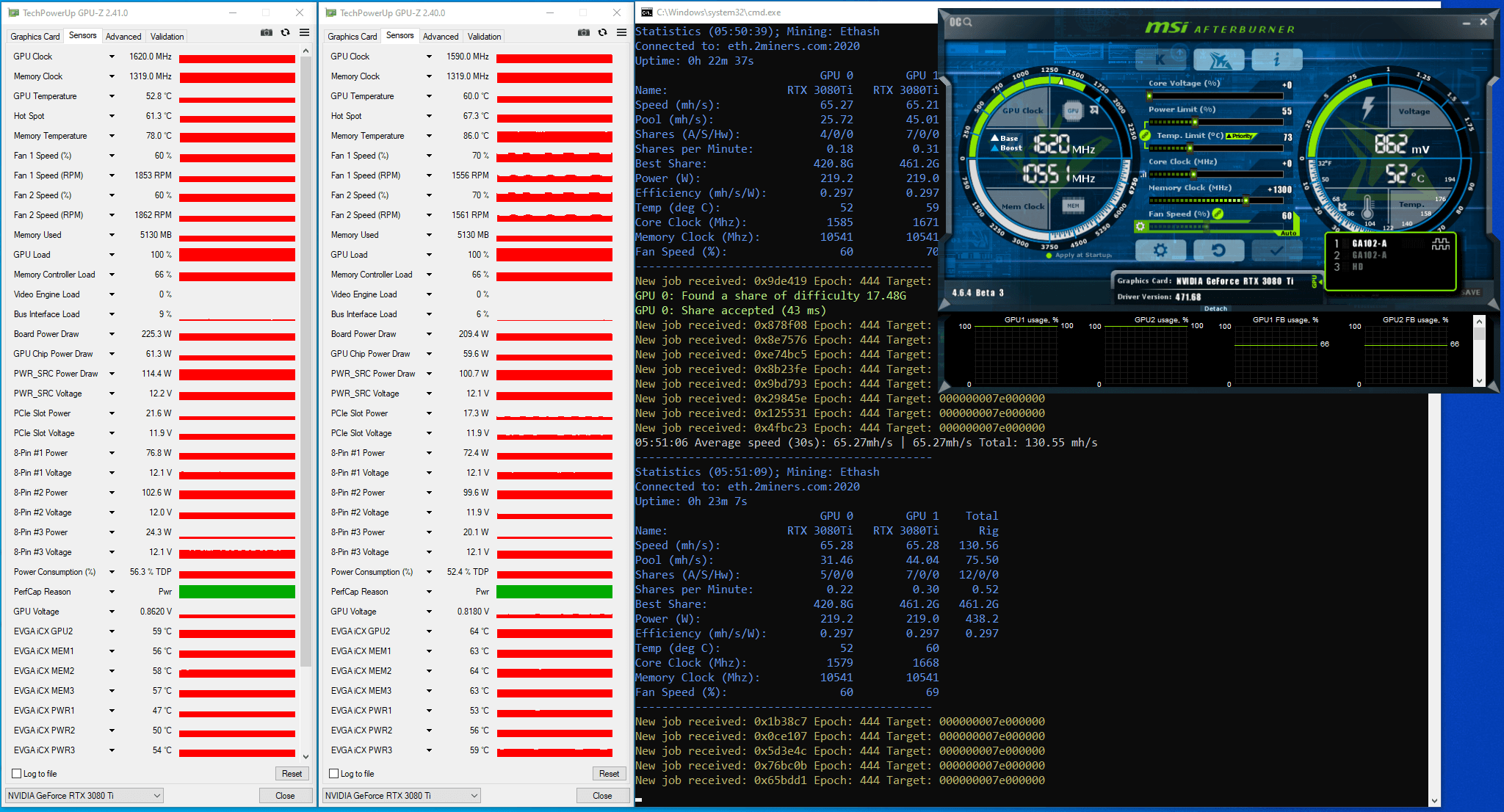
GPU 0: detected mining lock - attempting to improve performance...

GPU 1: DAG build complete 100%

GPU 1: DAG generation completed (3446 ms)

GPU 1: DAG verification passed

GPU 1: detected mining lock - attempting to improve performance...
متن درون فایل لاگ شامل عبارت ‘Unlock’ به معنای همان بازگشایی قفل LHR نبود.
سپس ما چندین آزمایش دیگر را با تغییر فرکانس و ولتاژ بر روی مود LHR2 اجرا کردیم. ما از قابلیت Voltage/Frequency Curve Editor در نرم افزار MSI Afterburner استفاده کردیم. ما در آنلاک کردن LHR با درایور انویدیا نسخه 471.68 موفق نبودیم، و تصمیم گرفتیم که درایور نسخه 472.12 را روی ریگ نصب کنیم.
در طی اکثر آزمایشات، نرم افزار ماینر ناپایدار ماند، اما ما نتایج خوبی را با آزمون و خطا بدست آوردیم. برویم ببینیم.
ما نرم افزار را با مشخصات گرافیکی زیر بر روی ریگ اجرا کردیم:
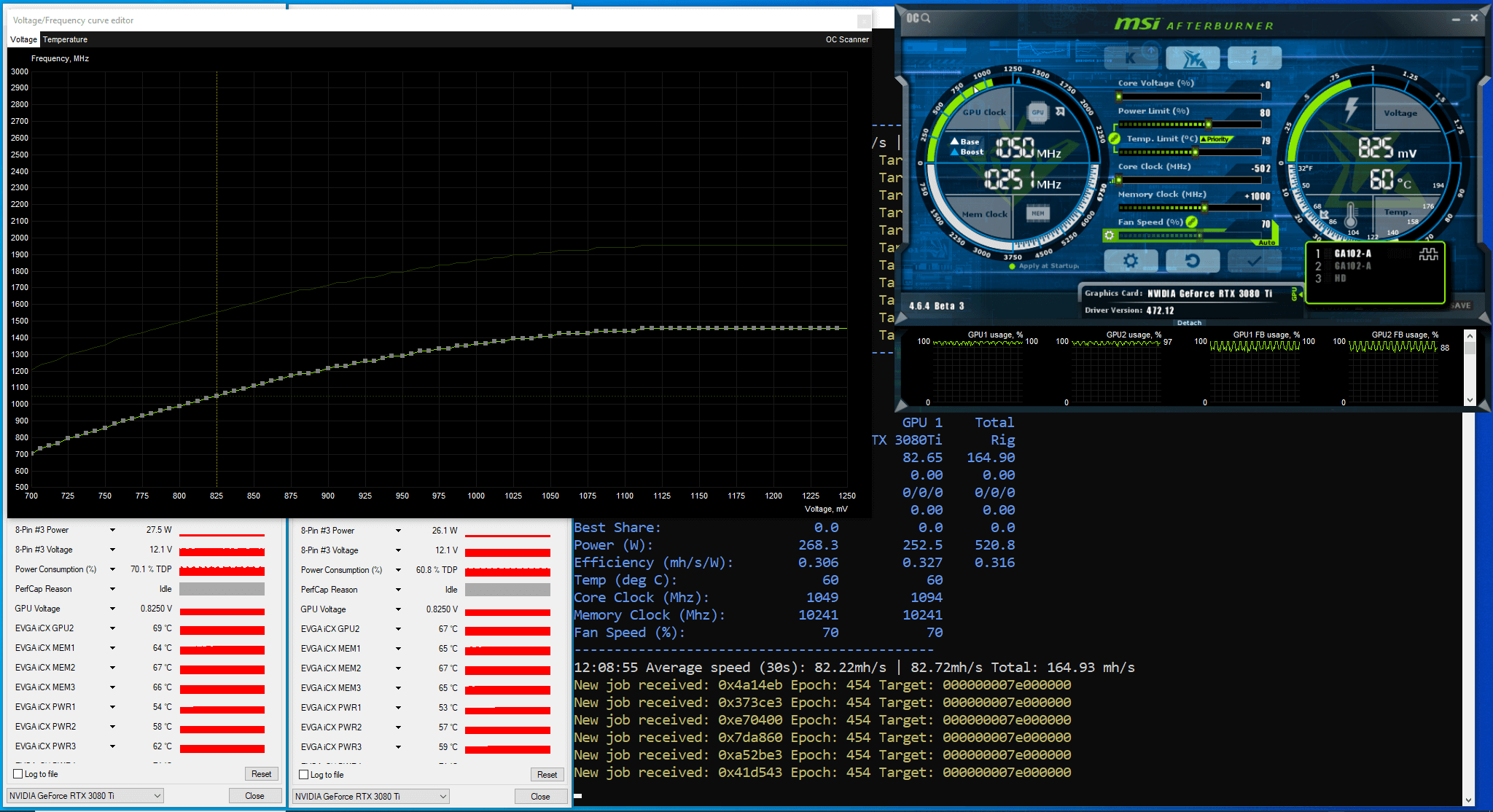
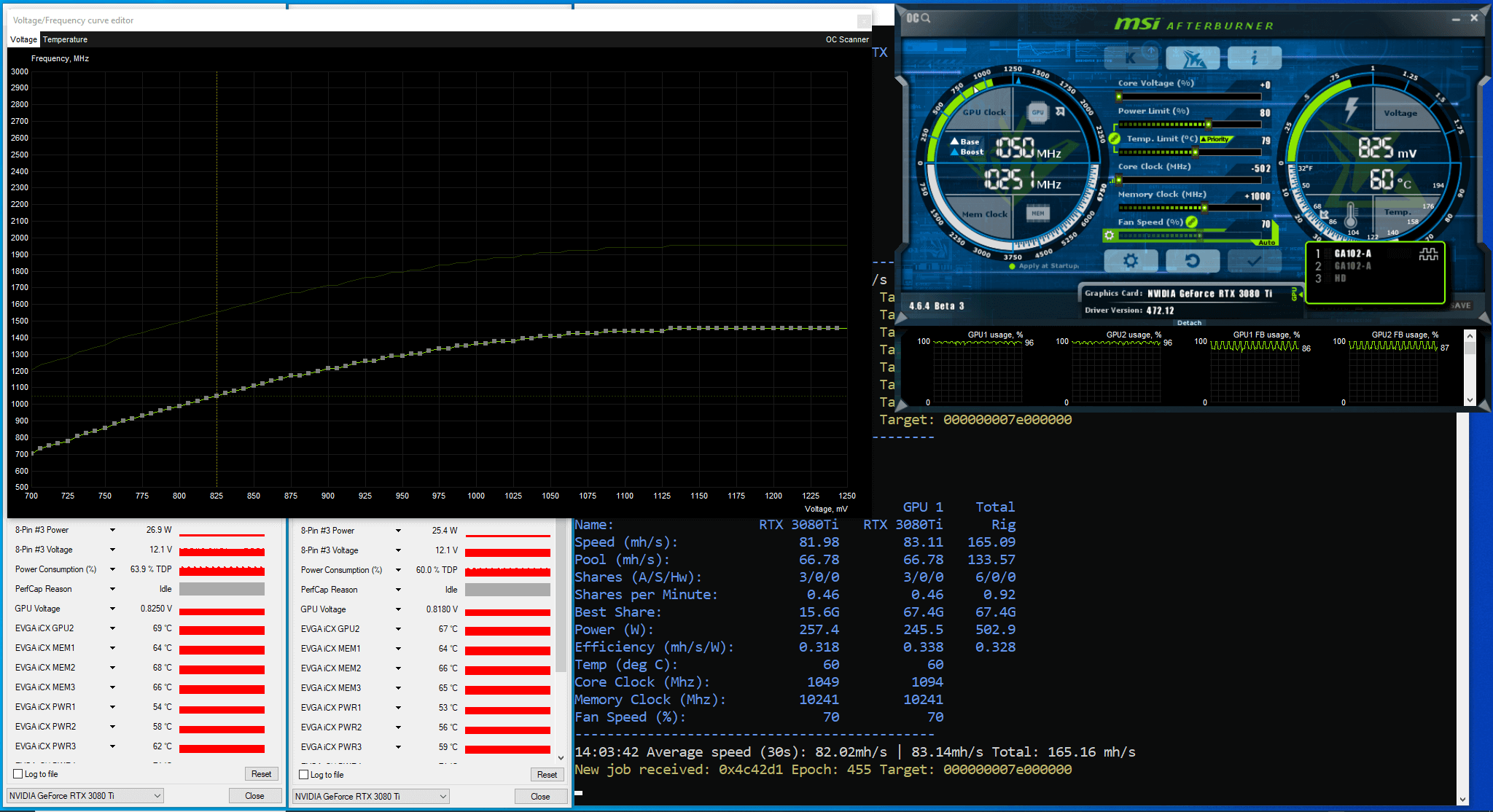
PL(%): 80, CC (MHz): -502 fix Voltage(mV) 825, MC (MHz): +1000.
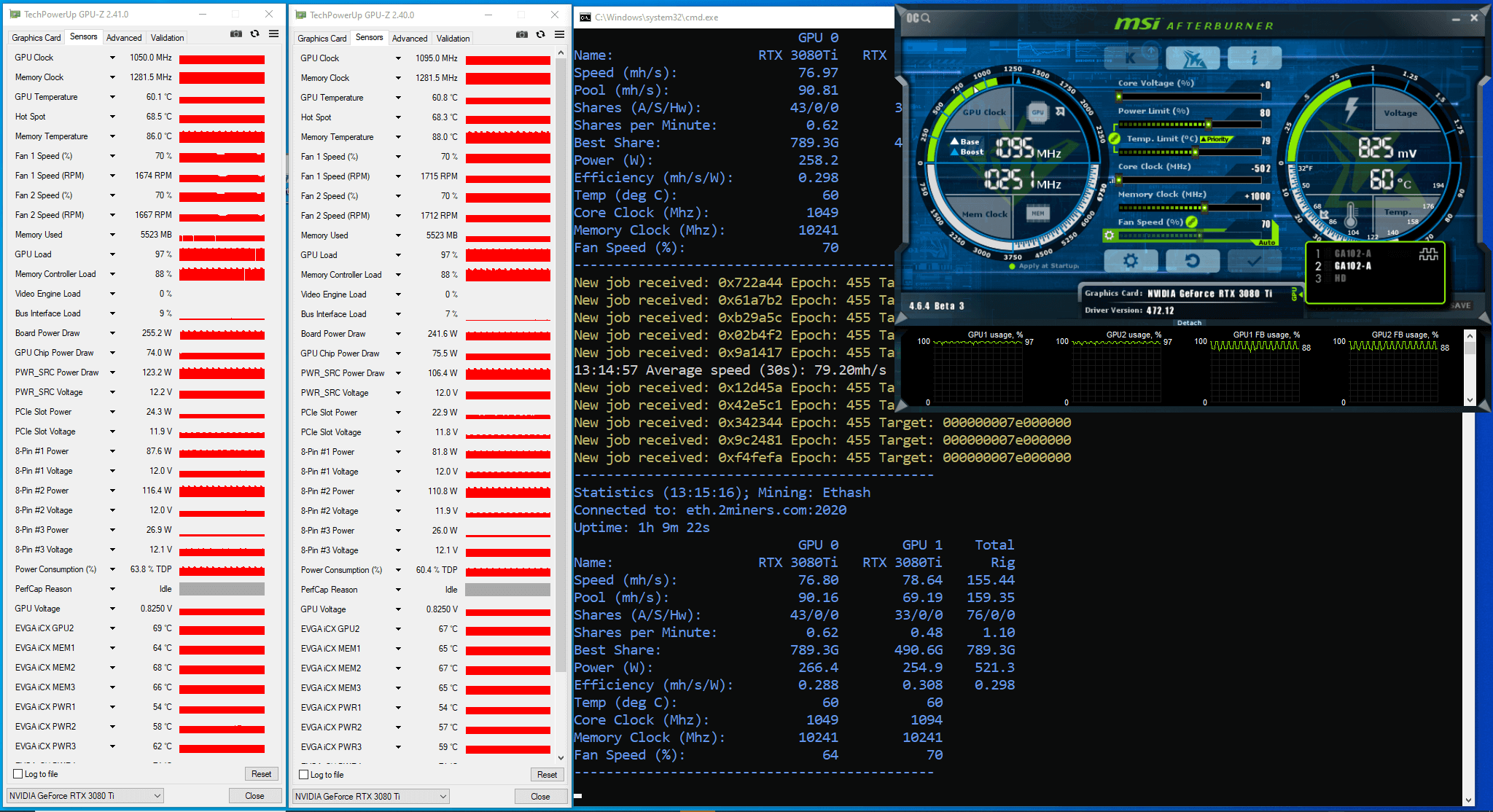
کارت شماره 1: مقدار CC یا همان کلاک هسته در 1050 مگاهرتز ماند. دو دقیقه بعد از اجرای نرم افزار ماینر، هش ریت روی 82 مگاهش بود.
کارت شماره 2: مقدار CC یا همان کلاک هسته در 1095 مگاهرتز ماند. دو دقیقه بعد از اجرای نرم افزار ماینر، هش ریت روی 82 مگاهش بود.
بعد از یک ساعت کار، نرم افزار ماینر هش ریت حدود 76 تا 78 مگاهش بر ثانیه را نشان داد.
مود LHRLP
بعد از بررسی فایل لاگ، پی بردیم که قفل LHR در 25 دقیقه ی اول آزمایش، 7 بار بر روی هر کارت گرافیک فعال شده است. سپس هش ریت ثابت شده است.
عواملی چون Memory Controller Load و GPU Load و نمودارهای Board Power Draw نیز مانند نمودارهای Power پارامتر ناپایدار کوچکی را نمایش دادند. فاکتور Memory Controller Load هم در مقدار بین 88 تا 100 درصد بود.
سپس ما چندین آزمایش دیگر را بر روی مود LHR2 هم با تغییر فرکانس و ولتاژ و هم با عدم تغییر آنها اجرا کردیم. ما از قابلیت Voltage/Frequency Curve Editor در نرم افزار MSI Afterburner استفاده کردیم. در طی اکثر آزمایشات، نرم افزار ماینر ناپایدار ماند و ما نیز به نتایج خوبی دست یافتیم.
ما نرم افزار را با مشخصات گرافیکی زیر بر روی ریگ اجرا کردیم:
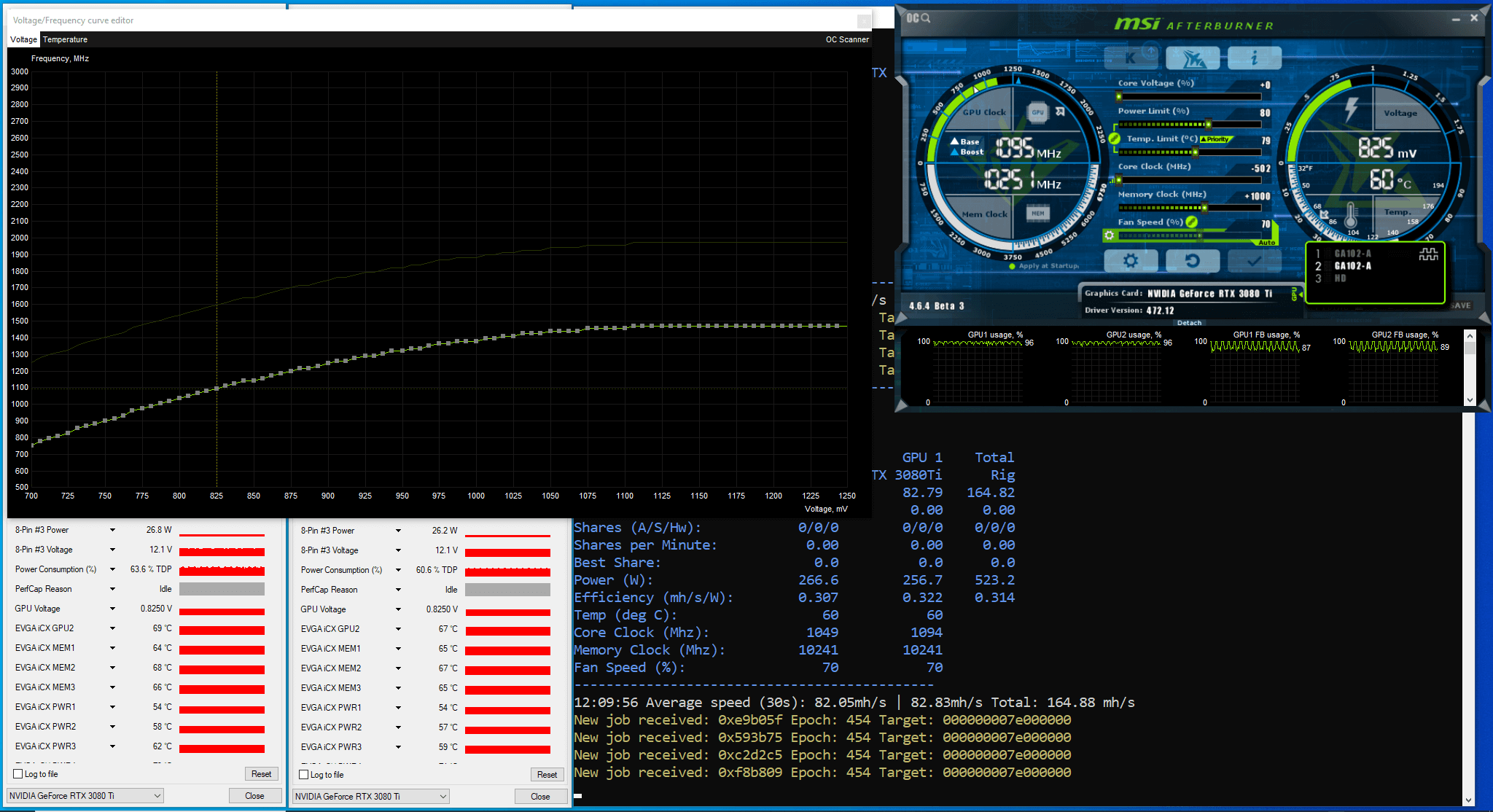
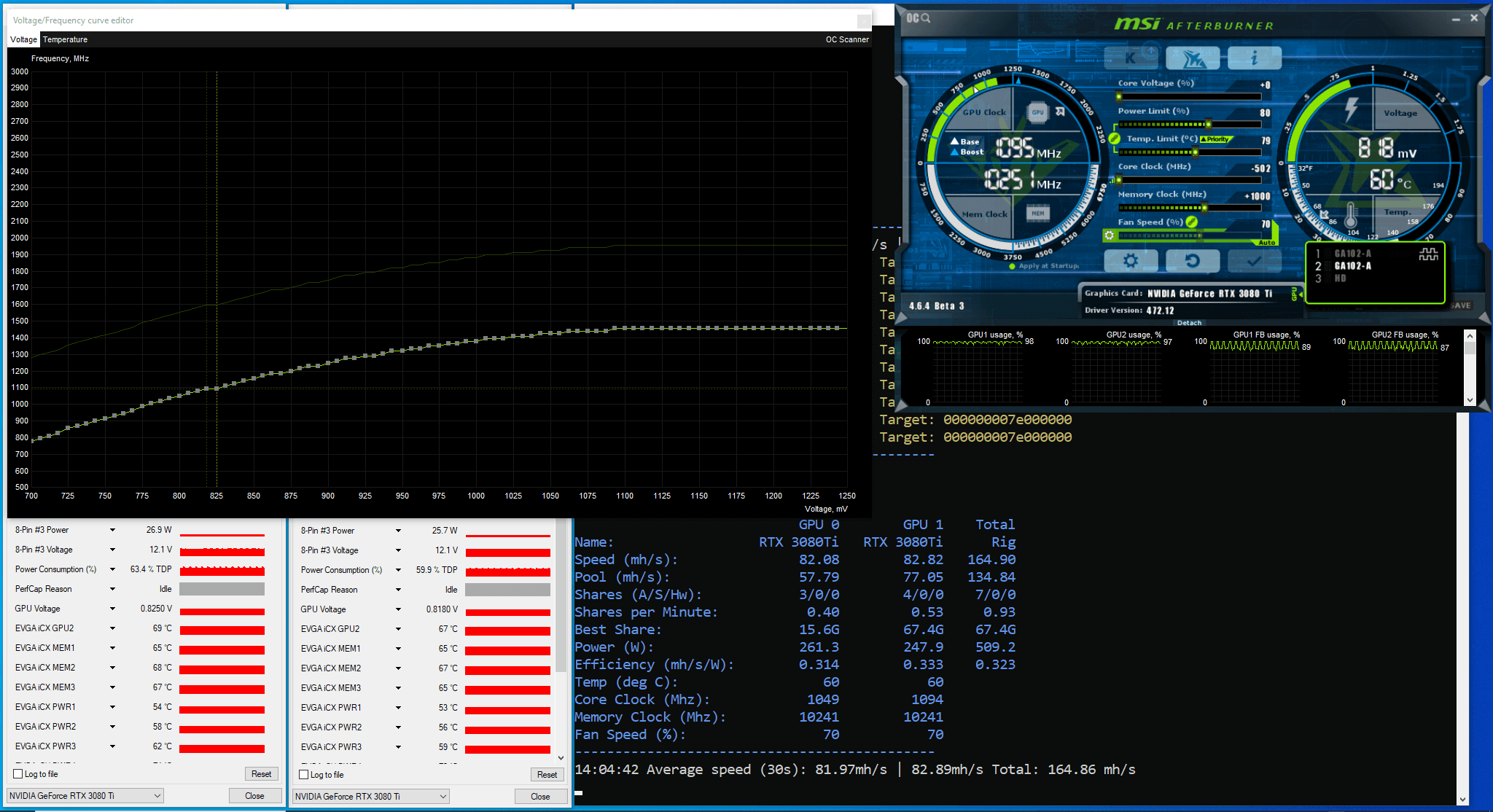
PL(%): 80, CC (MHz): -502 fix Voltage(mV) 825, MC (MHz): +1000.
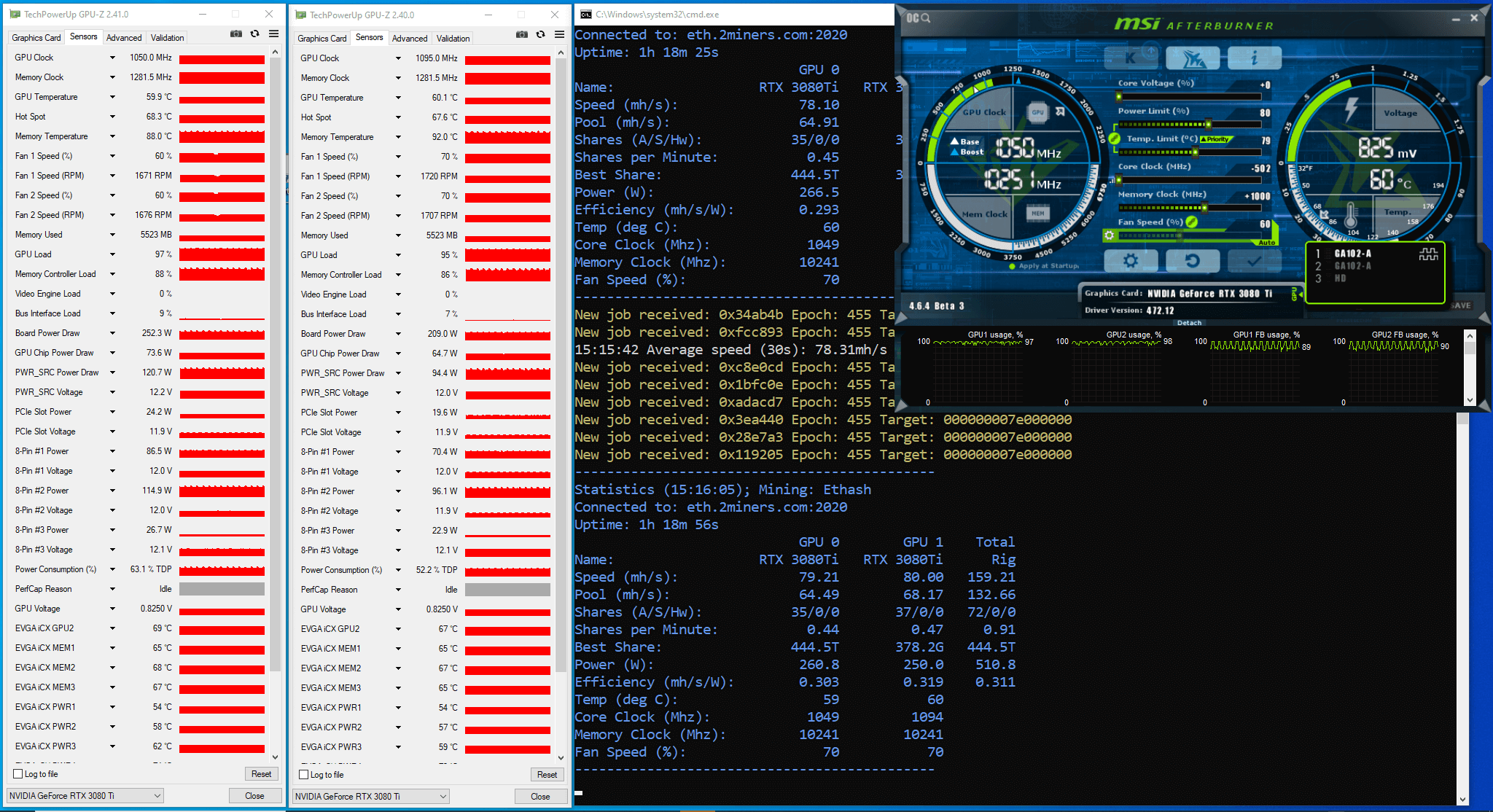
کارت شماره 1: مقدار CC یا همان کلاک هسته در 1050 مگاهرتز ماند. دو دقیقه بعد از اجرای نرم افزار ماینر، هش ریت روی 82 مگاهش بود.
کارت شماره 2: مقدار CC یا همان کلاک هسته در 1095 مگاهرتز ماند. دو دقیقه بعد از اجرای نرم افزار ماینر، هش ریت روی 82 مگاهش بود.
بعد از یک ساعت که از آزمایش سپری شد، نرم افزار ماینر هش ریت حدود 78 تا 80 مگاهش بر ثانیه را نشان داد.
بعد از بررسی فایل لاگ، پی بردیم که قفل LHR در 19 دقیقه ی اول آزمایش، 4 بار بر روی هر کارت گرافیک فعال شده است. سپس هش ریت ثابت شده است.
عواملی چون Memory Controller Load و GPU Load و نمودارهای Board Power Draw نیز مانند نمودارهای Power پارامتر ناپایدار کوچکی را نمایش دادند. فاکتور Memory Controller Load هم در مقدار بین 88 تا 100 درصد بود.
با انتشار نسخه جدیدی از نرم افزار ماینر، ما آزمایشات بعدی را متوقف کردیم.
نتیجه گیری: نسخه 1.32a نرم افزار lolMiner میتواند تا حدی LHR را آنلاک کند. نرم افزار ماینر هش ریت حدود 78 تا 80 مگاهش را نشان می دهد که معادل 67تا69 درصد از نهایت پتانسیل هش ریت است.
توضیحات عرضه نسخه جدید به شرح روبرو بود: “درایورهای پیشنهادی برای مودهای LHR2 و LHRLP نسخه های 470.63.01 یا 465.31 هستند-بقیه ممکن است ناپایدارتر باشند. غالب تست ها در لینوکس صورت پذیرفته است.”
استخر 2Miners سیستم عامل ماینینگ RaveOS/HiveOS مبتنی بر لینوکس را برای این نسخه از نرم افزار ماینینگ جهت اطمینان از استخراج پایدار پیشنهاد میکند.
آنلاک LHR با lolminer نسخه .33
در 1 اکتبر 2021 توسعه دهندگان نسخه 1.33 را منتشر کردند. در این نسخه، توسعه دهندگان روی آنلاک کردن LHR کار کردند. آنها عملکرد آنلاک LHR در نرم افزار را بهینه سازی کردند و نسخه های خاصی از درایورها را نیز پیشنهاد دادند.
شما می توانید این نسخه از نرم افزار را اینجا دریافت کنید و ویژگی های آن رو بخوانید.
ما نرم افزار را با مشخصات گرافیکی زیر بر روی ریگ اجرا کردیم:
در 4 دقیقه اول، ماینر در حال “اندازه گیری دقیق کلاک هسته و کلاک حافظه کارت ها” بود. این یعنی که در فایل لاگ چنین نوشته خواهد شد:
GPU 1: please wait  LHR semi-unlock  calibration is ongoing...

GPU 0: please wait  LHR semi-unlock  calibration is ongoing...
اگر قفل LHR در حین استخراج فعال شده است، این نرم افزار پارامتر lhrtune را در زمان آنلاک کردن LHR کاهش می دهد:
GPU 1: detected  mining lock. Unlocking & reducing --lhrtune parameter...

GPU 1: GPU will be  paused  to make sure it is unlocked...

GPU 0: detected  mining lock. Unlocking & reducing --lhrtune parameter...

GPU 0: GPU will be  paused  to make sure it is unlocked...
مدت زمان آزمایش 30 ساعت و 33 دقیقه بود.
بعد از بررسی فایل لاگ، پی بردیم که که قفل LHR 4بار برای هر کارت گرافیک در طول 26 ساعت فعال شده است.
عواملی چون GPU Load و نمودارهای Board Power Draw همانند نمودارهای Power پارامتر ناپایدار کوچکی را نمایش دادند. نمودار Memory Controller Load در کارت شماره 1 ثابت و پایدار بود درحالیکه همین نمودار مربوط به کارت شماره 2 خیلی ناپایدار بود.
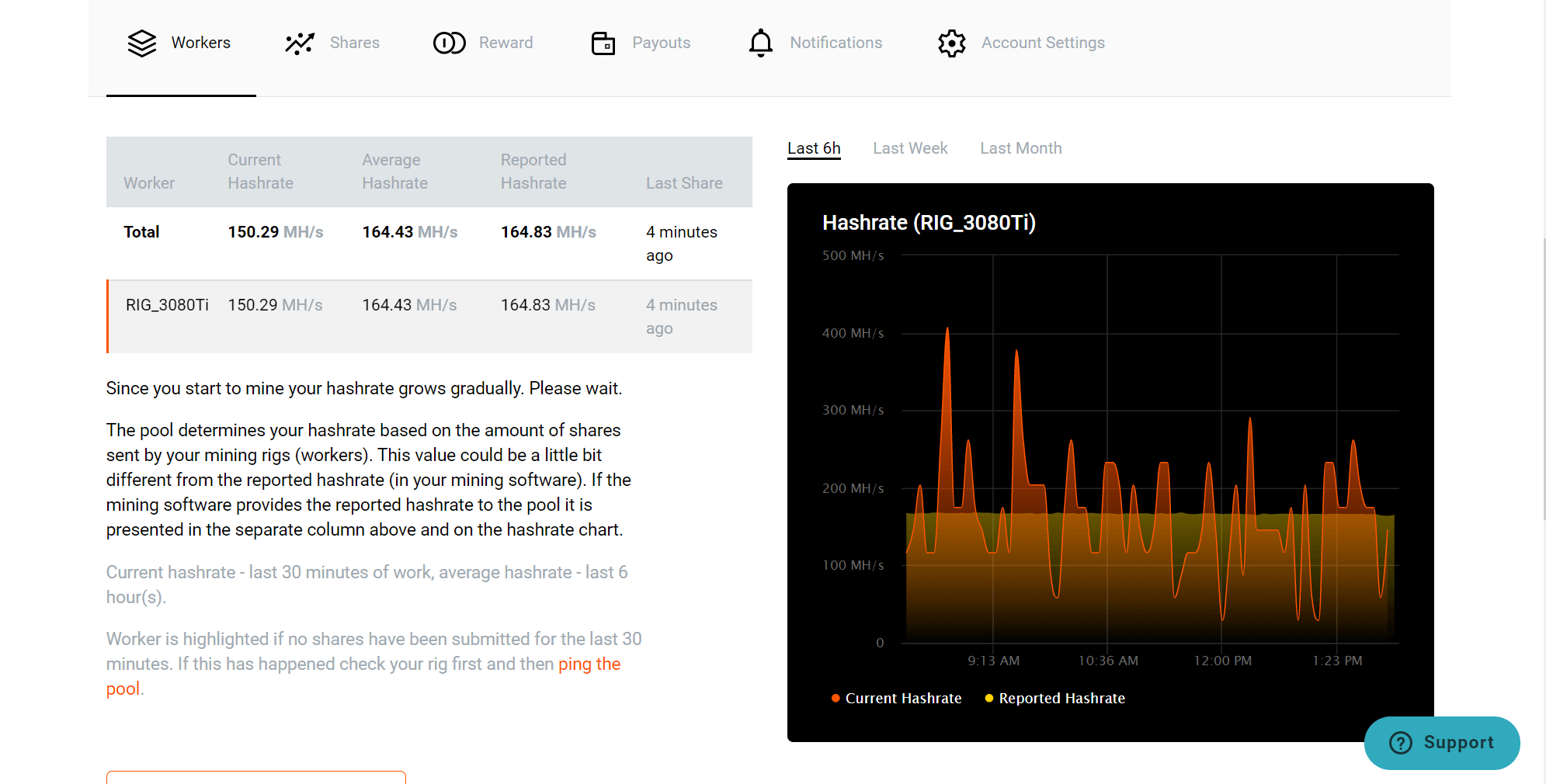
صفحه آمار مربوط به ریگ در استخر (صفحه Stats) همراه با نتایج کار نرم افزار به شرح زیر است:
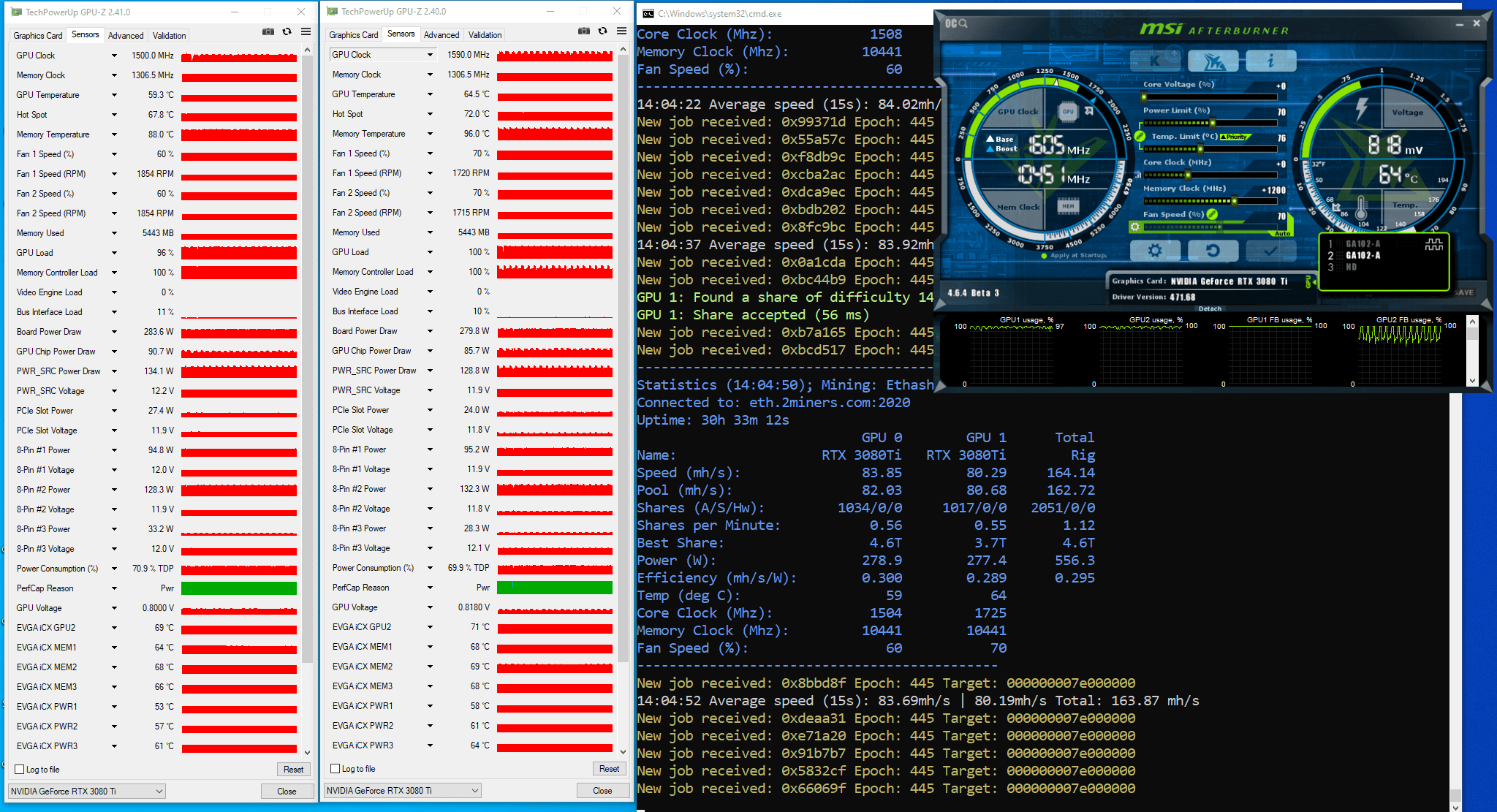
بر اساس تعداد سهم های ارسال شده به استخر، ما هش ریت را بعد 30.55 ساعت از عملیات آزمایشی تخمین زدیم. داده های اولیه ی هر دو کارت گرافیک: تعداد 2051 سهم در 30.55 ساعت، سختی سهم 8726 مگا بود. ما شمار سهم ها در ثانیه را در سختی سهم ضرب کردیم و به عدد 162.7 مگاهش بر ثانیه رسیدیم. این هش ریت دو کارت گرافیک است، که یعنی هش ریت هر کدام از آنها معادل تقریبا 81.36 مگاهش هست. ما همچنین میتونیم هش ریت هر کارت گرافیک را با حساب شمار سهم های حل شده توسط هر کارت گرافیک نیز بسنجیم. (کارت یک: 1034 سهم و کارت دو: 1017 سهم) که یعنی هش ریت کارت 1 حدود 82.04 مگاهش بر ثانیه بوده و کارت شماره 2 حدود 80.69 مگاهش بر ثانیه بوده است.
ما مدت زمانی طولانی تر آزمایش را جهت کسب نتایج آماری دقیق تر توصیه میکنیم: که هر کارت می باید بیش از 5000 سهم را به استخر ارسال کند.
نتیجه گیری: نرم افزار lolMiner نسخه 1.33 می تواند تا حدودی LHR را آنلاک کند. نرم افزار هش ریت حدود 81مگاهش بر ثانیه را نمایش می دهد که حدود 70درصد از حداکثر هش ریت بالقوه این کارت است. در توضیحات این نسخه شما می توانید نسخه دقیق درایورهای پیشنهادی برای هر کارت گرافیک جهت کسب پایداری صحیح را مشاهده کنید.
آنلاک LHR با lolminer نسخه 1.34
در 18 اکتبر 2021 توسعه دهندگان نسخه 1.34 را منتشر کردند. در این نسخه، توسعه دهندگان، ویژگی آنلاک کردن LHR را بهینه سازی کردند، درایورهای خاصی را پیشنهاد دادند، و نواقصی که قبلا کشف شده بودند را رفع کردند. شما میتوانید مقدار –lhrtune و شمار قفل های LHR را در نمودار مربوط به صفحه stats در فایل لاگ برنامه ماینینگ ببینید.
شما می توانید این نسخه از نرم افزار را اینجا دریافت کنید و ویژگی های آن رو بخوانید. Click here to download the miner and read about its features.
ما نرم افزار را با مشخصات گرافیکی زیر بر روی ریگ اجرا کردیم:
مدت زمان آزمایش 2 ساعت و 33 دقیقه بود
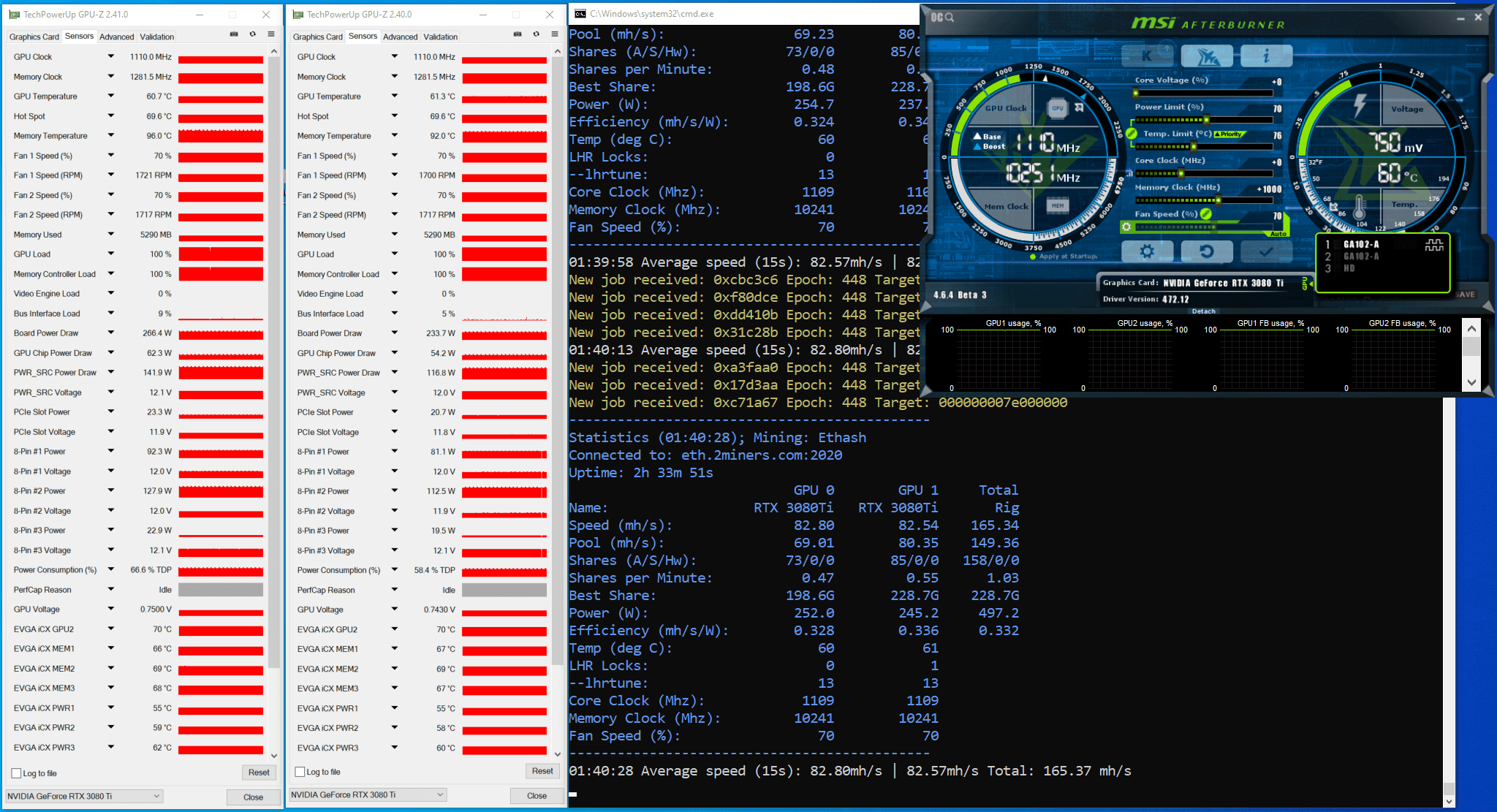
در 4 دقیقه اول، نرم افزار ماینر داشت LHR Semi-Unlock را اندازه گیری دقیق میکرد. قفل LHR یک بار فعال شد. نمودارهای Board Power Draw همانند دیگر نمودارهای Power کمی ناپایدار بودند. نمودارهای GPU Load و Memory Controller Load ثابت و پایدار بودند. ماینر یک هش ریت حدود 82مگاهشی را نشان داد.
ما هم افزایش مقدار کلاک حافظه را امتحان کردیم.
نرم افزار را با مشخصات گرافیکی زیر بر روی ریگ اجرا کردیم:
PL(%): 70, CC (MHz): +0, MC (MHz): +1200.
دستورات فایل bat مربوط به نرم افزار نیز همانند قبل بود.
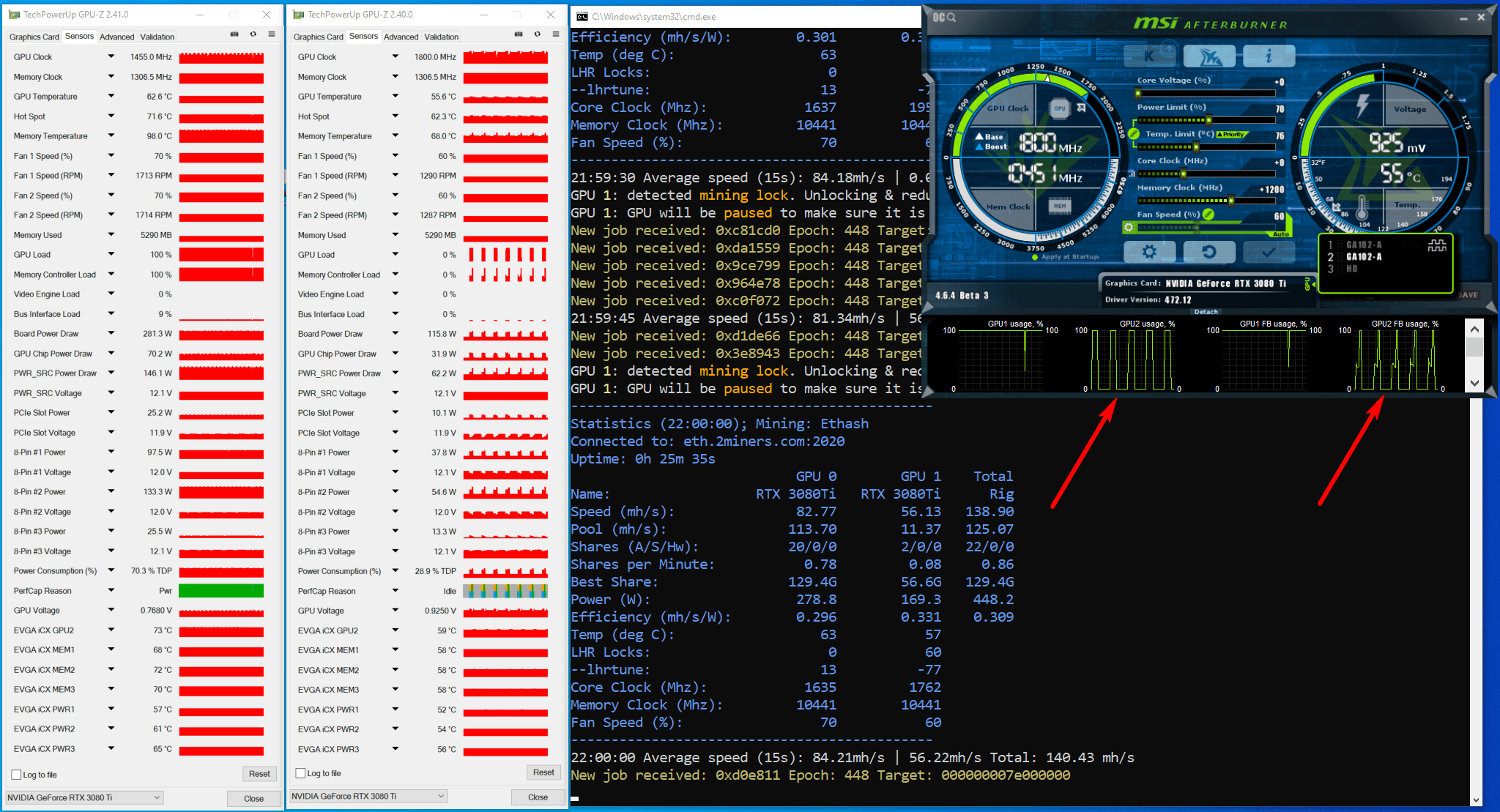
این تنظیمات منحر به فعالسازی مداوم قفل LHR بر روی کارت شماره 2 شد. نمودار GPU Load و نمودارهای Board Power Draw همانند دیگر نمودارهای Power ناپایداری کمی در پارامترها را نشان دادند. نمودار Memory Controller Load مربوط به کارت شماره 1 پایدار بود. نمودارهای کارت شماره 2 بسیار ناپایدار بودند.
ما مقدار کلاک حافظه در کارت شماره 2 را کاهش دادیم و ماینر را با تنظیمات گرافیکی زیر اجرا کردیم:
GPU1: PL(%): 70, CC (MHz): +0, MC (MHz): +1200.

GPU2: PL(%): 70, CC (MHz): +0, MC (MHz): +1000.
فایل bat را نیز تغییری ندادیم.
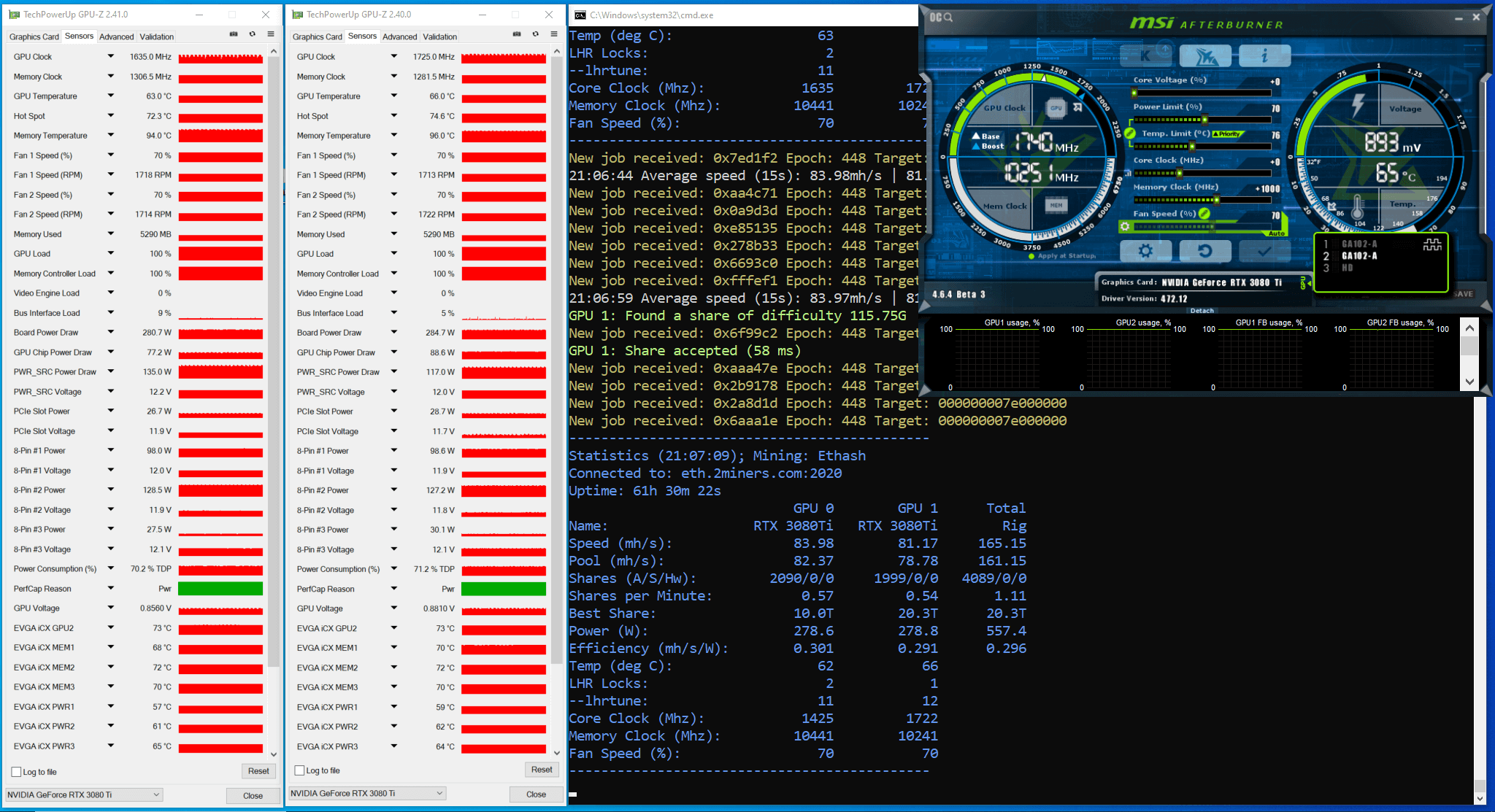
مدت زمان آزمایش 61 ساعت و 30 دقیقه بود.
بعد از بررسی فایل لاگ، پی بردیم که قفل LHR در طول آزمایش 3 بار فعال شده است. نمودارهای Board Power Draw همانند دیگر نمودارهای Power ناپایداری کمی در پارامترها را نشان دادند. نمودارهای GPU Load و Memory Controller Load پایدار بودند.
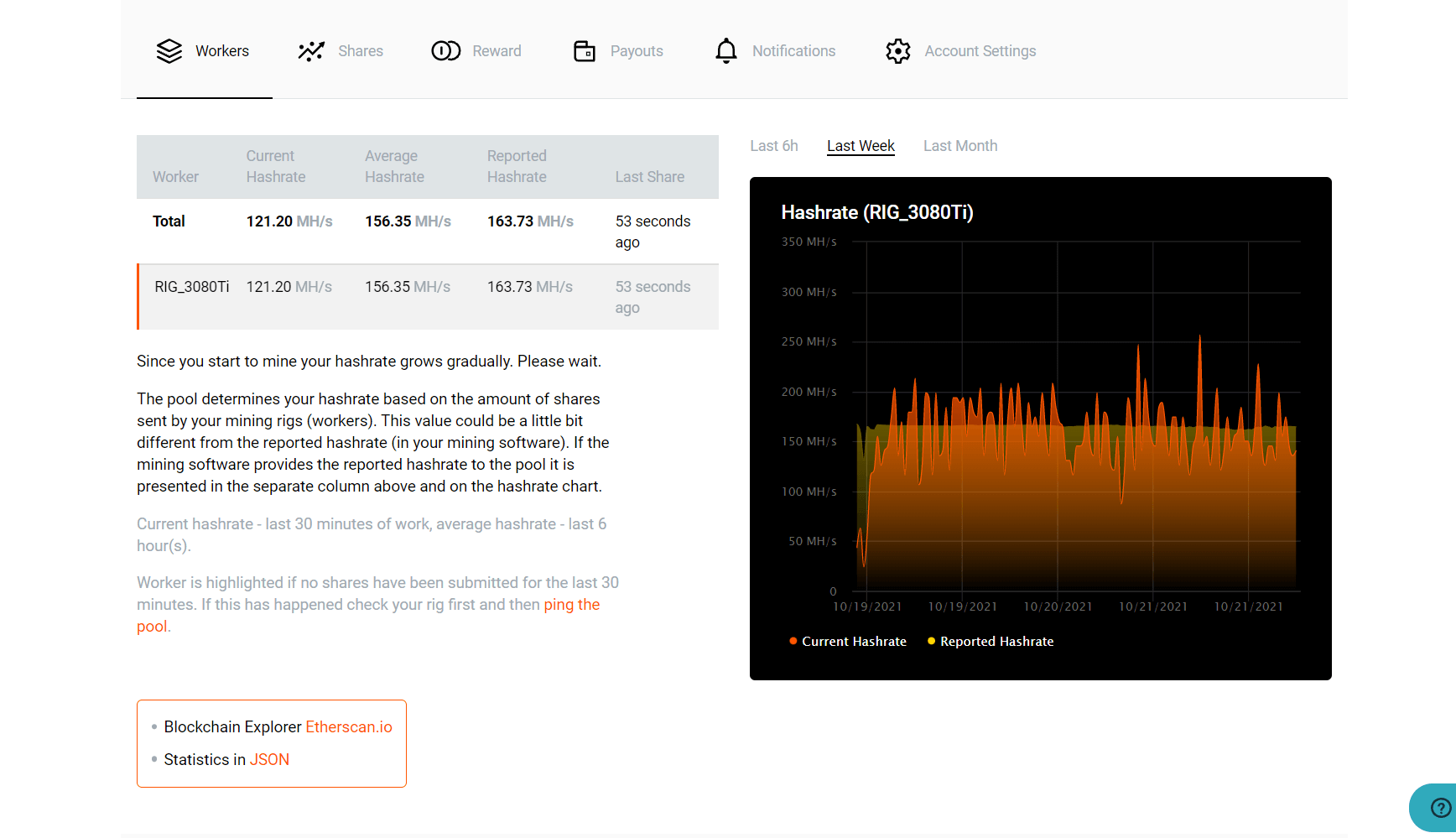
صفحه آمار مربوط به ریگ در استخر (صفحه Stats) همراه با نتایج کار نرم افزار به شرح زیر است:
بر اساس تعداد سهم های ارسال شده به استخر، ما هش ریت را بعد 61.5 ساعت از عملیات آزمایشی تخمین زدیم. داده های اولیه ی هر دو کارت گرافیک: تعداد 4089 سهم در 61.5 ساعت، سختی سهم 8726 مگا بود. ما شمار سهم ها در ثانیه را در سختی سهم ضرب کردیم و به عدد 161.2 مگاهش بر ثانیه رسیدیم. این هش ریت دو کارت گرافیک است، که یعنی هش ریت هر کدام از آنها معادل تقریبا 80.58 مگاهش بر ثانیه هست. ما همچنین میتونیم هش ریت هر کارت گرافیک را با حساب شمار سهم های حل شده توسط هر کارت گرافیک نیز بسنجیم. (کارت یک: 2090 سهم و کارت دو: 1999 سهم) که یعنی هش ریت کارت 1 حدود 82.37 مگاهش بر ثانیه بوده و کارت شماره 2 حدود 78.79 مگاهش بر ثانیه بوده است.
ما مدت زمانی طولانی تر آزمایش را جهت کسب نتایج آماری دقیق تر توصیه میکنیم: که هر کارت می باید بیش از 5000 سهم را به استخر ارسال کند.
نتیجه گیری: نرم افزار lolMiner نسخه 1.34 می تواند تا حدودی LHR را آنلاک کند. نرم افزار هش ریت حدود 80 مگاهش بر ثانیه را نمایش می دهد که حدود 69 درصد از حداکثر هش ریت بالقوه این کارت است. در توضیحات این نسخه شما می توانید نسخه.
دقیق درایورهای پیشنهادی برای هر کارت گرافیک جهت کسب پایداری صحیح را مشاهده کنید.
آنلاک LHR با lolminer نسخه .1.36
در 15 نوامبر 2021 نسخه 1.36 نرم افزار lolMiner منتشر شد. این نسخه، عملکرد بهتری در برخی کارت گرافیک ها دارد و توسعه دهندگان قابلیت auto-tuning را اصلاح نموده و عیوب کشف شده در نسخحه های قبلی را رفع نمودند.
شما می توانید این نسخه از نرم افزار را اینجا دریافت کنید و ویژگی های آن رو بخوانید.
ما نرم افزار را با مشخصات گرافیکی زیر بر روی ریگ اجرا کردیم:
GPU1: PL(%): 70, CC (MHz): +0, MC (MHz): +1200.
GPU2: PL(%): 70, CC (MHz): +0, MC (MHz): +1000.
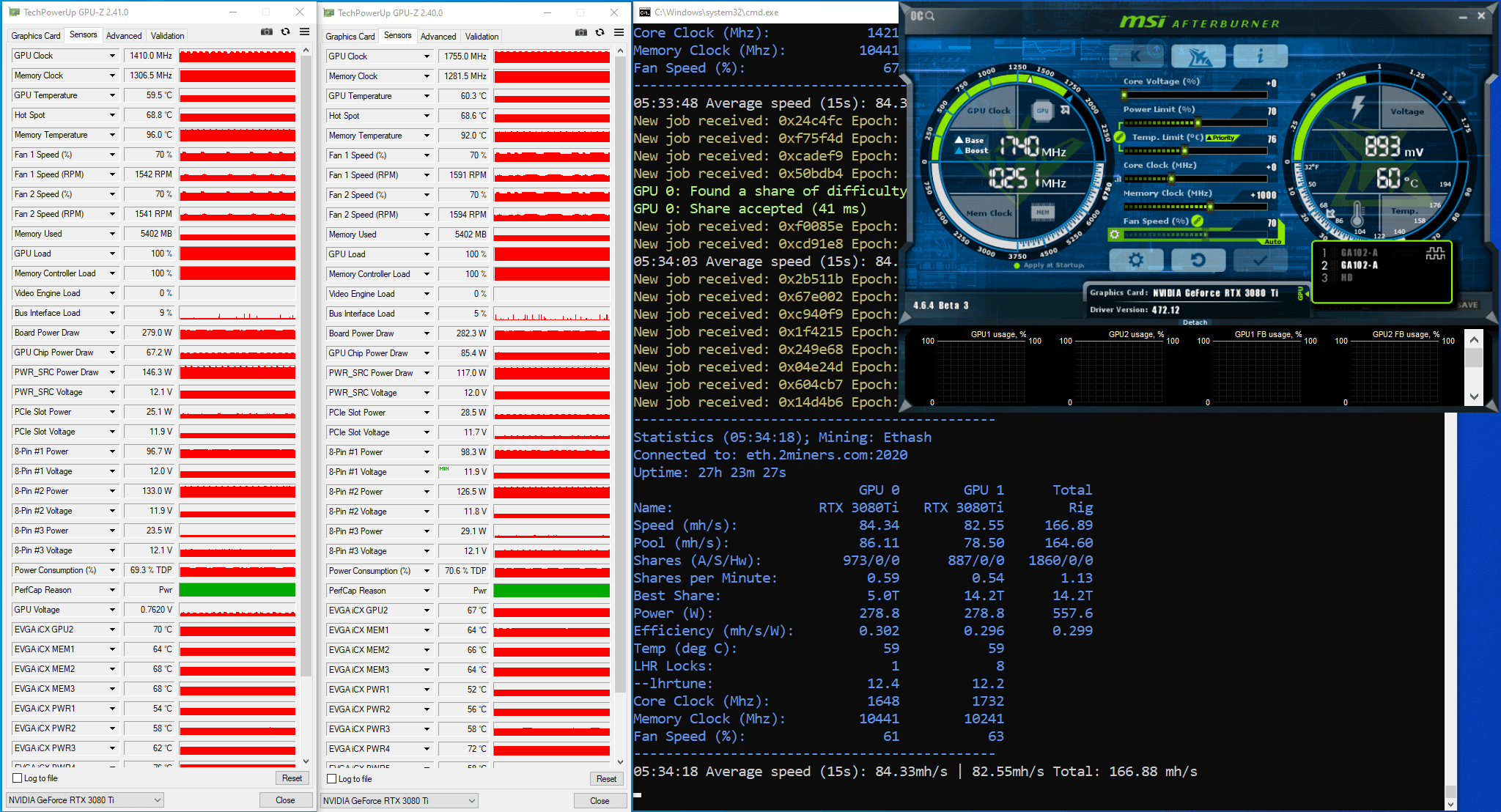
مدت زمان آزمایش 27 ساعت و 23 دقیقه بود. بعد از بررسی فایل لاگ، پی بردیم که قفل LHR در طول آزمایش 9 بار فعال شده است. نمودارهای Board Power Draw همانند دیگر نمودارهای Power ناپایداری کمی داشتند. نمودارهای GPU Load و Memory Controller Load پایدار بودند. نمودارهای GPU Load و Memory Controller Load پایدار بودند.
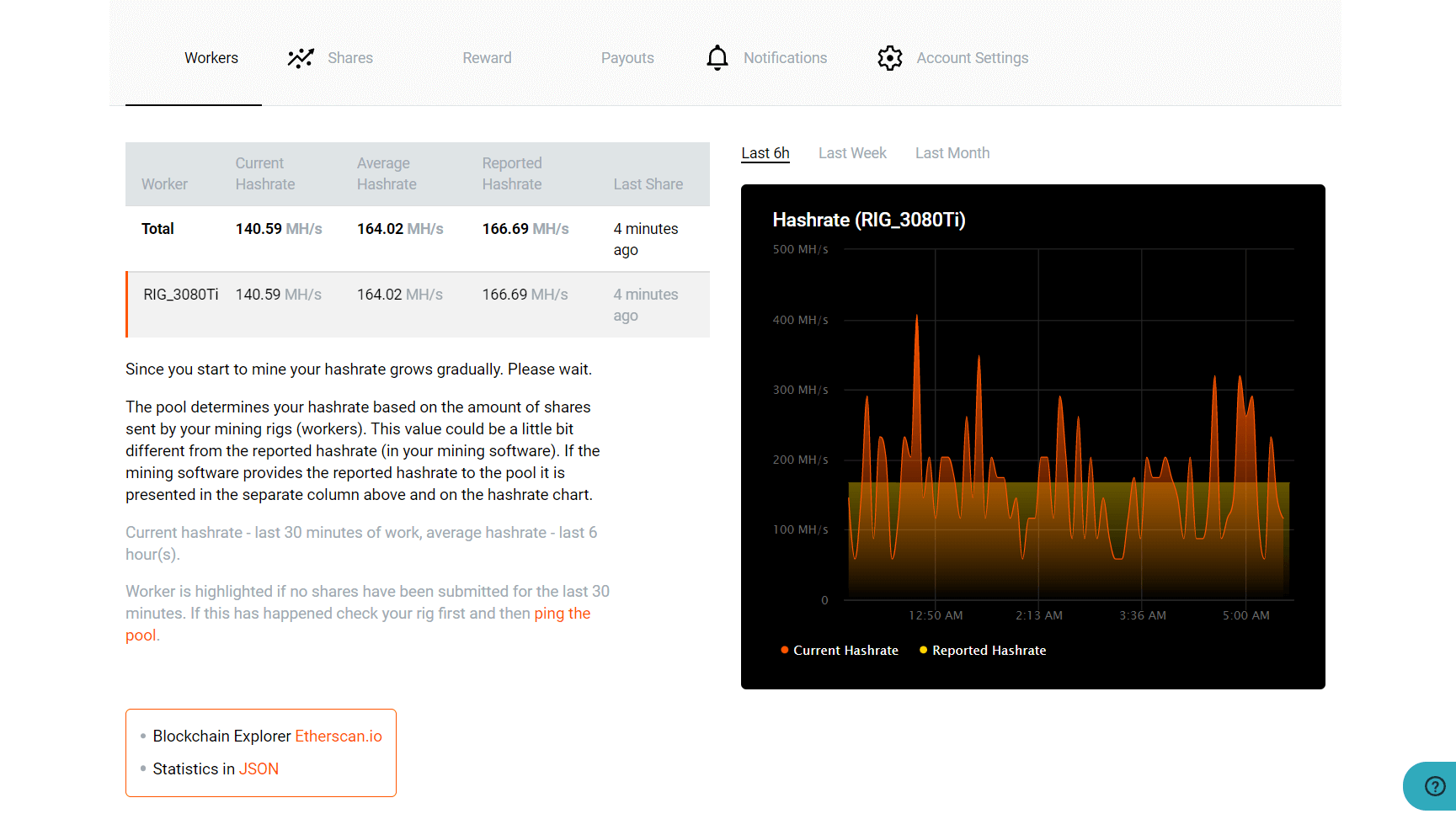
صفحه آمار مربوط به ریگ در استخر (صفحه Stats) همراه با نتایج کار نرم افزار به شرح زیر است:
بر اساس تعداد سهم های ارسال شده به استخر، ما هش ریت را بعد 27.38 ساعت از عملیات آزمایشی تخمین زدیم. داده های اولیه ی هر دو کارت گرافیک: تعداد 1860 سهم در 27.38 ساعت، سختی سهم 8726 مگا بود. ما شمار سهم ها در ثانیه را در سختی سهم ضرب کردیم و به عدد 164.6 مگاهش بر ثانیه رسیدیم. این هش ریت دو کارت گرافیک است، که یعنی هش ریت هر کدام از آنها معادل تقریبا 82.32 مگاهش بر ثانیه هست. ما همچنین میتوانیم هش ریت هر کارت گرافیک را با حساب شمار سهم های حل شده توسط هر کارت گرافیک نیز بسنجیم. (کارت یک: 973 سهم و کارت دو: 887 سهم) که یعنی هش ریت کارت 1 حدود 86.13 مگاهش بر ثانیه بوده و کارت شماره 2 حدود 78.51 مگاهش بر ثانیه بوده است.
ما مدت زمانی طولانی تر آزمایش را جهت کسب نتایج آماری دقیق تر توصیه میکنیم: که هر کارت می باید بیش از 5000 سهم را به استخر ارسال کند.
نتیجه گیری: نرم افزار lolMiner نسخه 1.36 می تواند تا حدودی LHR را آنلاک کند. نرم افزار هش ریت حدود 82 مگاهش بر ثانیه را نمایش می دهد که حدود 71 درصد از حداکثر هش ریت بالقوه این کارت است. در توضیحات این نسخه شما می توانید نسخه دقیق درایورهای پیشنهادی برای هر کارت گرافیک جهت کسب پایداری صحیح را مشاهده کنید.
پیشنهادات و نتیجه گیری های نهایی
نرم افزار lolMiner یک راهکار کارساز برای آنلاک کردن کارت های LHR را ارائه می دهد. به لطف lolMiner شما می توانید تا حدودی LHR را آنلاک کنید. بسته به نسخه ی نرم افزار ماینینگ، شما میتوانید یک هش ریت حدود 78 تا 82 مگاهش بر ثانیه را از کارت Nvidia 3080Ti LHR بگیرید که این مقدار حدود 67 تا 71 درصد از حداکثر هش ریت بالقوه این کارت است.
نسخه های 1.34 و 1.36 پایدارترین نتایج را در طول آزمایشات داشتند که بالاترین هش ریت را به ما دادند.
در نظر داشته باشید که ما نتایج مختلفی را از مدل های همسان کارت گرافیک با تنظیمات همسان کسب کردیم. این یعنی اینکه هر کارت گرافیک می بایست جداگانه تنظیم بشود.
ما کارت گرافیک ها را با تنظیمات شدید آزمایش نکردیم. بعنوان مثال، کارت گرافیک های شما ممکن است با کلاک های بالاتر بهتر کار بکنند.
The 2Miners pool co-founder, businessman, miner. In 2017 started mining cryptocurrencies and built many rigs on his own. As a result, he gained lots of practical knowledge and became interested in sharing it with others.
In his articles on 2Miners, he shares useful tips that he tried and tested himself. For example, Darek gives advice on how to buy hardware components for the basic mining rig and how to connect them to each other correctly. He also explained lots of complicated terms in simple words, such as shares, mining luck, block types, and cryptocurrency wallets. After the pool was launched, he published a series of articles ‘Crypto Mythbusters’ where he explained how to protect the network against 51% attack, talked about cryptocurrency mining difficulty and difficulties of launching your own node.
January 2022 Work Progress Report: Ravencoin Halving, Multiple Node Updates
February 1, 2022
Ravencoin halving, new languages available in the Telegram monitoring bot, multiple cryptocurrency node updates, high reward blocks, and PPLNS system change in the Ethereum pool.
Cryptocurrency Node Updates
This month the developers of many coins released new software versions. Some updates were previously scheduled. Other releases were required to solve the emergency situations that happened with the networks of these coins. For example in January FLUX node was updated multiple times because of the constant network problems. ERGO network also got some issues.
This is the list of the most important updates and the current versions of the node software installed.
Firo v0.14.9.4-g82a9a564c
ETC CoreGeth/v1.12.6-stable-20d20d72
ZEC v4.6.0-1
CORTEX v1.10.30-stable-67e7700
Ergo Protocol Reference Client 4.0.21.1
Flux v5.2.0-e4f7588
Ravencoin Halving
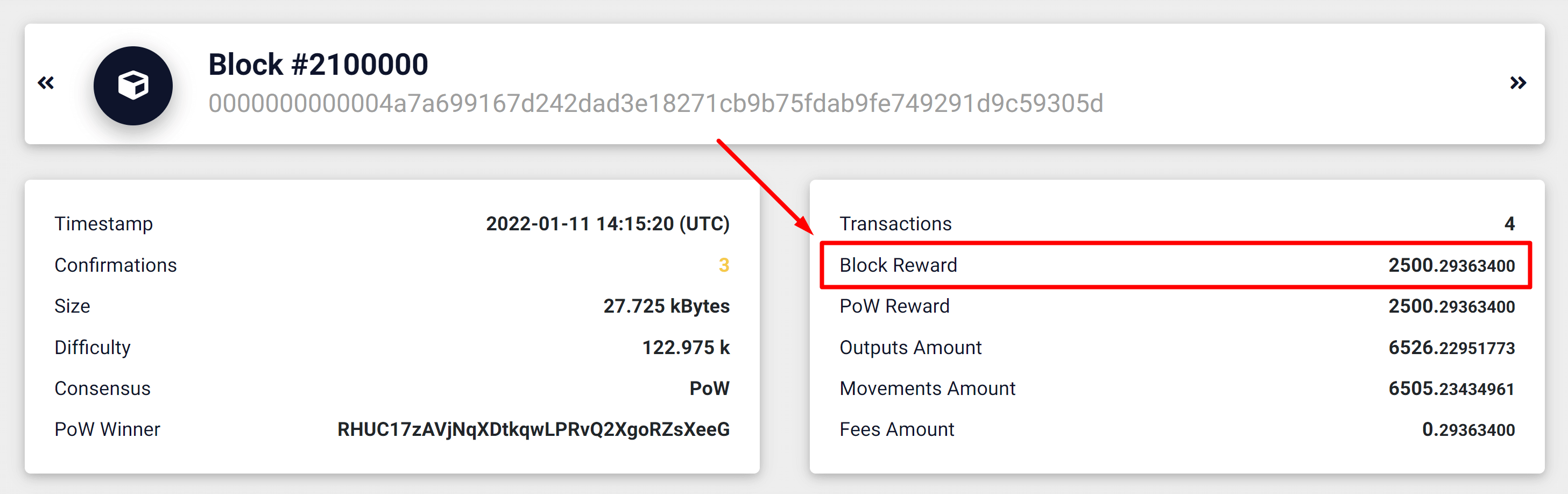
Ravencoin (RVN) halving happened at block 2 100 000 on January 11th. The block reward is now 2500 RVN only. It was 5000 RVN before. That means all the miners get two times less reward now.
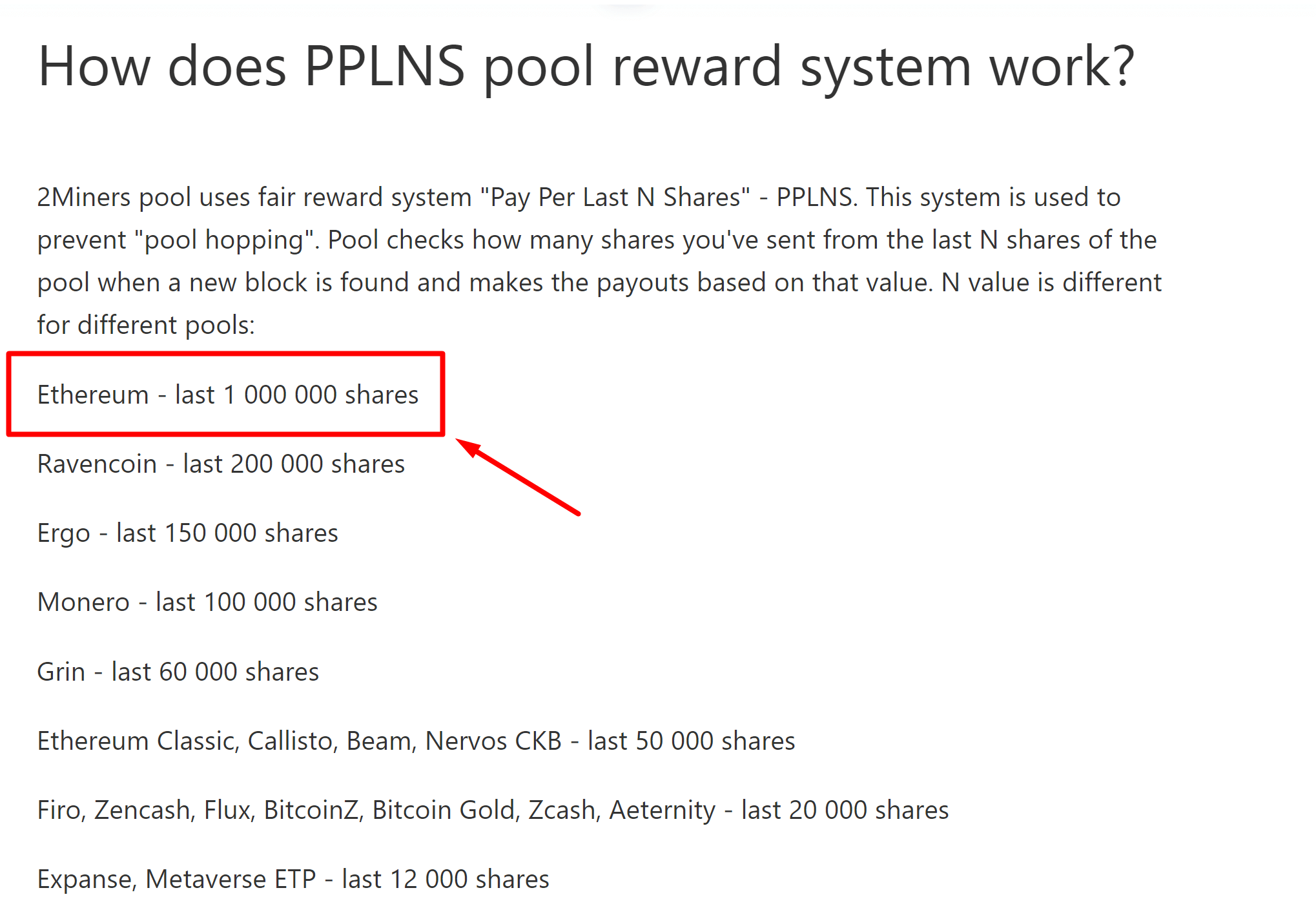
We’ve increased the number of PPLNS shares from 300 000 to 1 000 000 for the Ethereum PPLNS Pool.
This will not change your daily reward anyhow. This should just help the small miners with a low hashrate (for example a single video card) to participate in a larger amount of blocks. How does PPLNS pool reward system works?
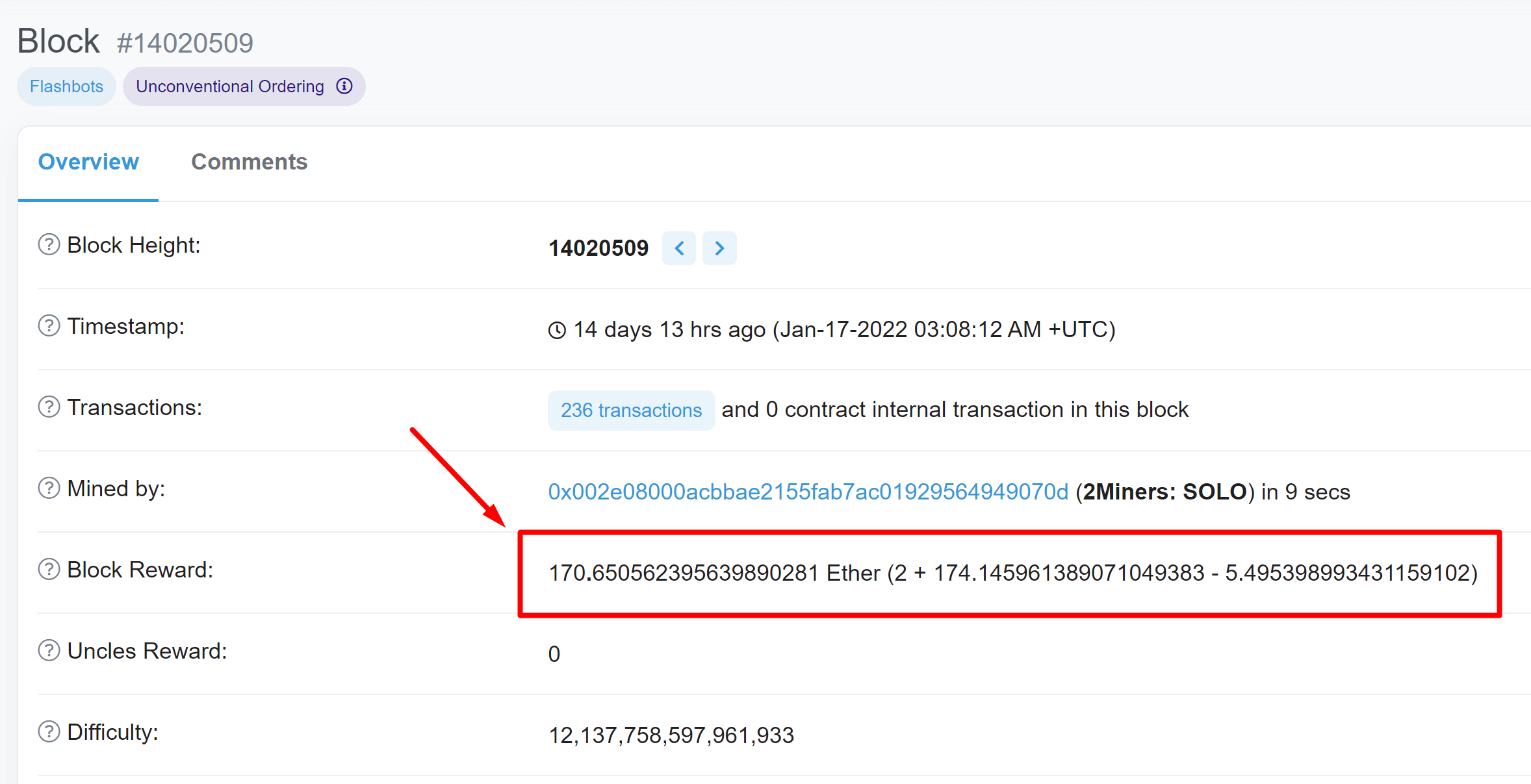
2Miners Ethereum pool found a lot of BIG blocks in January. For example 83.65 ETH per block on January 12th, 79.82 ETH on January 15th, 75.55 ETH on January 29th and many more.
The quick start archive with the mining software has been updated. It includes the latest versions of the most popular programs for Windows OS and the ready-to-go bat-files for each of the coins available on 2Miners.com. The archive contains:
gminer 2.75
t-rex 0.24.8
lolminer 1.42
teamredminer 0.9.0
You could always download the archive using the link below. It is also presented on the help page of the pool.
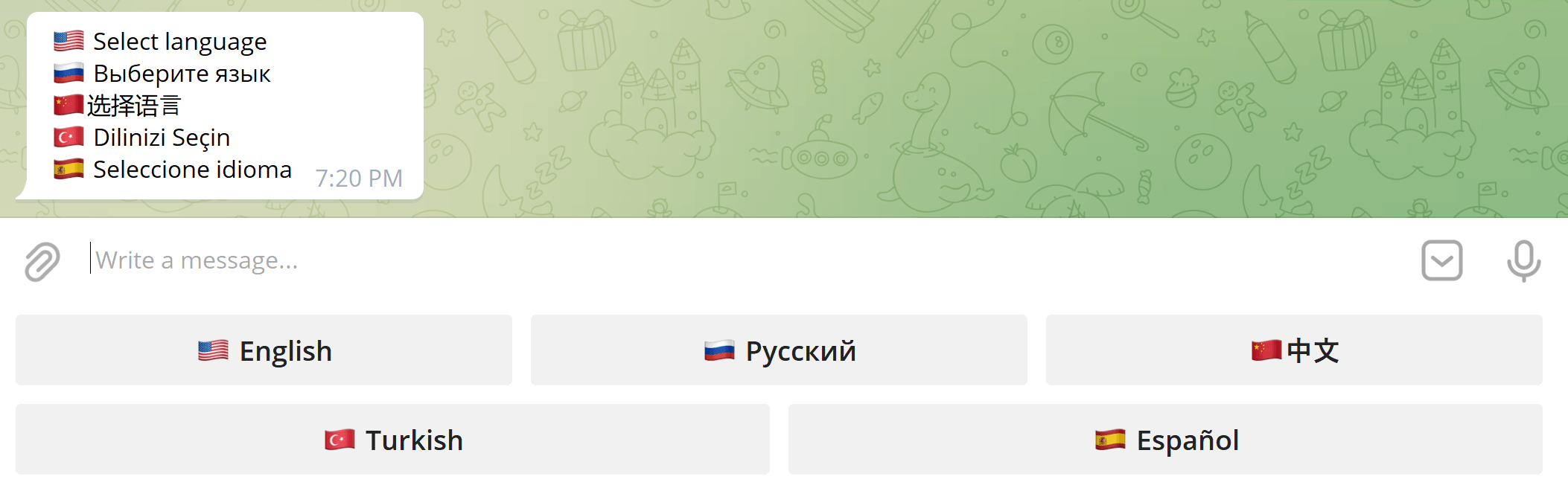
2Miners Telegram Pool Monitoring Bot is now translated into 5 languages: English, Russian, Chinese, Turkish, Spanish.
Our bot is one of the best ways to monitor your mining rig activity. It could be also very convenient for the SOLO miners who rent the hash power as the bot could notify you about the new blocks found by your rigs.
The 2Miners pool co-founder, businessman, miner. In 2017 started mining cryptocurrencies and built many rigs on his own. As a result, he gained lots of practical knowledge and became interested in sharing it with others.
In his articles on 2Miners, he shares useful tips that he tried and tested himself. For example, Darek gives advice on how to buy hardware components for the basic mining rig and how to connect them to each other correctly. He also explained lots of complicated terms in simple words, such as shares, mining luck, block types, and cryptocurrency wallets. After the pool was launched, he published a series of articles ‘Crypto Mythbusters’ where he explained how to protect the network against 51% attack, talked about cryptocurrency mining difficulty and difficulties of launching your own node.