What Is Quai Network
Quai Network is a Proof-of-Work blockchain built around a new consensus mechanism called Proof of Entropy Minima (PoEM). It uses a hierarchical sharded structure — one Prime chain, three Region chains, and nine Zone chains — connected through merged mining, where a single hash secures the entire network. The architecture targets over 50,000 transactions per second across shards, with roughly 5-second block times per shard and around 30-second cross-shard settlement.
The network has a dual-token design. QUAI is the EVM-compatible token with a logarithmic, deflationary emission schedule similar to Bitcoin. Qi is a separate UTXO-based token with linear emission tied to mining difficulty. Miners can choose which token to earn — but on 2Miners, the pool currently mines and pays out QUAI.
Genesis supply is roughly 1.33 billion QUAI. The token is already trading on MEXC, Gate.io, LBank, and Kraken. Block explorer: quaiscan.io.

Quai Mining Algorithms
Quai is unusual: thanks to the SOAP upgrade, the network supports three Proof-of-Work algorithms — SHA256, Scrypt, and KawPow. All three secure the same chain through merged mining. 2Miners runs pools for two of them:
- SHA256 — for Bitcoin-style ASIC miners (Antminer S9 through S21, Whatsminer, Avalon).
- KawPow — for GPUs. The same algorithm previously used by Ravencoin, supported by all modern NVIDIA and AMD cards.
If you already mine BTC or BCH on SHA256 hardware, or have a Ravencoin-era GPU rig sitting idle, you can point it at Quai with no hardware changes — just a new pool address and wallet.
Quai Wallet Setup
Before connecting your miner, you need a Quai wallet address. There are three options:
- Pelagus Wallet — the official Quai browser extension (Chrome). Generates an address in under a minute. Recommended for most miners.
- Tangem — hardware wallet support for cold storage.
- Exchange deposit address — MEXC, Gate.io, LBank, or Kraken. Useful if you plan to sell or convert QUAI immediately. Make sure the exchange supports Quai mainnet deposits before pointing your miner at the address.
Quai addresses use the standard EVM hex format and start with 0x, for example: 0x004b0015A5a719765d2CeBF08dE8cfb965593F17. Keep your address handy — you will paste it as the worker name in your miner configuration.
Mine Quai with ASIC (SHA256)
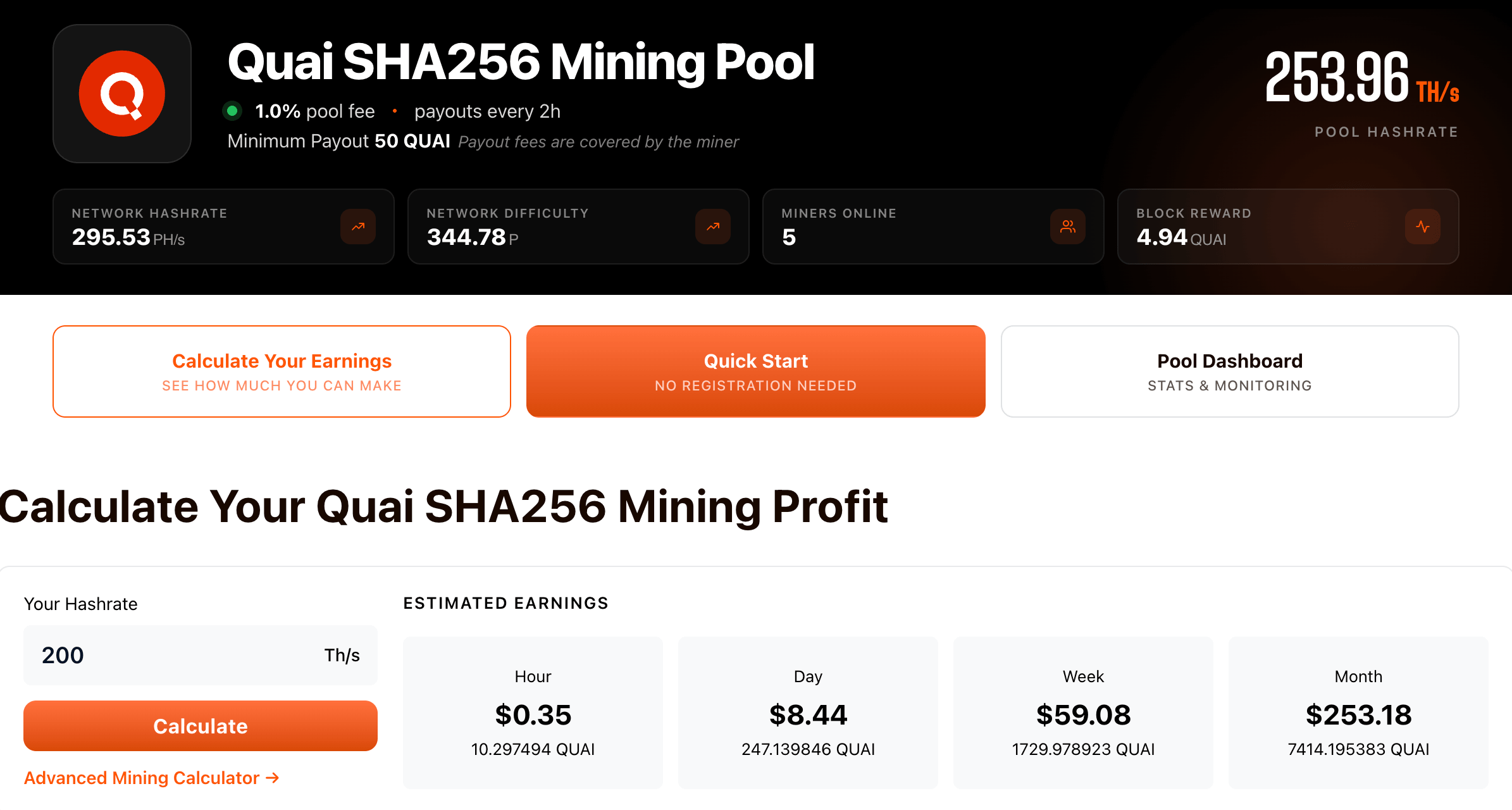
Any SHA256 ASIC works. That covers the entire Bitmain Antminer S-series (S9, S11, S15, S17, S19, S21), Whatsminer M-series, Canaan Avalon, Innosilicon T-series, and any custom or refurbished SHA256 device. Firmware updates are not required.
Quai SHA256 Pool (PPLNS)
Use the PPLNS pool if you want regular, predictable payouts based on shares submitted. Fee: 1%. Minimum payout: 50 QUAI. Payouts run automatically every 2 hours.
- Europe: stratum+tcp://quaisha.2miners.com:8080
- USA: stratum+tcp://us-quaisha.2miners.com:8080
- Asia: stratum+tcp://asia-quaisha.2miners.com:8080
- Worker: YOUR_QUAI_WALLET_ADDRESS
- Password: x
Three share difficulty levels are available per region: 524K (port 8080), 1M (port 8181), 16M (port 8282). Use the lowest unless you operate 500+ ASICs or rent hashrate from NiceHash. SSL ports are 18080, 18181, and 18282.
Pool stats and your worker dashboard: 2miners.com/quaisha-mining-pool. Full setup guide including NiceHash and MiningRigRentals configuration: quaisha.2miners.com/help.
Quai SHA256 Pool (SOLO)
Use SOLO if you have serious hashrate and want to keep 100% of every block you find. Fee: 1.5%. Same payout schedule and minimum.
- Europe: stratum+tcp://solo-quaisha.2miners.com:8383
- USA: stratum+tcp://us-solo-quaisha.2miners.com:8383
- Asia: stratum+tcp://asia-solo-quaisha.2miners.com:8383
- Worker: YOUR_QUAI_WALLET_ADDRESS
- Password: x
Difficulty levels: 524K (8383), 1M (8484), 16M (8686). SSL: 18383, 18484, 18686. Pool page: 2miners.com/solo-quaisha-mining-pool.
Mine Quai with GPU (KawPow)
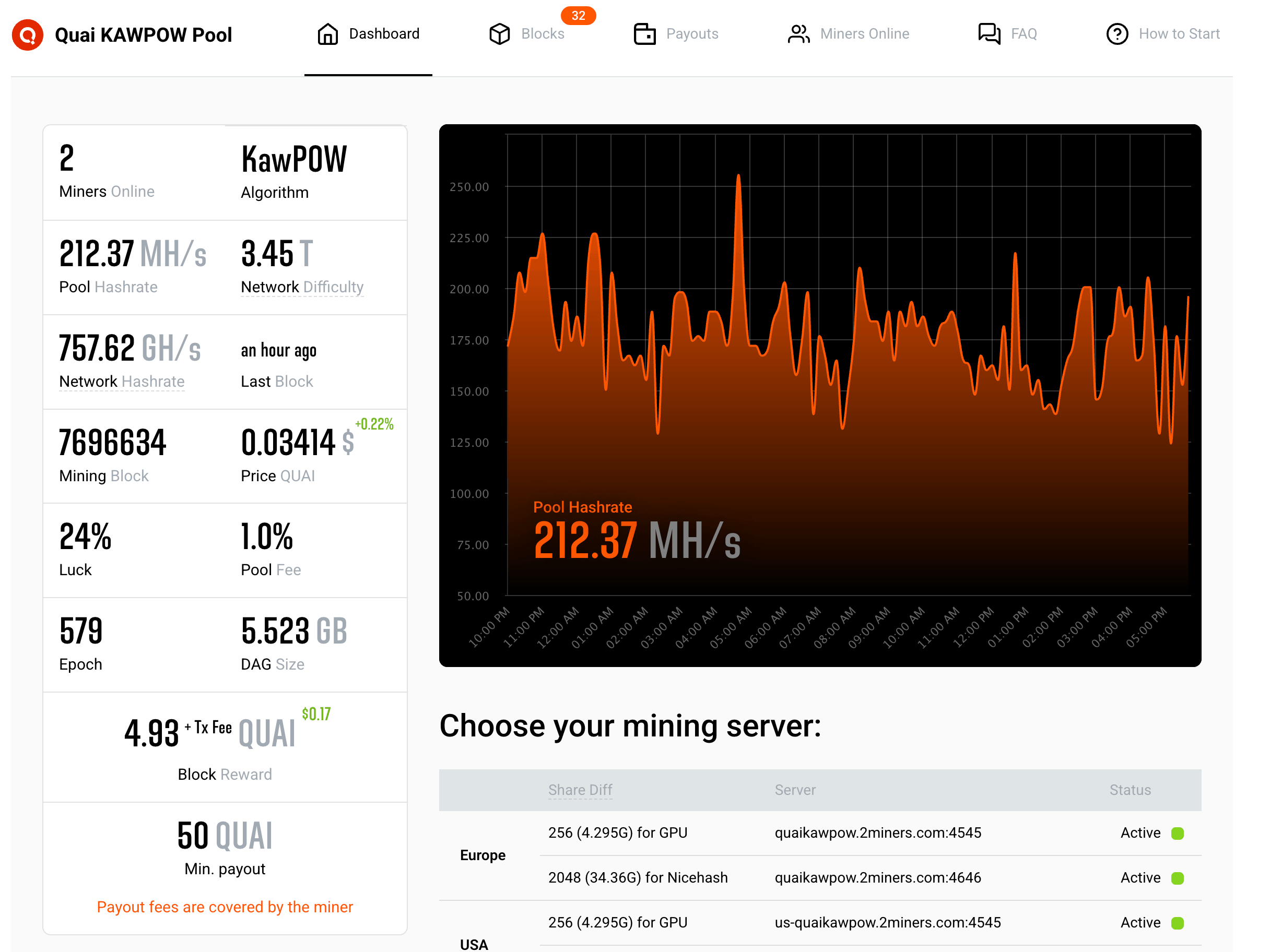
Quai KawPow is a memory-hard algorithm well suited to modern GPUs. Recommended mining software:
- NVIDIA: GMiner or T-Rex.
- AMD: NBMiner or TeamRedMiner.
Quai KawPow Pool (PPLNS)
Fee: 1%. Minimum payout: 50 QUAI. Payouts every 2 hours.
- Europe: stratum+tcp://quaikawpow.2miners.com:4545
- USA: stratum+tcp://us-quaikawpow.2miners.com:4545
- Asia: stratum+tcp://asia-quaikawpow.2miners.com:4545
- Worker: YOUR_QUAI_WALLET_ADDRESS.RIG_ID
- Password: x
NiceHash port: 4646. SSL ports: 14545 and 14646. RIG_ID is optional and accepts up to 32 characters (letters, numbers, hyphens, underscores). Pool page: 2miners.com/quaikawpow-mining-pool. Setup guide: quaikawpow.2miners.com/help.
Quai KawPow Pool (SOLO)
Fee: 1.5%. Same payout rules.
- Europe: stratum+tcp://solo-quaikawpow.2miners.com:4848
- USA: stratum+tcp://us-solo-quaikawpow.2miners.com:4848
- Asia: stratum+tcp://asia-solo-quaikawpow.2miners.com:4848
- Worker: YOUR_QUAI_WALLET_ADDRESS.RIG_ID
- Password: x
NiceHash port: 4949. SSL: 14848 and 14949. Pool page: 2miners.com/solo-quaikawpow-mining-pool.
PPLNS or SOLO: Which to Choose
The choice depends on your hashrate and risk tolerance.
- PPLNS pays you a steady share of every block the pool finds, proportional to the work your miner contributed. Predictable income, smaller variance, lower payout floor.
- SOLO pays you the full block reward — but only when your miner finds a block alone. Higher variance, potentially much larger payouts, no dilution.
If you have a single ASIC or one or two GPUs, PPLNS is the safer choice. If you run a serious operation, or want to take a deliberate shot at full block rewards, SOLO makes sense. Read more: Solo Mining Pools: How to Catch Your Luck.
Estimate Your Profitability
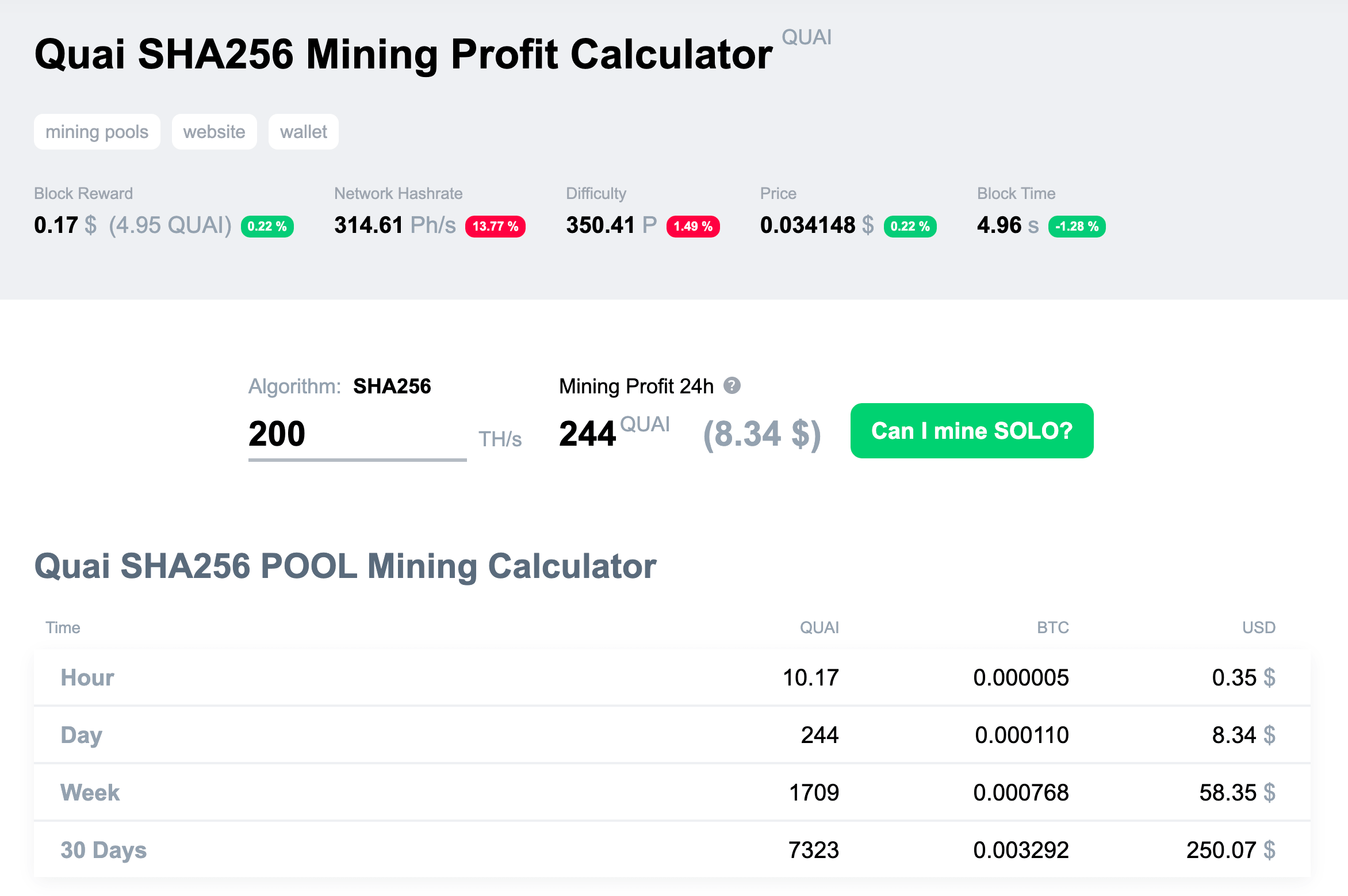
Quai is already supported in 2CryptoCalc. Enter your hashrate and electricity cost to see expected daily revenue in USD and QUAI for both algorithms. The calculator pulls live network difficulty and exchange rates, so the estimate stays current as conditions change.
Quai trading data and current price: CoinMarketCap.
Stay Updated
Follow us on X (Twitter) and join our Telegram chat to stay informed about new developments, miner alerts, and network upgrades.